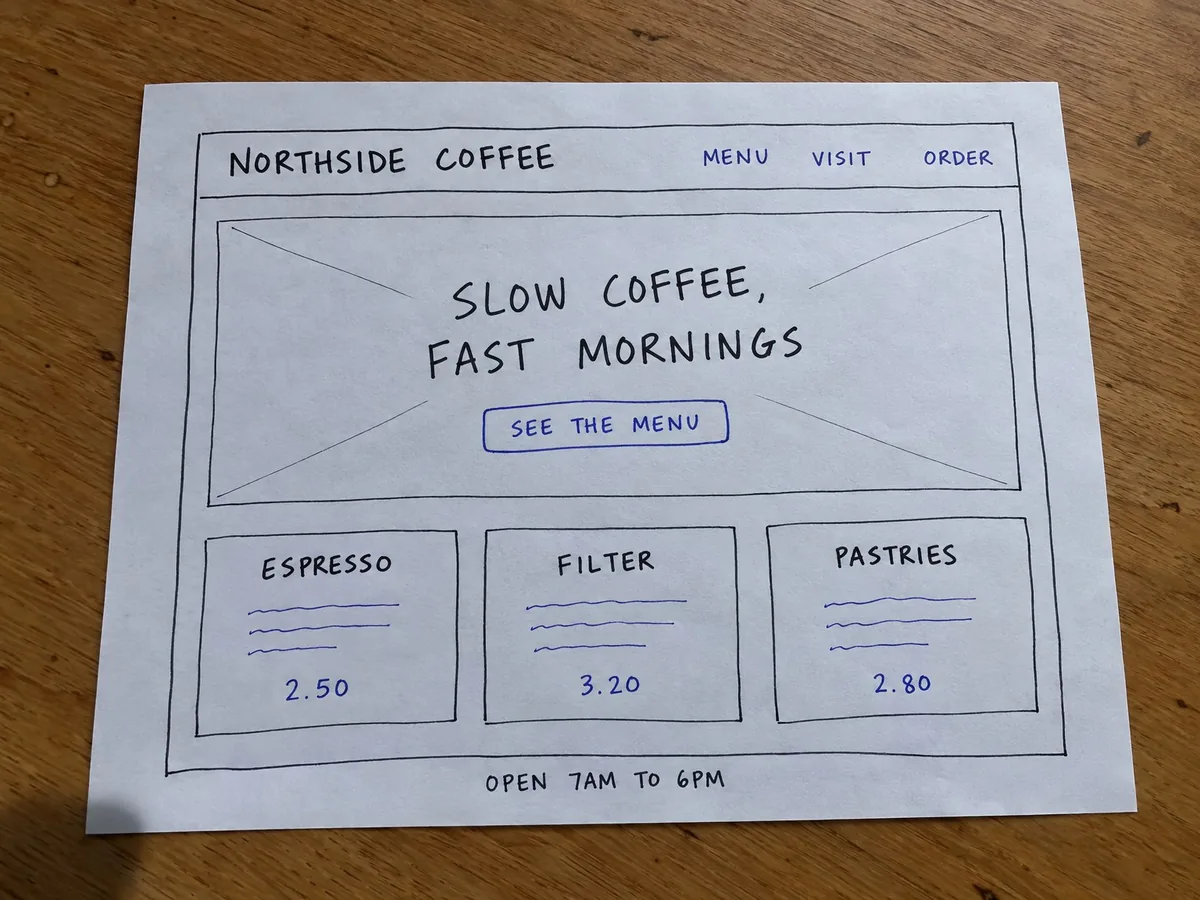
一张纸质线框图的照片
做对了什么
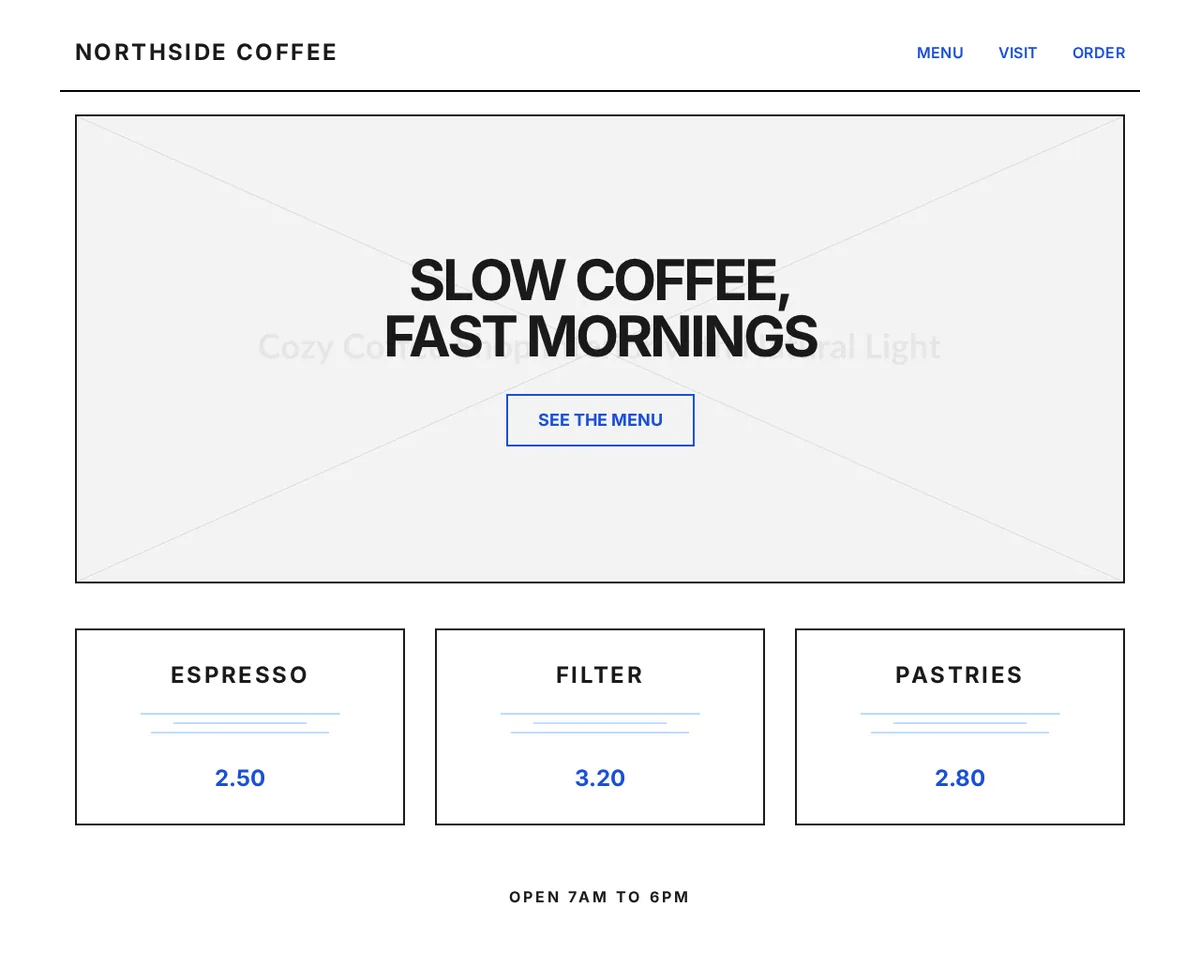
- 草图里的每一段文字都在,顺序也一致:logo、三个链接、标题、按钮、三个产品名、价格和营业时间。
- 布局也对:导航栏下方一条分隔线,带边框的首屏区块,一行三张等宽卡片,页脚一行居中。
- 两种笔的颜色:黑色用于结构和文字,蓝色用于链接、按钮和价格。
需要手动修改的地方
- 画叉的方框(线框图里表示图片的常见符号)变成了一张 placehold.co 图片,它的说明文字淡淡地显示在标题后面。换成你的真实照片即可。
- 每个产品下面随手画的横线被转成了细装饰线。把它们换成你原本想写的描述。
coffee-wireframe.html(body 的开头几行)
 <body class="bg-white">
  <!-- Header -->
  <header class="max-w-6xl mx-auto px-4 py-6 flex justify-between items-center border-b-2 border-black mt-4">
   <div class="text-2xl font-bold tracking-widest">
    NORTHSIDE COFFEE
   </div>
   <nav class="space-x-8">
    <a class="text-blue-700 font-semibold tracking-wide hover:underline" href="#">
     MENU
    </a>
    <a class="text-blue-700 font-semibold tracking-wide hover:underline" href="#">
     VISIT
    </a>
    <a class="text-blue-700 font-semibold tracking-wide hover:underline" href="#">
     ORDER
    </a>
   </nav>
  </header>
  <!-- Hero Section -->
  <section class="max-w-6xl mx-auto px-4 mt-6">
   <div class="relative h-[500px] sketch-border flex flex-col items-center justify-center text-center bg-gray-50 overflow-hidden">
    <!-- Placeholder for Hero Image -->
    <img alt="A cozy coffee shop interior with wooden tables and natural light coming through large windows" class="absolute inset-0 w-full h-full object-cover opacity-20" src="https://placehold.co/1200x500?text=Cozy+Coffee+Shop+Interior+with+Natural+Light"/>
    <div class="relative z-10 px-4">
     <h1 class="text-5xl md:text-6xl font-bold tracking-tighter mb-8 uppercase">
      SLOW COFFEE,