Intro
Why Image to Code Matters Now
Ever looked at a cool website and thought, "How'd they make that?" Or maybe you've spent ages turning a design into code, feeling like your brain's turned to mush by the end. You're not the only one. These days, everyone's in a rush to turn pictures into working websites fast and without messing up. Companies, coders, and designers are all trying to find better ways to do this.
Getting It Right Counts
Picture this: Your client sends you an awesome design. It looks great and fits their brand perfectly. But to make it a real website, you've gotta write all that HTML, CSS, and maybe even some JavaScript by hand. It takes forever and it's easy to mess up. If you get it wrong, the website might not look like what the client wanted, and that's bad news. That's why getting image to code right is super important.
What's Image to Code All About?
The Basics
Image to code is pretty much what it sounds like - taking a picture of a design and turning it into code that makes a website. This could be a screenshot, a sketch, or a detailed mockup. The code it makes is usually HTML, CSS, and sometimes JavaScript, depending on how fancy the design is and what tools you're using. The whole point is to make building websites faster and easier.
Where It Comes in Handy
Lots of people find this useful. Freelancers juggling tons of projects, big companies trying to make websites faster, or anyone who wants to copy a cool site they saw. Maybe you need to turn a brochure into a webpage quick, or you're just tired of doing the same coding tasks over and over. Image to code tools can be a real lifesaver.
What's New in Image to Code
AI and Machine Learning Stepping Up
AI and machine learning are changing everything, including how we make websites. The latest image to code tools use smart AI to figure out complex designs. They can spot patterns, layouts, and style details to make code that looks just like the original picture.
Playing Nice with Modern Web Stuff
Websites aren't just static pages anymore. With things like React , Vue.js , and Angular becoming popular, image to code tools are keeping up. They're starting to work with these new technologies, so the code they make isn't just accurate, but also works well with modern web development.
Easier to Use Than Ever
As these tools get smarter, they're also getting easier to use. Now you've got things like drag-and-drop, seeing changes in real-time, and easy ways to customize. This means more people can use them, from pro developers to folks who just like design.
Doing Image to Code Right
Picking the Right Tools
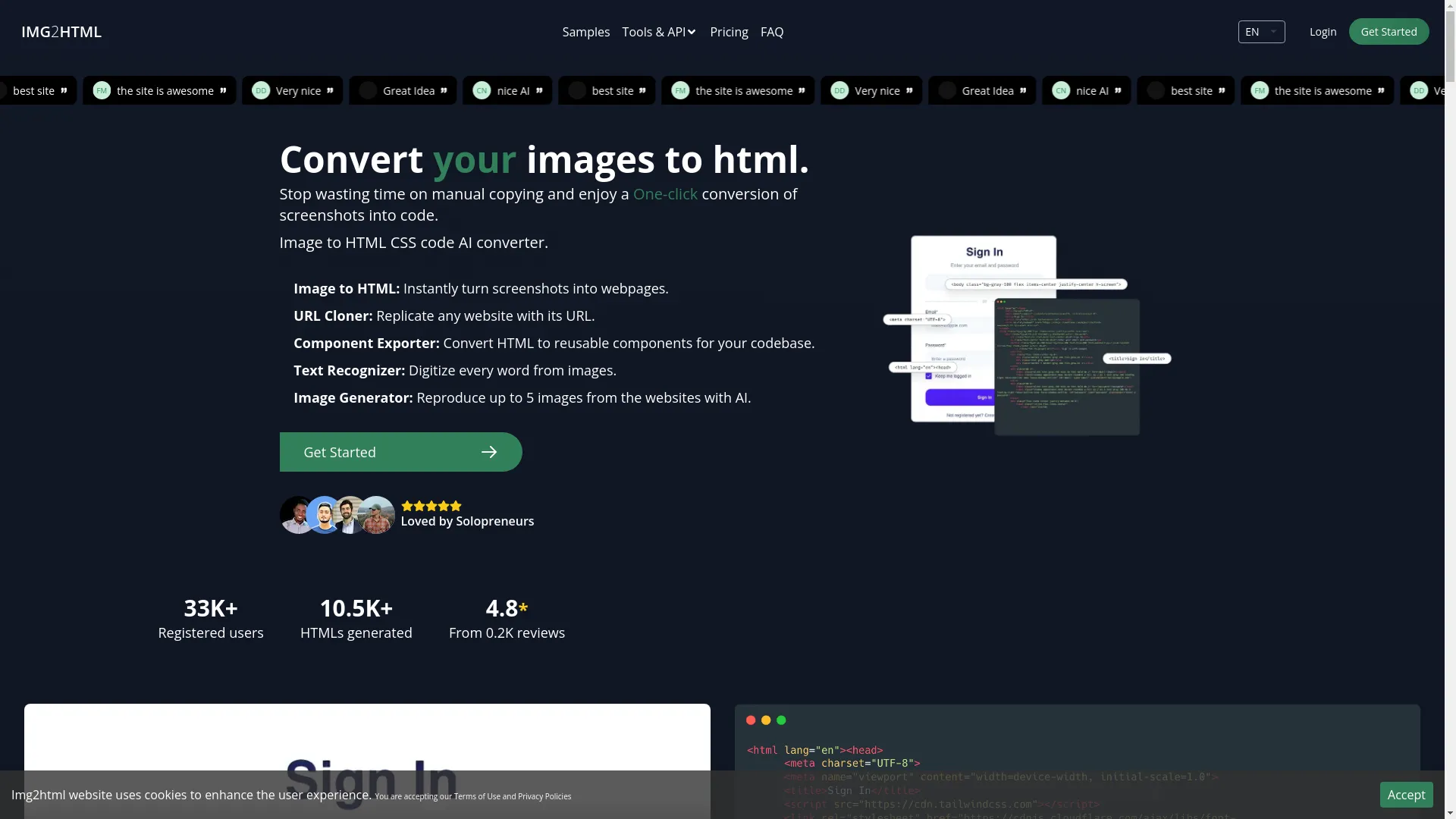
Getting image to code right starts with choosing the right tools. IMG2HTML is one of the best out there, with features that work for simple and complex designs. When you're picking a tool, think about if it works with the web stuff you like, how accurate it is, and how much you can change things.
Starting with Good Images
Garbage in, garbage out, as they say. The better your starting image, the better the code will be. Use high-quality images with clear details. Avoid blurry screenshots or dark pictures - they'll just confuse the AI.
Using AI-Powered Tools
Tools like IMG2HTML use AI to do the conversion automatically. They can understand your design and make clean, organized code that works on different screen sizes. Using these tools saves time and usually gives you better results.
Cleaning Up the Code After
AI tools are great, but they're not perfect. After you convert your image, take a look at the code. Clean up anything that looks messy, make sure the HTML makes sense, and tweak the CSS to make it run better.
Making It Work on All Devices
These days, your website needs to look good on phones, tablets, and computers. Make sure your image to code process thinks about this. Many tools like IMG2HTML have features built-in for this, but double-check to make sure everything looks right on different screens.
Top Tools for the Job
What's Out There
There are lots of image to code tools out there. Some are all about speed, others give you more control. Think about what you need before you pick one.
Spotlight on IMG2HTML
IMG2HTML is one of the best AI-powered converters out there. Here's why it's cool:
- One-Click Conversion: Turn screenshots into HTML and CSS super fast.
- URL Cloner: Copy whole websites just from their web address.
- Component Exporter: Turn HTML into parts you can reuse in React, Vue, and Angular.
- Text Recognizer: Grab text from images so you don't have to type it all out.
- Image Generator: Make multiple images from one design.
Why It's Better
IMG2HTML is faster and more accurate than a lot of other tools. It works well with modern JavaScript stuff, so your code isn't just accurate, it's also set up to work well and grow. Plus, it's easy to use whether you're new to this or you've been coding for years.
Winning at Image to Code Projects
Plan It Out
Before you start, think it through. Know what you want to achieve, figure out which parts of the design are most important, and set clear goals.
Get Designers and Devs Talking
When designers and developers talk to each other, everything works better. Designers can explain the tricky parts of the design, and developers can say what's actually possible. This helps make sure the final code matches what everyone had in mind.
Collaboration Tips
Effective communication between team members is key to a successful project.
Learn moreKeep Testing and Tweaking
Don't just convert once and call it done. Keep checking the code against the original design. Set up ways for people to give feedback so you can fix problems quickly.
Use APIs to Speed Things Up
If you're doing lots of conversions or big projects, using APIs can make things go faster and reduce mistakes. IMG2HTML has good API options that fit into how you already work.
How Tech Makes It More Accurate
Smart Computer Algorithms
The secret sauce in good image to code tools is machine learning. These smart algorithms look at patterns, recognize different parts of the design, and figure out the best way to turn it into code.
Computer Vision Tricks
Computer vision helps the tools "see" the design. It can spot edges, analyze colors, and recognize things like buttons, forms, pictures, and text. This helps make sure everything in the code matches the design.

Natural Language Smarts
Even though it's mostly about pictures, many designs have words too. Natural Language Processing helps tools understand and copy text correctly, making sure fonts, sizes, and how text lines up all match the original design.
Keeping Up with Web Design Trends
Keep It Simple
Modern web design often likes things simple and flat. When you're turning images to code, aim for clean, uncluttered code that matches this style. This makes websites look good and work well.
Make It Work for Everyone
It's important that everyone can use your website, including people with disabilities. Make sure your code follows accessibility rules . This means using the right HTML, adding labels for screen readers, and checking that colors are easy to see.
Speed Matters
A beautiful website isn't much good if it's slow. Make sure the code runs fast. This means keeping the code lean, making images smaller, and using good coding practices.
Building Solid Systems
Get Your Data Flowing Smoothly
If you're doing lots of automatic conversions, make sure data moves smoothly from start to finish without getting stuck or messed up. This helps keep everything consistent and accurate.
Make Sure It Works Everywhere
People use all sorts of devices to look at websites. Make sure your code works on different browsers and devices so everyone gets a good experience.
Keep Things Safe and Private
When you're working with designs and code, you're dealing with stuff that should stay private. Follow good security practices to keep data safe and build trust.
Keeping Users Happy
Put Users First
Always think about the people who'll use the website. Make sure it's easy to use, easy to navigate, and looks good to the people it's for.
Watch the Numbers
Keep an eye on how well the website is doing. Look at things like how fast it loads, how many people leave quickly, and how much people use it. This helps you see what's working and what needs fixing.
Listen and Improve
What users say is super valuable. Set up ways to get feedback and use it to make the website better. This way, your site keeps getting better and stays up to date.
Measuring Success
How Close Is the Code to the Design?
One of the main things to check is how well the code matches the original design. Make sure layouts, colors, fonts, and interactive bits all line up with what the design shows.
Is It Fast and Responsive?
Check how fast the website loads and how well it works on different devices. Good code should make the site load quickly and work smoothly no matter what device someone's using.
| Metric | Ideal Value | Current Value |
|---|---|---|
| Load Time | <2s | 1.8s |
| Responsiveness | 100% | 98% |
| User Satisfaction | Excellent | Good |
Do Users Like It?
In the end, what matters most is if people like using the website. If people are using it a lot, saying good things, and sticking around, that's a good sign that your image to code project worked well.
Wrapping Up
Quick Recap
Getting image to code right is all about using good tools, planning well, and always trying to make things better. By using solid platforms like IMG2HTML , starting with good designs, using AI, and following modern web design rules, developers and designers can turn images into great websites easily and accurately.
What's Next for Image to Code
As tech keeps getting better, image to code tools will too. They'll work with newer web technologies, use smarter AI, and focus more on making sites that everyone can use and that run super fast.
Time to Try It Out
Ready to make your web development easier? Give these tips a try and check out tools like IMG2HTML to make turning images into code a breeze. Whether you've been coding for years or you're just getting started, these strategies will help you make awesome, working websites without all the hassle. Jump in, try stuff out, and watch your ideas come to life without breaking a sweat.
Start Your Transformation Today
Transform your images into code effortlessly with IMG2HTML. Check out our pricing and find the best plan for your needs.