Which Ai Turns Image Into Code
Picture this: you've got a screenshot of a super cool website design, and boom! In just a few seconds, it's turned into actual, working HTML and CSS code. Sounds like something out of a sci-fi m...
1. Intro
Picture this: you've got a screenshot of a super cool website design, and boom! In just a few seconds, it's turned into actual, working HTML and CSS code. Sounds like something out of a sci-fi movie, right? Well, guess what - it's real, and it's all thanks to AI. This tech isn't just some passing fad; it's totally changing how folks build websites and apps. So, you're probably wondering, "Which AI can do this magic trick?" Let's dive in and check out the tools making this happen.
2. Getting Your Head Around AI Image to Code Stuff
Okay, so here's the deal with AI image to code conversion. It's like having a super smart robot that can look at a picture of a website and write all the code to make it real. Instead of spending hours typing out HTML, CSS, or JavaScript to copy a design, you just upload a pic, and the AI does all the hard work.
But how does it actually work? Think of it like having a genius friend who can look at your design and instantly write down exactly what's needed to make it happen. This tech uses some pretty fancy stuff in computer vision and language processing to figure out what's in your design and turn it into code that's clean, works on all devices, and is ready to go.
3. Top AI Tools for Turning Pictures into Code
-
Img2html
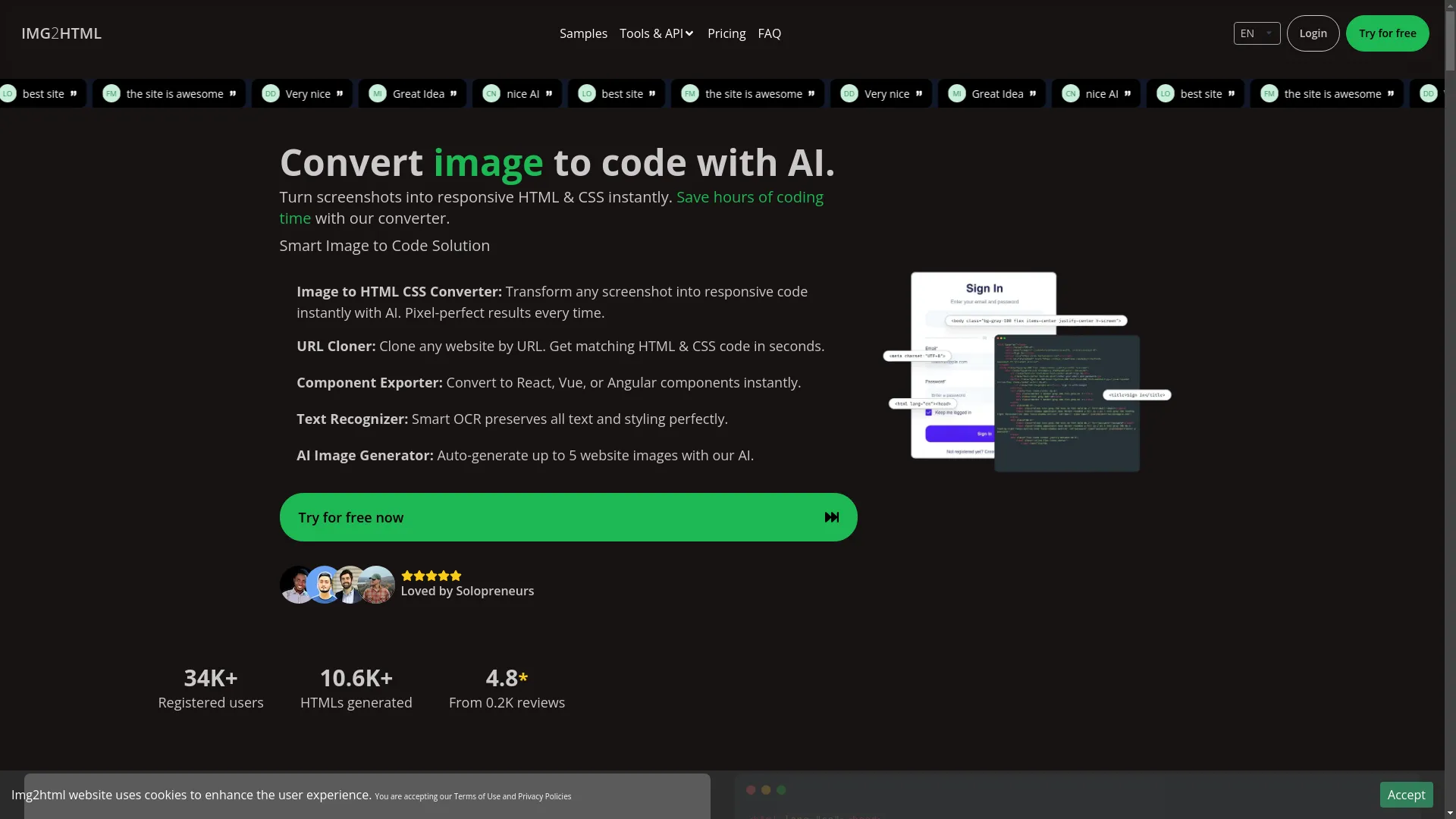
This one's a real superstar. It can take any screenshot and turn it into HTML and CSS code in no time. Imagine saving hours of boring coding with just a few clicks. Img2html doesn't just make things faster; it makes sure everything looks spot-on too.
What it can do:
- Turn pictures into HTML/CSS
- Copy entire websites just by giving it the web address
- Make React, Vue, or Angular bits from designs
- Recognize text and keep its style
- Create up to five website images out of thin air
People seem to love it - over 34,000 folks are using it, and it's got a 4.8-star rating from 200 reviews.
You can try this feature yourself at Img2html .
-
Image to Code GPT by YesChat
This one's another cool tool that turns designs into working web code. It's all about keeping things simple and accurate, making sure the code it spits out looks just like your original design without adding extra junk.
What it does:
- Makes HTML, CSS, and JavaScript from design pictures
- Can work with stuff like Bootstrap or Tailwind CSS
- Adds placeholders for images and interactive bits
It's got a 4.6 out of 5 rating based on 820 votes, so it's pretty solid.
-
onetab Code AI
This one's also pretty neat. It uses some smart computer stuff to turn your designs into clean HTML and CSS code. It's good at keeping your designs looking the way they should.
Why people like it:
- Makes code that's ready for the real world without much fiddling
- Uses some fancy learning models to spot design elements accurately
- Makes sure the code works well on phones, tablets, and computers
Whether you're a coding pro or just someone trying to get a website up, onetab Code AI makes it pretty easy.
4. How These AI Thingamajigs Work
The Techy Bits Behind Image to Code AI
- Computer Vision: This is like giving the AI eyes to see and understand what's in a picture. It can spot things like buttons, text, images, and how everything's laid out.
- Natural Language Processing (NLP): This helps the AI understand and write human-like language. It's useful for figuring out what you want and writing the right code.
- Machine Learning Algorithms: These are like the AI's brain. They learn from tons of website designs and code, so they can guess how to make code for new designs.
Breaking Down the Conversion Process
- You upload a picture of your design.
- The AI looks at it and figures out what's what - like where the header is, where buttons are, etc.
- It writes the HTML and CSS code based on what it sees. Some fancy tools can even make JavaScript or stuff for React, Vue, or Angular.
- You can tweak things if you want, like choosing a specific style of CSS.
- You download the code and use it in your project. Easy peasy!

5. Why Using AI for Image to Code is Pretty Sweet
Speed and Getting Stuff Done Quick
Imagine turning hours of coding into just a few minutes. Tools like Img2html and Image to Code GPT do the boring parts for you, so you can focus on the cool, creative stuff. This means you can get projects done way faster.
Nailing the Details
These AI tools are really good at making sure the code looks just like your design. This means less time fixing little mistakes and a cleaner, more reliable end result.
Saving Some Cash
By doing the conversion automatically, businesses can save time and money. This is especially great for small businesses or startups that want to get online quickly without spending a fortune.
6. Real-Life Uses and Examples
Building Websites
For web developers, these tools are game-changers. They can quickly turn design mockups into working code, whether it's for a simple landing page or a full website.
Example: A freelance web designer could make a bunch of different designs and turn them into code right away, making it easy to show clients and make changes.
Making Mobile Apps Look Good
These tools aren't just for websites. They can help make mobile app designs into code too, which makes building apps a lot quicker.
Example: Someone making a mobile app could upload their design ideas and get code for iOS or Android, speeding up the whole process.
Online Shops and Stuff
For online stores, having a good-looking, working website is super important. These AI tools can help quickly make design changes, keeping the site looking fresh and easy to use.
Example: An online store could quickly update how their product pages look by uploading new designs and getting the code automatically, keeping everything looking consistent.
7. Comparing the Big Dogs in AI Image to Code Tools
What They Can Do
| Feature | Img2html | Image to Code GPT | onetab Code AI |
|---|---|---|---|
| HTML/CSS Conversion | ✔️ | ✔️ | ✔️ |
| Framework Support | React, Vue, Angular | Bootstrap, Tailwind CSS | Responsive Layouts |
| Text Recognition | ✔️ | ✔️ | ✔️ |
| Image Generation | Up to 5 Images | ❌ | ❌ |
How Easy They Are to Use
- Img2html: Pretty user-friendly. Easy to upload images and get your code without much fuss.
- Image to Code GPT by YesChat: Nice and simple interface, good even if you're not super techy.
- onetab Code AI: Designed to fit in smoothly with how you already work.
How Much They'll Set You Back
- Img2html: You pay for what you use, with different packages available. Good for solo developers or big teams.
- Image to Code GPT by YesChat: Has a free trial and paid plans depending on how much you need to use it.
- onetab Code AI: Offers some free stuff to try it out, with bigger plans for professionals and businesses.
8. Tricky Bits and Things to Think About
Keeping Designs Looking Right
Making sure the code looks exactly like your original design is super important. While these tools try to be perfect, sometimes tricky designs might need a bit of tweaking.
Tip: Always double-check the code you get and make any little adjustments to make it perfect.
Dealing with Fancy Designs
These AI tools are great with simple designs but might struggle with really complex or unusual layouts. Things like fancy animations or weird layouts might not translate perfectly.
Tip: For complicated projects, use the AI-generated code as a starting point, then add your own touches to make it work just right.
Fitting in with How You Already Work
Sometimes, fitting AI-generated code into your existing projects can be a bit tricky, especially if you're using specific frameworks or libraries.
Tip: Pick AI tools that work with the frameworks you like and offer ways to customize the output.
9. What's Coming Next for AI in Image to Code
New Stuff on the Horizon
- Better Support for Frameworks: Future tools will probably work with even more frameworks and libraries.
- Smarter Learning: AI models that get better over time based on how people use them and tweak the code.
- Working Across More Platforms: Not just for web and mobile apps, but maybe for desktop apps and other systems too.
Cool Ideas That Might Happen
- Real-Time Teamwork: Tools that let multiple people work together on turning designs into code at the same time.
- More Ways to Customize: Giving developers more control over how the code turns out, like choosing coding styles and optimization preferences.
- Working with Design Tools: Seamlessly connecting with tools like Figma, Sketch, and Adobe XD for an even smoother design-to-code process.
Staying in the Loop
- Sign up for newsletters from big AI and development platforms.
- Join developer communities on GitHub, Stack Overflow, and other forums.
- Check out webinars and workshops about AI and web development to learn from the pros.
10. Wrapping It Up
AI-powered image to code conversion is seriously changing the game for web and app development. Tools like Img2html, Image to Code GPT by YesChat, and onetab Code AI are making it possible for developers and designers to bring their ideas to life super fast and accurately. While there are some challenges, like making sure complex designs come out right, the benefits are huge. These tools are becoming must-haves in today's fast-paced digital world.
As AI keeps getting better, we can expect even cooler and more versatile tools that'll make development even smoother, cheaper, and more creative. Keeping up with these new tools will definitely give you an edge in the ever-changing tech world.
11. Time to Give It a Go
Ready to shake up how you work? Why not try out Img2html and other top AI tools today and see the future of web and app development for yourself? Whether you're a seasoned pro, just starting out in design, or a business owner looking to get online, these AI-powered converters can save you time, money, and make your projects even better. Don't wait - jump in and see how easy it is to turn your images into code!
By using these smart AI tools in your work, you'll not only get stuff done faster but also unlock a whole new level of creativity and efficiency in your projects. So why not give it a shot and see the magic happen?