Table of Contents
- Introduction
- Understanding Knowledge Management
- The Role of HTML in Knowledge Management
- Current Trends in HTML for Knowledge Management
- Strategies for Using HTML in Knowledge Management
- Essential Tools for HTML-based Knowledge Management
- Advancements in Technology and HTML
- Optimizing Knowledge Management Systems using HTML
- Building Quality Networks with HTML-based Systems
- Effective Strategies for Success in Knowledge Management with HTML
- The Importance of User Experience and Performance Metrics
- Conclusion
- Frequently Asked Questions (FAQ)
Introduction
Ever felt like you're drowning in a sea of info, trying to keep track of important stuff? Welcome to Knowledge Management (KM) - it's kinda a big deal these days. But how do you actually manage all that knowledge? Well, that's where HTML comes in handy.
You might be thinking, "HTML? Isn't that just for making websites?" Well, buckle up, 'cause HTML is way more useful for managing knowledge than you might think. Whether you're a developer, teacher, marketer, or just someone trying to organize their own info, knowing how to use HTML can totally change how you handle information.
In this article, we're gonna dive into how HTML and knowledge management work together. We'll look at what's new, some strategies, and some cool tools that'll help you get the most out of HTML for managing and sharing knowledge. So grab a coffee, get comfy, and let's get into it!

Understanding Knowledge Management
What is Knowledge Management?
Imagine trying to find a book in a huge library with no system. Frustrating, right? That's where Knowledge Management comes in. It's like having a super organized librarian for all your info. KM is all about turning data into useful insights, creating an environment where knowledge is always growing and being used to make better decisions.
Key bits of KM:
- Making new knowledge: Coming up with new ideas or ways of doing things.
- Capturing knowledge: Writing down and storing info so it's easy to find later.
- Sharing knowledge: Getting info to the people who need it.
- Using knowledge: Applying what you know to make things better.
The Importance of Effective Knowledge Management
In today's fast-paced world, good KM can make or break you. Here's why it matters:
- Better decision-making: When you have the right info, you make better choices, faster.
- More efficient: You don't waste time figuring out the same stuff over and over.
- Boosts creativity: When knowledge is organized well, it's easier to come up with new ideas.
- Helps people learn: Makes it easier for everyone to keep learning and improving.
- Gives you an edge: Companies that manage their knowledge well are better at adapting and succeeding.
The Role of HTML in Knowledge Management
Now that we know what KM is and why it's important, let's talk about how HTML fits in.
Structuring Information with HTML
HTML is the language used to make websites. But it's not just about making things look pretty - it's super useful for organizing information, which makes it great for knowledge management.
Why use HTML?
-
Organizes stuff clearly:
HTML uses tags that show what each bit of content is for (like
<article>,<section>,<header>), which makes info easier to understand and organize. -
Links things together:
With links (
<a>tags), HTML lets you connect different pieces of info, so people can easily move between related stuff. - Makes info accessible: When you use HTML right, it makes sure everyone can access the info, including people with disabilities.
Real-world examples:
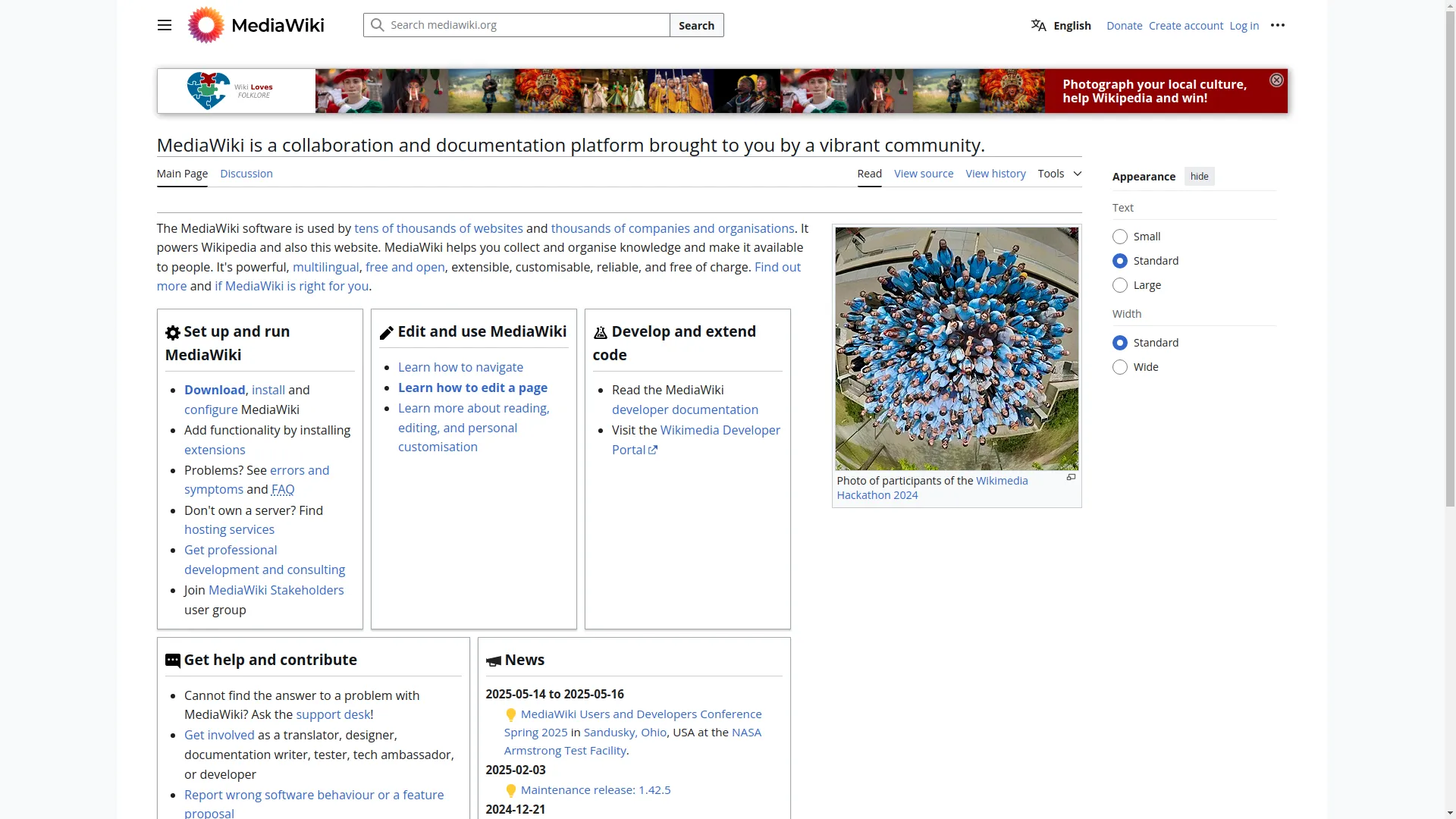
- Knowledge bases and wikis: Places like Confluence or MediaWiki use HTML to structure their content, making it easy to find what you need.
- Documentation hubs: Whether it's for software guides or company manuals, HTML helps organize and present info clearly.
- Online courses: Learning platforms use HTML to create structured, engaging learning materials.
Enhancing Accessibility and SEO
HTML doesn't just organize info - it also makes sure people can find and use it easily.
Accessibility:
- Screen readers: Good HTML structure helps screen readers interpret content correctly for people with visual impairments.
- Keyboard navigation: Makes sure people can move through content without a mouse, which is important for some disabilities.
SEO (Search Engine Optimization):
- Structured data: Using HTML to add structured data helps search engines understand the content better, making it more visible in searches.
- Meta tags: HTML lets you add meta titles and descriptions, which are super important for search rankings and getting people to click on your content.
By using HTML well, you can make sure your knowledge management system is well-organized and reaches the right people effectively.
Current Trends in HTML for Knowledge Management
Knowledge management is always changing, and HTML is keeping up, adapting to new trends to make it even more useful.
Responsive Design
With everyone using different devices - phones, tablets, computers - it's super important that knowledge bases work well on all of them. Responsive design, which uses HTML and CSS, makes sure content looks good and works well no matter what screen size you're using.
Progressive Web Applications (PWAs)
PWAs are like a mix between websites and mobile apps. They're great for knowledge management because they let people access important info even when they're offline, send notifications, and load faster than regular websites.
AI and Machine Learning Integration
AI tools are becoming a big deal in managing and finding knowledge. HTML-based systems are now using AI for cool stuff like:
- Smart searches: Better search features that understand what you're asking in normal language.
- Suggesting content: Recommending articles or documents based on what you usually look at.
- Auto-tagging: Using AI to automatically categorize and tag content, making it easier to organize and find.
Interactive Content
Static content can get boring, but with HTML5 and JavaScript, knowledge bases are getting more interactive. Things like sections you can expand and collapse, interactive diagrams, and multimedia make learning and finding info more engaging.
Security Improvements
Since knowledge bases often have sensitive info, it's crucial to keep them secure. New security measures in HTML structures, like HTTPS, Content Security Policy (CSP), and secure login methods, help keep knowledge safe.
YouTube Video Example
Strategies for Using HTML in Knowledge Management
Using HTML for knowledge management isn't just about using the right tags; it's about using strategies that make things efficient, accessible, and engaging for users.
Creating Responsive Knowledge Bases
A responsive knowledge base means users have a good experience whether they're on a computer, tablet, or phone.
How to make it responsive:
- Flexible layouts: Use layouts and images that adjust to different screen sizes.
- Media queries: Use CSS media queries to apply different styles based on the device.
- Mobile-first design: Design for mobile devices first, then scale up for larger screens.
Why it's good:
- Better user experience: People can access info comfortably on any device.
- Reaches more people: Makes your knowledge base accessible to a wider audience.
- Better for search engines: Search engines like responsive designs, which can help more people find your content.
Enhancing User Experience
Good user experience (UX) is super important for knowledge management. A well-organized, easy-to-use, and nice-looking knowledge base encourages people to engage more with the content.
Key UX strategies:
- Clear navigation: Make it easy for people to find what they're looking for with intuitive menus and breadcrumb trails.
- Consistent design: Use the same colors, fonts, and layout across all pages to create a cohesive experience.
- Interactive elements: Use things like accordions, tabs, and pop-ups to organize content without overwhelming users.
- Fast loading: Optimize HTML and other stuff to make sure pages load quickly, so users don't get frustrated.
Personal story:
I remember using a knowledge base once that was a total mess - info was all over the place, links didn't work, and it was like trying to solve a puzzle just to find what I needed. It was so different from a well-designed, HTML-structured knowledge base where everything was neatly organized, links made sense, and I could find what I needed in minutes. That experience really showed me how important good HTML structure is for knowledge management.
Essential Tools for HTML-based Knowledge Management
While knowing HTML is important, using the right tools can really help with your knowledge management. These tools not only make things easier but also add cool features that make your knowledge base even better.
Img2html Converter and Similar Tools
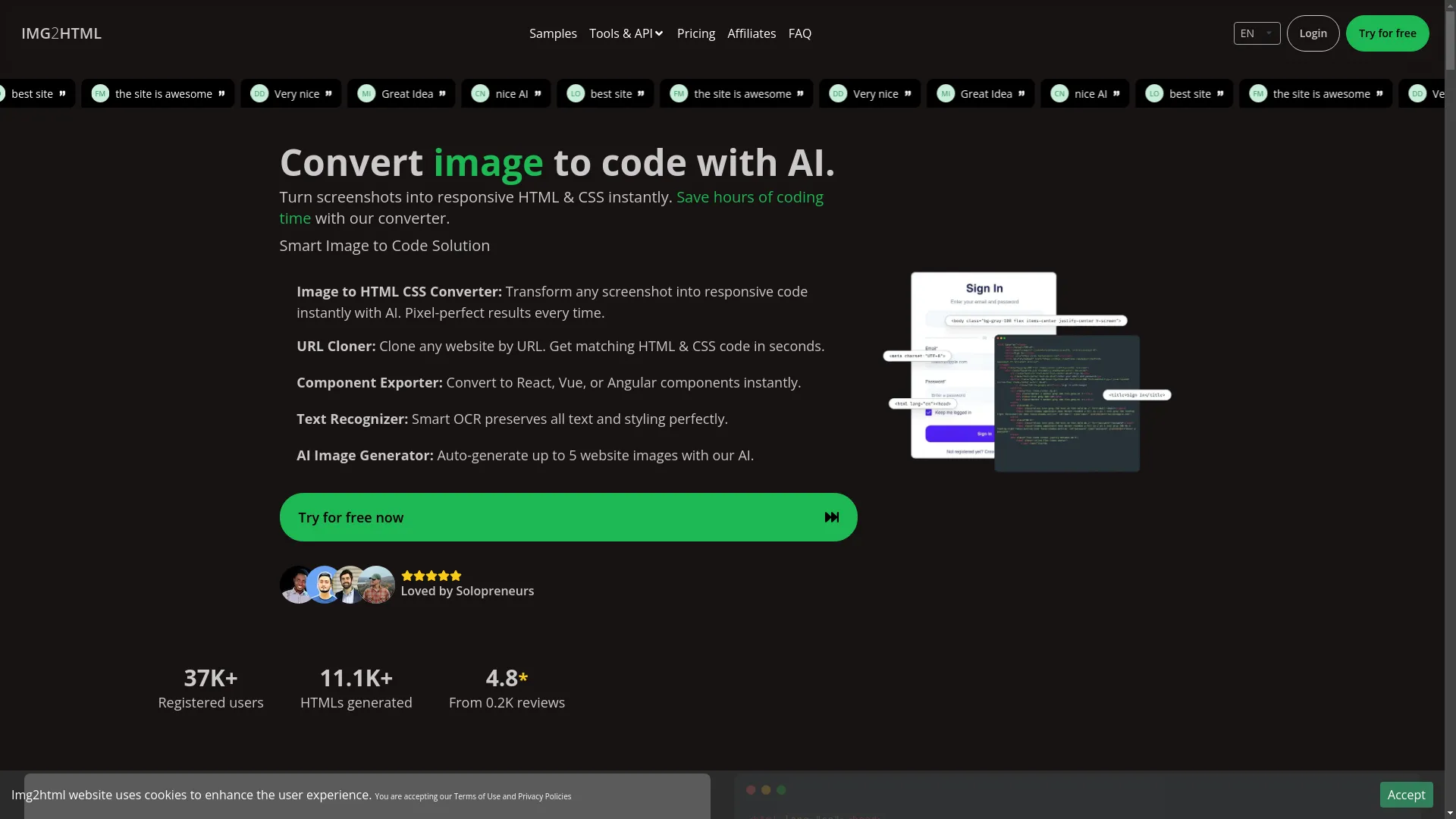
One tool that's really useful for HTML and knowledge management is the Img2html Converter . This AI-powered tool turns images and screenshots into clean, responsive HTML and CSS code, making it way easier to create and maintain knowledge bases.
What it does:
- Turns images into code: Easily convert screenshots or designs into responsive HTML and CSS code.
- Works with different frameworks: Supports modern frameworks like React, Vue, Angular, and Tailwind CSS, so the code it generates can be used in lots of different ways.
- Exports components: Easily turn designs into reusable components for different JavaScript frameworks.
- Smart text recognition: Accurately pulls out text and styling from images.
Why it's great for Knowledge Management:
- Saves time: No need to manually code everything, so you can focus on the content instead of formatting.
- Keeps things consistent: Generates standardized code, ensuring your knowledge base looks uniform.
- Flexible: Works with different frameworks and design preferences, fitting various organizational needs.
How to use Img2html:
- Upload an image: Just upload your design or screenshot to Img2html.
- Pick a framework: Choose your preferred framework (React, Vue, Angular) or go for standard HTML and CSS.
- Generate code: Let the AI do its thing and create clean, responsive code in seconds.
- Use the code: Copy the generated code into your knowledge base platform or web pages, and you're done!
Real-world example:
Let's say you have a complicated diagram or flowchart that needs to be in your knowledge base. Instead of spending ages trying to recreate it in HTML, you can use Img2html to turn the image directly into code. This way, your visual stuff looks just as sharp and responsive as your text content.
Advancements in Technology and HTML
HTML and new technologies are working together to make knowledge management systems even better. Let's look at some of these cool advancements.
AI and Machine Learning Integration
AI and machine learning are changing how we manage and access knowledge. When you combine these with HTML-based systems, you get smarter, more intuitive knowledge bases.
- Personalized content suggestions: AI looks at what users do to suggest relevant articles or data.
- Automatic content tagging: Machine learning categorizes and tags content, making it easier to search.
- Natural Language Processing (NLP): Lets users interact with the knowledge base using normal language, making it easier to find info.
Progressive Web Apps (PWAs)
PWAs combine the best parts of websites and mobile apps. They work offline, can send notifications, and load faster. For knowledge management, this means people can access important info even without internet, get updates in real-time, and have an experience like using a native app.
Better Security
With data security being super important, advancements in HTML and related tech are focusing on strong security measures. Using things like HTTPS, Content Security Policy (CSP), and multi-factor authentication keeps your knowledge base safe from potential threats.
Virtual Reality (VR) and Augmented Reality (AR)
While still pretty new, VR and AR could be big for knowledge management. Imagine a knowledge base where users can explore info in a virtual environment or interact with 3D models and simulations. HTML5 supports VR and AR elements, making these futuristic applications more possible.
Blockchain for Data Integrity
Blockchain tech can be used with HTML-based knowledge management systems to ensure data integrity and transparency. By recording updates to the knowledge base on a blockchain, organizations can keep a tamper-proof record of how information changes, which builds trust and accountability.
YouTube Video Example
Optimizing Knowledge Management Systems using HTML
Making sure your knowledge management system works efficiently and effectively is key. Here are some strategies to optimize HTML-based KM systems:
Streamlining Code for Performance
Clean, optimized HTML code means faster load times and a smoother user experience.
- Minify HTML: Get rid of unnecessary spaces, comments, and characters.
- Use efficient CSS: Don't use heavy CSS frameworks if you don't need them, and go for lighter options when possible.
- Lazy loading: Use lazy loading for images and multimedia to make pages load faster.
Ensuring Mobile Responsiveness
With more people using phones and tablets to access knowledge bases, making sure your HTML is responsive is super important.
- Flexible grids and layouts: Use relative units like percentages instead of fixed units like pixels.
- Media queries: Use CSS media queries to apply different styles for different screen sizes.
- Touch-friendly interfaces: Make sure interactive elements are easy to tap on touchscreens.
Enhancing Search Functionality
A powerful search feature makes a knowledge base much more usable.
- Indexed search: Use JavaScript libraries like Lunr.js to implement client-side search indexing.
- Autocomplete features: Add autocomplete to help users find info faster.
- Advanced filtering: Let users filter search results by categories, tags, or relevance.
Improving Accessibility
An accessible knowledge base ensures that everyone, including people with disabilities, can access and use the information effectively.
- Semantic HTML: Use appropriate HTML tags to show the meaning and structure of content.
- Alt text for images: Provide descriptive alt text for all images to help screen readers.
- Keyboard navigation: Make sure all interactive elements can be navigated using the keyboard.
Regular Content Audits
Keep your knowledge base accurate and relevant by doing regular content audits.
- Review content for accuracy: Make sure all information is up-to-date and correct.
- Check for broken links: Use tools to find and fix broken hyperlinks.
- Update outdated information: Refresh content that might be out of date.
Building Quality Networks with HTML-based Systems
Creating a strong network around your knowledge management system helps with collaboration, sharing information, and overall productivity. HTML plays a big role in building these interconnected systems.
Linking Documents and Resources
Use hyperlinks to connect related documents, resources, and sections within your knowledge base. This creates a web of information that users can navigate easily, helping them understand and explore more deeply.
Embedding External Resources
HTML lets you embed external resources like videos, podcasts, and interactive modules, making your knowledge base richer and providing different ways to learn.
- YouTube videos: Embed instructional videos to go along with text content.
- Interactive charts: Use JavaScript libraries to create dynamic charts and graphs that users can interact with.
- Embedded PDFs: Provide downloadable resources directly within the knowledge base.
Collaboration Features
Make collaboration easier by adding features like comment sections, discussion forums, and feedback forms within your HTML-based knowledge management system.
- Comment sections: Let users leave comments on articles for collaborative discussions.
- Forum integration: Embed forums for users to ask questions and share insights.
- Feedback forms: Use HTML forms to gather user feedback and suggestions for continuous improvement.
Using APIs for Enhanced Functionality
APIs (Application Programming Interfaces) can extend what your knowledge management system can do.
- Integration with other tools: Connect your knowledge base with project management tools, CRM systems, or analytics platforms.
- Automated content updates: Use APIs to pull in data from external sources, keeping your knowledge base current.
- Custom features: Develop custom functionalities like personalized dashboards or automated reports.
Networking with Responsive Design
A responsive HTML design ensures that your knowledge network is accessible and works well on all devices, making collaboration and information sharing easy no matter where users are.
Effective Strategies for Success in Knowledge Management with HTML
To make your knowledge management really successful, you need a mix of good planning, effective implementation, and continuous improvement. Here are some strategies to make sure your HTML-based KM system thrives:
Start with a Clear Structure
Before you start coding or creating content, outline the structure of your knowledge base. Define categories, subcategories, and how information should be organized to ensure clarity and easy navigation.
- Identify key topics: Figure out the main areas of knowledge you need to cover.
- Categorize information: Organize topics into logical categories and subcategories.
- Define navigation paths: Plan how users will move between different sections and topics.
Focus on Content Quality
High-quality, accurate, and relevant content is the backbone of any knowledge management system.
- Be clear and concise: Use straightforward language and avoid unnecessary jargon.
- Ensure accuracy: Regularly review and update content to keep it reliable.
- Engage the audience: Use engaging formats like infographics, interactive elements, and multimedia to make content more appealing.
Implement Robust Search Functionality
A powerful search tool can significantly improve the usability of your knowledge base, allowing users to find information quickly and efficiently.
- Keyword highlighting: Highlight search terms within the results to help users locate relevant information.
- Synonym support: Enable the search function to recognize synonyms, broadening the scope of search results.
- Faceted search: Allow users to filter search results based on various criteria like date, category, or relevance.
Encourage User Contributions
Foster a culture of knowledge sharing by allowing users to contribute to the knowledge base.
- Editable pages: Let authorized users edit and update content.
- Contribution forms: Use HTML forms to let users submit new content or suggest edits.
- Recognition systems: Implement systems to acknowledge and reward valuable contributions.
Use Analytics for Continuous Improvement
Use analytics to monitor how users interact with your knowledge base, identifying areas for improvement.
- Most viewed pages: Understand which topics are most sought after.
- Search queries: Analyze common search terms to identify gaps in content.
- User engagement: Track metrics like time spent on pages and interaction with multimedia elements.
Provide Training and Support
Make sure users know how to use the knowledge base effectively.
- Onboarding tutorials: Create guides or videos that introduce users to the features of the knowledge base.
- Help sections: Implement comprehensive help sections within the HTML-based system.
- Feedback mechanisms: Encourage users to provide feedback, helping you identify and address pain points.
Keep Content Updated
A knowledge management system is only as good as its currentness. Regularly updating content ensures that users have access to the latest information.
- Scheduled reviews: Set periodic reviews for content accuracy and relevance.
- Automated alerts: Use tools to notify you when content needs updating.
- Version control: Implement versioning to track changes and maintain records of updates.
The Importance of User Experience and Performance Metrics
In knowledge management, how effective your system is directly relates to the user experience (UX). HTML plays a big role in shaping this experience, while performance metrics give you the insights needed to refine and enhance it.
User Experience (UX)
A great UX ensures that users can navigate, find, and use information easily and happily.
- Intuitive navigation: Logical menus, breadcrumb trails, and search functions help users find information quickly.
- Aesthetic design: A clean, visually appealing design makes the knowledge base more inviting and easier to use.
- Accessibility: Ensuring that the knowledge base is accessible to all users, including those with disabilities, broadens its usability.
- Interactive elements: Engaging tools like collapsible sections, interactive charts, and multimedia integrations keep users engaged.
Performance Metrics
Monitoring and analyzing performance metrics is essential for understanding how users interact with your knowledge base and identifying areas for improvement.
-
Page load time:
- Why it matters: Slow-loading pages can frustrate users and lead to higher bounce rates.
- How to optimize: Minify HTML, compress images, and use browser caching to improve load times.
-
User engagement:
- Metrics: Time spent on pages, interaction with multimedia elements, and click-through rates on links.
- Insight: High engagement indicates that users find the content valuable and engaging.
-
Search effectiveness:
- Metrics: Search success rate, common search terms, and search abandonment rate.
- Insight: Helps in understanding whether the search functionality is meeting user needs.
-
Content popularity:
- Metrics: Most viewed pages, frequently accessed documents, and trending topics.
- Insight: Identifies which areas of knowledge are most in demand, guiding future content creation.
-
User feedback:
- Methods: Surveys, feedback forms, and direct user comments.
- Insight: Provides qualitative data on user satisfaction and areas needing improvement.
Using Metrics for Continuous Improvement
Regularly analyzing these metrics enables you to make data-driven decisions, enhancing both the UX and the overall effectiveness of your knowledge management system.
- Collect data: Use analytics tools to gather data on user interactions and system performance.
- Analyze trends: Identify patterns and trends that highlight strengths and weaknesses.
- Implement changes: Based on insights, make necessary adjustments to design, content, or functionality.
- Monitor outcomes: After implementing changes, monitor metrics to assess their impact.
- Iterate: Continuously refine and optimize based on ongoing data and feedback.
Conclusion
In today's world where information is everywhere and super important, good knowledge management is key to success for both individuals and organizations. HTML, often underestimated beyond its role in making websites, turns out to be a powerful tool for this, offering ways to structure, organize, and present knowledge clearly and accessibly.
From creating user-friendly knowledge bases that work on any device to using advanced tools like Img2html for easy content conversion, HTML provides a strong foundation for building comprehensive knowledge management systems. By keeping up with current trends, using strategic tools, and focusing on user experience, you can really make the most of HTML to manage and share knowledge effectively.
As we move forward, the integration of AI, machine learning, and other cutting-edge technologies with HTML-based systems promises even greater improvements in how we handle and use information. Embracing these advancements ensures that your knowledge management practices stay relevant, efficient, and impactful.
So, whether you're looking to revamp your organization's knowledge base, streamline personal information management, or explore innovative ways to present data, HTML offers the flexibility and power to transform your approach. It's time to step up your knowledge management game with the enduring and dynamic capabilities of HTML.
Frequently Asked Questions (FAQ)
1. How does HTML help with effective knowledge management?
HTML structures and organizes information in a way that makes it accessible and easy to navigate. By using semantic tags, hyperlinks, and responsive design, HTML ensures that knowledge bases are user-friendly, searchable, and work well on various devices.
2. What are the benefits of using tools like Img2html in knowledge management?
Tools like Img2html make it easy to convert images and designs into clean, responsive HTML and CSS code. This saves time, ensures consistency, and allows for the easy integration of visual elements into knowledge bases without manual coding.
3. Can HTML-based knowledge management systems be integrated with other tools?
Absolutely. HTML-based systems can be integrated with various tools and platforms via APIs, enabling features like automated content updates, enhanced search functionalities, and seamless connectivity with project management or CRM systems.
4. How important is SEO in the context of knowledge management?
SEO is crucial as it enhances the visibility of your knowledge base in search engines, making information easily discoverable to both internal users and the external public. Proper use of HTML meta tags, structured data, and keyword optimization plays a significant role in improving SEO.
5. What measures can be taken to ensure the accessibility of an HTML-based knowledge base?
Ensuring accessibility involves using semantic HTML, providing alt text for images, enabling keyboard navigation, and adhering to web accessibility standards like the Web Content Accessibility Guidelines (WCAG). This makes the knowledge base usable for individuals with disabilities.
6. How can performance metrics improve a knowledge management system?
Performance metrics provide insights into user behavior, system efficiency, and content effectiveness. By analyzing these metrics, you can identify areas for improvement, enhance user experience, and ensure that the knowledge base meets the needs of its users.
7. Is it necessary to have coding knowledge to manage an HTML-based knowledge base?
While basic HTML knowledge can be helpful, many modern knowledge management platforms offer user-friendly interfaces that allow non-developers to create and manage content without extensive coding. Tools like Img2html further simplify the process by automating code generation.
8. How often should the content in a knowledge management system be updated?
Content should be reviewed and updated regularly to ensure accuracy and relevance. The frequency depends on the nature of the information, but conducting periodic audits (e.g., quarterly or bi-annually) is recommended to maintain the integrity of the knowledge base.
9. Can HTML-based knowledge management systems support multimedia content?
Yes, HTML seamlessly integrates various multimedia elements like images, videos, audio files, and interactive modules, enhancing the richness and engagement of the knowledge base.
10. What are the best practices for organizing content in an HTML-based knowledge base?
Best practices include using clear and consistent naming conventions, structuring content with appropriate HTML tags, implementing intuitive navigation menus, utilizing categories and tags for easy filtering, and ensuring that related content is interlinked through hyperlinks.