Table of Contents
- Intro to Responsive Web Design
- Why Responsive Design is Important Now
- Key HTML5 & CSS Concepts for Responsive Design
- What's Hot in Responsive Web Design
- Must-Have Tools for Building Responsive Sites
- Tips for Creating Responsive Layouts
- Keeping Up with Current Trends
- Building Your Network
- Strategies for Responsive Design Success
- User Experience in Responsive Design
- Measuring How Responsive Your Site Is
- The Future of Responsive Web Design
- Wrapping Up
Intro to Responsive Web Design
Ever tried to read a website on your phone and had to zoom in and out like crazy just to see anything? Super annoying, right? That's where responsive web design comes in. It's all about making websites that look good no matter what device you're using - phone, tablet, laptop, whatever.

These days, with everyone glued to their phones, having a website that works well on mobile isn't just nice to have - it's a must. But how do you actually do it? Don't worry, we'll break it down for you.
Why Responsive Design is Important Now
Think about it - when was the last time you went a day without using your phone to look something up online? Probably can't remember, right? That's because over half of all web traffic now comes from mobile. If your site looks like garbage on a phone, you're gonna lose a ton of visitors.
Plus, Google loves mobile-friendly sites. If you want to show up in search results (and who doesn't?), you need a responsive design. It's also way cheaper than making separate sites for desktop and mobile. And let's be real - nobody wants to pinch and zoom just to read some text. A good responsive design means happy visitors who stick around longer.
Key HTML5 & CSS Concepts for Responsive Design
Alright, let's get into the nitty gritty. HTML5 and CSS are the building blocks of responsive design.

HTML5 is like the skeleton of your website. It's got cool new elements like
header
,
footer
, and
section
that make your code cleaner and easier for search engines to understand.
CSS is what makes everything look pretty. For responsive design, you'll want to get cozy with flexbox, grid, and media queries.
Flexbox
Flexbox lets you create flexible layouts that adjust to different screen sizes.
Grid
Grid is great for more complex layouts.
Media Queries
And media queries let you apply different styles based on things like screen size.
@media (max-width: 600px) {
  .container {
    flex-direction: column;
  }
}
This says "when the screen is 600px wide or less, stack these elements vertically instead of side-by-side."
What's Hot in Responsive Web Design
- Mobile-first design: Start with mobile and work your way up to bigger screens.
- Dark mode: Easy on the eyes and saves battery life.
- Voice interfaces: Think Alexa, but for websites.
- Funky layouts: Break out of the boring grid sometimes.
- Variable fonts: One font file, lots of styles.
- Keep it simple: Less clutter, more white space.
Must-Have Tools for Building Responsive Sites
You wouldn't try to build a house with just a hammer, right? Same goes for websites. Here are some tools to make your life easier:
- Bootstrap or Tailwind CSS: Pre-made components and layouts.
- Browser dev tools: Test how your site looks on different devices.
- Visual Studio Code or Sublime Text: Write your code here.
- TinyPNG: Shrink those image file sizes.
- Flexbox Froggy and Grid Garden: Fun games to learn CSS.
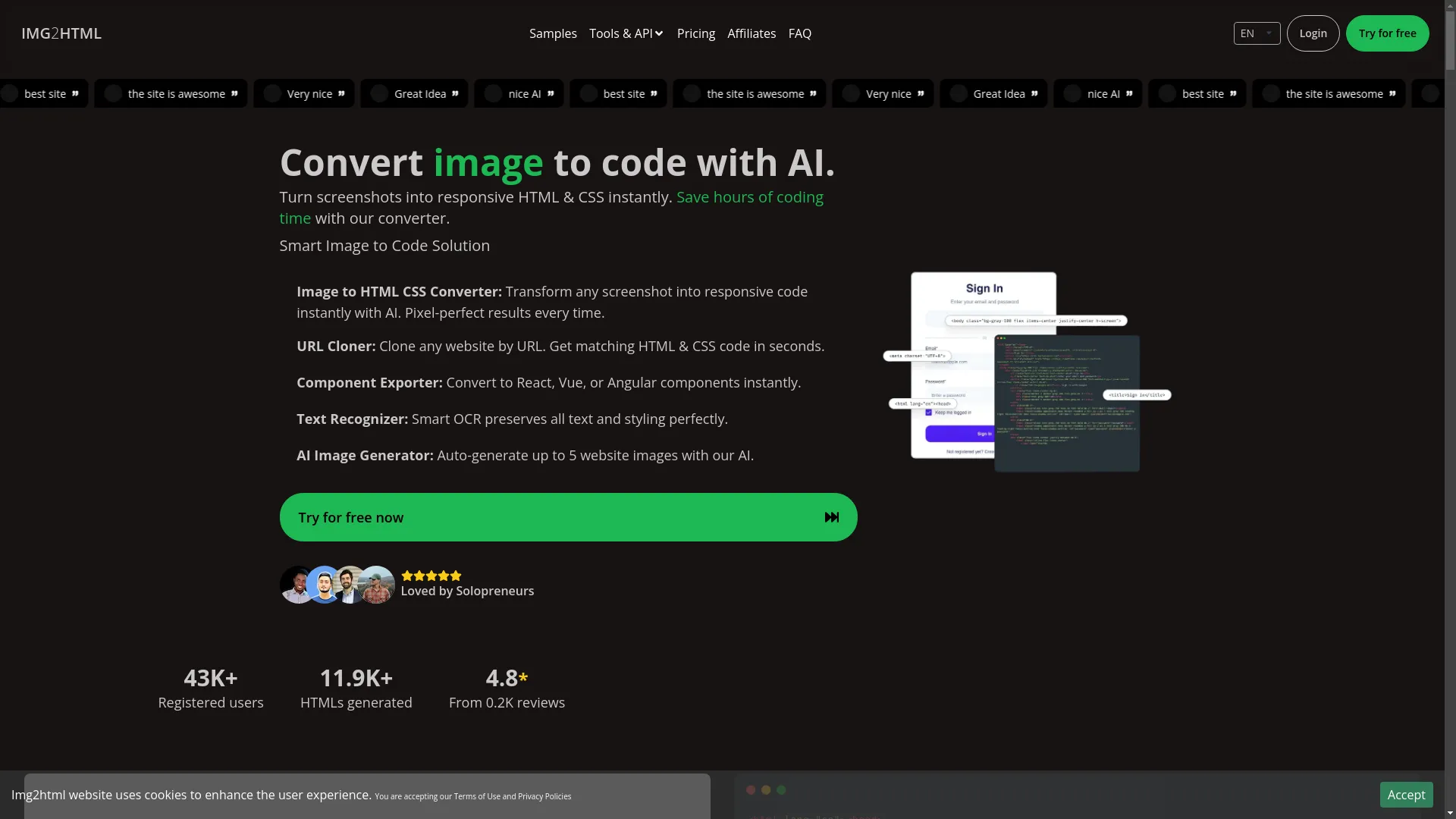
And here's a cool one - Img2HTML . It's like magic - you upload a picture of your design, and it spits out the HTML and CSS for you. Saves tons of time on coding!
Tips for Creating Responsive Layouts
Here's the secret sauce to making layouts that work everywhere:
- Use percentages instead of fixed widths.
- Make sure images scale down nicely.
- Use media queries to adjust styles for different screen sizes.
- Start with mobile designs first.
- Combine CSS Grid for overall layout and Flexbox for aligning stuff inside.
- Pick smart breakpoints (where your layout changes) based on common device sizes.
Keeping Up with Current Trends
- Make it fast: Nobody likes waiting for pages to load.
- Optimize for search engines: Help Google find and love your site.
- Make it accessible: Everyone should be able to use your site, regardless of abilities.
- Consider making it a Progressive Web App: Kinda like a website and mobile app had a baby.
- Keep it secure: Use HTTPS and keep everything updated.
Building Your Network
Don't go it alone:
- Use frameworks like Bootstrap to save time.
- Hang out in developer communities online.
- Use APIs to add cool features to your site.
- Work with designers to make sure your site looks awesome.
Strategies for Responsive Design Success
- Figure out what content is most important and make sure it's easy to find.
- Design layouts that can adapt to any screen size.
- Make sure text is easy to read on all devices.
- Create menus that work well on both mobile and desktop.
- Test your site on lots of different devices.
- Use semantic HTML to help search engines understand your content.
User Experience in Responsive Design
Remember, it's all about the user:
- Keep things consistent across devices.
- Make navigation super easy.
- Make sure pages load fast.
- Add some interactive elements to keep things interesting.
- Make your site accessible to everyone.
Measuring How Responsive Your Site Is
How do you know if your site is actually working well? Check these things:
- How fast does it load?
- How quickly can users interact with it?
- Are people leaving right away?
- How many visitors are on mobile vs desktop?
- Are people doing what you want them to do on your site?
- Look at Google's Core Web Vitals to see how you're doing.
The Future of Responsive Web Design
- More AI and machine learning tools like Img2HTML.
- Sites that work even when you're offline.
- Super interactive 3D stuff with WebGL and WebXR.
- Controlling websites with your voice or gestures.
- Websites that are better for the environment.
- Sites that play nice with all your smart home gadgets.
Wrapping Up
Responsive design isn't just a nice-to-have anymore - it's essential. By getting good at HTML5 and CSS, staying on top of trends, and using cool tools like Img2HTML , you can build websites that look awesome and work great on any device.
Remember, the web is always changing, so keep learning and trying new things. Focus on making sites that are easy to use, and keep tweaking them to make them better. Ready to level up your web design skills? Start using these tips today and watch your websites shine!
Want to save a ton of time coding? Check out Img2HTML and see how it can turn your designs into code in seconds. Give it a shot - it might just change how you build websites forever!