Intro: Why Optimizing HTML Matters
Hey there! So you've got a website and want it to be awesome, right? Well, the secret sauce is in your HTML code. It's like the skeleton of your site - if it's not in good shape, everything else falls apart. But don't worry, we're gonna talk about how to make your HTML shine!
Think of it like tuning up your car. A well-optimized HTML makes your site run smoother, load faster, and just feel better for anyone using it. It's not just for tech geeks - it's about making your site work great for everyone who visits. Let's dive in and see why this stuff matters so much these days!
What's HTML Optimization All About?
The Basics
Okay, so HTML optimization is basically about making your code as efficient as possible. It's like decluttering your room - you're getting rid of the junk, organizing what's left, and making sure everything has a purpose.
- Cutting out extra stuff in your code
- Using the right HTML tags for the right things
- Making sure your site looks good on phones, tablets, and computers
- Making your site easy for everyone to use, including people with disabilities
Why It's a Big Deal Now
In today's world, people expect websites to be fast and easy to use. If your site is slow or clunky, folks will just leave and go somewhere else. Good HTML helps with:
- Speed: Your site loads faster
- Search engines: Google likes well-organized sites
- Easy updates: Clean code is easier to change later
- Accessibility: Everyone can use your site, no matter what
Basically, optimizing your HTML isn't just some techie thing - it's about making your website work better for everyone.
What's Hot in HTML Optimization
Mobile-First Design
Remember when websites were just for computers? Those days are gone! Now, more than half of all web traffic comes from phones. That's why we design for mobile first, then make it work for bigger screens.
Why is this so important? Well, if your site looks bad on a phone, you're losing a ton of visitors. Making sure your HTML works great on small screens is super important these days.

Using Semantic HTML
Semantic HTML is about using the right tags for the right stuff. Instead of just using <div> for everything, you use tags like <header>, <footer>, <article>, and <section>. It might seem small, but it makes a big difference.
Why bother? It helps search engines understand your site better, makes it easier for people with disabilities to use, and just makes your code cleaner and easier to work with.
Cool CSS Frameworks
There are some really neat CSS frameworks out there like Tailwind CSS, Bootstrap, and Foundation. These tools make it way easier to style your site and make sure it looks good on all devices.
Using these frameworks can help you write cleaner HTML and CSS, and save you a ton of time. Plus, your site will look more polished and professional.
How to Optimize Your HTML
Minifying and Compressing
Ever wonder why some websites feel slow? It might be because of bulky HTML. Minifying is like squishing your code down - taking out all the extra spaces and stuff computers don't need. It makes your files smaller and faster to load.
You can use tools like HTMLMinifier to do this automatically. It's like magic - your code gets smaller without losing any of its power!
Cutting Down HTTP Requests
Every time your website needs to grab an image or a file, it makes an HTTP request. Too many of these can slow things down. Here's how to cut them down:
- Combine your CSS or JavaScript files
- Use CSS sprites for images
- Try using inline SVGs instead of separate image files
Doing this stuff can make your site load way faster.
Using Browser Caching
Browser caching is like letting visitors' computers remember parts of your site. This way, they don't have to download everything again when they come back. It's a great way to speed things up for repeat visitors.
To set this up, you need to fiddle with your server settings a bit. It's a little technical, but totally worth it for the speed boost.
Making Images and Media Better
Images and videos can make your site huge and slow. Here's how to fix that:
- Compress your images (try TinyPNG - it's awesome)
- Use the right file types (like WebP for better compression)
- Use lazy loading so images only load when people scroll to them
These tricks can make a big difference in how fast your site loads.
Writing Clean, Meaningful Code
Clean code isn't just about looking nice - it makes your site easier to work on and helps with SEO. Here are some tips:
- Use proper indentation (it makes your code easier to read)
- Avoid inline styles (keep your CSS separate)
- Use class names that make sense
This stuff might seem small, but it adds up to make your code way better.
Must-Have Tools for HTML Optimization
Img2HTML: AI-Powered Image to Code
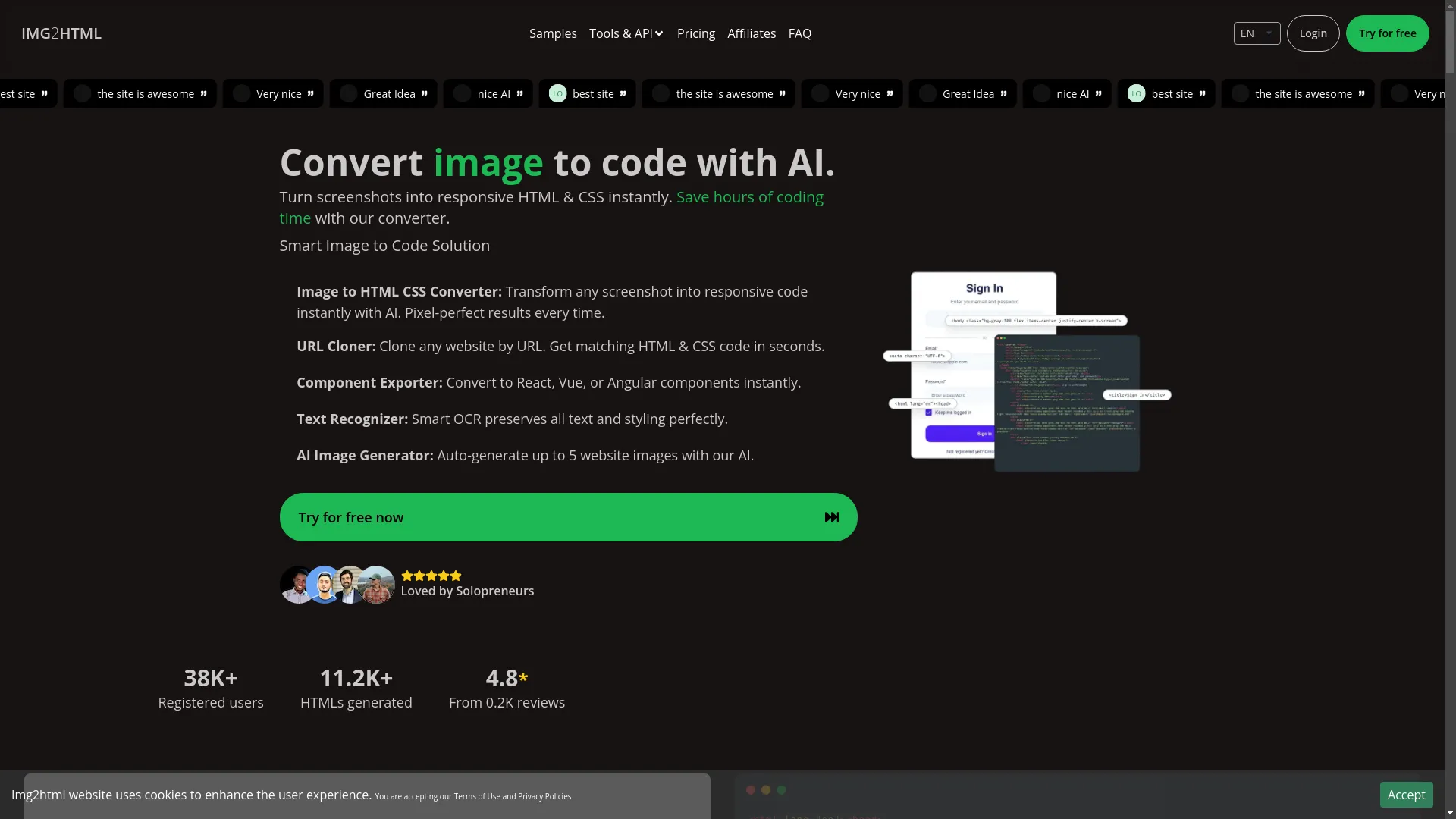
Okay, this tool is pretty cool. Img2HTML uses AI to turn images into HTML and CSS code. It's like magic for web developers!
What It Does
- Turns images into clean, responsive code
- Works with different frameworks like React and Vue
- Can even clone entire websites from just a URL
- Recognizes text in images perfectly
- Has a built-in AI image generator
How to Use It
- Upload your image or design
- Pick what kind of code you want (HTML/CSS, React, etc.)
- Let the AI do its thing
- Download your shiny new code!
I used to spend hours coding designs by hand. With Img2HTML, it takes minutes. It's a huge time-saver! You can try this feature yourself at Img2HTML .
Other Handy Tools
- Google PageSpeed Insights : Checks your site's performance
- HTMLMinifier : Great for minifying your code
- Autoprefixer : Adds browser prefixes to your CSS automatically
- Prettier : Keeps your code style consistent
These tools can really speed up your workflow and help you catch issues you might miss.
Tech's Role in HTML Optimization
AI and Machine Learning for Code
AI isn't just for sci-fi movies anymore - it's helping us write better code! Tools like Img2HTML use AI to generate code faster and with fewer errors than we humans can manage.
This tech is great because:
- It's super fast
- It makes fewer mistakes
- It can handle repetitive tasks that would bore us to tears
Automation Tools and Add-ons
Automation is a developer's best friend. There are tons of tools and plugins that can make your life easier:
- Gulp : Automates a bunch of development tasks
- Webpack : Bundles up your code nice and neat
- VS Code Extensions : Add cool features to your code editor
These tools can save you hours of work and help you focus on the fun, creative parts of coding.
User Experience and Performance Stuff
How Good HTML Affects UX
User experience (UX) is super important. Good HTML helps make your site:
- Load faster (people hate waiting)
- Look good on all devices
- Easy to use for everyone, including people with disabilities
When your HTML is on point, people enjoy using your site more. It's that simple!
Important Numbers to Watch
To see if your optimizations are working, keep an eye on these:
- How long your page takes to load
- How fast your server responds
- When the first bit of content shows up
- How many people leave after seeing just one page
- How many people do what you want them to do (like buying stuff)
Watching these numbers helps you see if your changes are making a real difference.
Finding Good Resources and Communities
Places to Learn Best Practices
Nobody knows everything about web dev, so it's great to learn from others:
- Stack Overflow : Great for getting answers to coding problems
- Reddit's r/webdev : Lots of discussions about web development
- CSS-Tricks Forums : Awesome for learning about CSS and front-end stuff
Where to Find Tutorials
Keep learning to stay on top of your game:
- MDN Web Docs : The bible for web developers
- freeCodeCamp : Free courses on all sorts of web dev topics
- Coursera and Udemy : In-depth courses if you want to dive deep
Strategies for Winning at HTML
Always Keep Learning
Web dev is always changing, so you gotta keep up:
- Follow blogs and newsletters
- Try out new tools and techniques
- Ask for feedback on your work
Check Your Code Regularly
Regularly looking over your code helps you catch problems:
- Use tools like Lighthouse to check performance
- Look through your code yourself to spot issues
- Clean up and reorganize your code to make it better
Stay Up-to-Date with Standards
Following the rules helps make sure your code works everywhere:
- Check out W3C guidelines
- Use tools to validate your code
- Go to workshops and conferences to learn new stuff
Wrapping Up: Staying on Top of HTML Optimization
Quick Recap
- Optimizing your HTML is about making your site fast, easy to use, and easy to maintain.
- Keep up with trends like mobile-first design
- Use tools like Img2HTML to make your life easier
- Pay attention to how users experience your site
- Keep learning and checking your code
What to Do Next
Start optimizing your HTML today! Check out your current code, try some new tools, and keep learning. Remember, a great website isn't just about looking good - it's about creating an awesome experience for your users.
Now go make some awesome websites!