Table of Contents
- Intro: Why Showing the Current Year is Important
- Simple HTML Ways to Show the Current Year
- Making it Look Better with CSS
- Fancy Ways to Show the Current Year
- Using the Current Year in Modern Frameworks
- Cool Tools for Making Websites
- Tips for Showing the Current Year
- Common Problems and How to Fix Them
- What's Coming Next in Website Making
- Wrapping Up: Staying Current and Using Cool Tools
Intro: Why Showing the Current Year is Important
Ever been on a website and noticed the year in the footer is like, from 2020? Kinda makes you think, "Whoa, is this site still alive?" It's an easy thing to forget, but showing the right year is more than just looking good - it shows you're on top of things. Whether you're a pro at making websites or just starting out, knowing how to make the year update itself is pretty handy.
Think about it - you're setting up your blog or maybe a website for someone's business. You want people to feel like they're seeing the latest stuff. An old year can make it seem like nobody's home, but a year that updates itself? That's like saying, "Yep, we're here and we're current!" Let's check out how to do this in HTML, and I'll throw in some cool new tricks to make it super easy.
Simple HTML Ways to Show the Current Year
Showing the current year in HTML can be as easy as typing a number, but to keep it fresh without you having to change it every year, we gotta use a bit of JavaScript magic.
Using JavaScript
JavaScript is like a Swiss Army knife for websites. It can change stuff on the page without you having to do anything. By using JavaScript, we can make sure the year on your site is always up to date, no matter when someone visits.
Code Example
Here's a simple way to use JavaScript to show the current year:
<!DOCTYPE html>
<html lang="en">
<head>
<meta charset="UTF-8">
<meta name="viewport" content="width=device-width, initial-scale=1.0">
<title>What Year Is It?</title>
</head>
<body>
<footer class="mt-8 text-center">
© <span id="current-year"></span> Your Company Name. All rights reserved.
</footer>
<script>
document.getElementById('current-year').textContent = new Date().getFullYear();
</script>
</body>
</html>Here's what's happening:
-
We've got a
<span>where the year will show up. - The JavaScript bit grabs the current year and sticks it in that span.
With this, your website footer will always show the right year. No more forgetting to update it every January!
Making it Look Better with CSS
Okay, so JavaScript does the heavy lifting, but CSS can make it look good.
Styling the Year
Let's say you want the year in your footer to match your site's style. You can easily make it look just right:
#current-year {
    color: #555;
    font-weight: bold;
    font-size: 1.2em;
}
This CSS does a few things:
- Makes the color a nice gray.
- Makes it bold so it stands out a bit.
- Makes it a tad bigger than the text around it.
Making it Look Good on All Devices
These days, people look at websites on everything from big computer screens to tiny phones. We gotta make sure our year looks good no matter what:
@media (max-width: 600px) {
    #current-year {
        font-size: 1em;
    }
}
This bit makes the year a bit smaller on phones, so it doesn't look weird.
Fancy Ways to Show the Current Year
If you're feeling adventurous, there are some cooler ways to show the year, especially if you're using stuff that runs on the server.
Using Server Stuff (like PHP)
While JavaScript is great for doing things in the browser, sometimes you might want to handle the year on the server side. PHP is good for this:
<footer>
© <?php echo date("Y"); ?> Your Company Name. All rights reserved.
</footer>This PHP code:
- Grabs the year on the server and puts it right in the footer.
Good and Bad Points of Different Methods
| How You Do It | Good Stuff | Not So Good Stuff |
|---|---|---|
| JavaScript | Easy to do; works in the browser | Needs JavaScript to be on |
| PHP | Works on the server; always runs | Needs server stuff |
| Just HTML | Super simple | You gotta change it yourself every year |
Picking the right way depends on what you need and how your website is set up. For most people, JavaScript is a good mix of easy and useful.
Using the Current Year in Modern Frameworks
If you're using fancy stuff like React, Vue.js, or Angular to build websites, there are some cool ways to show the current year.
React
In React, you can make a little piece that shows the year:
import React from 'react';
const Footer = () => {
const currentYear = new Date().getFullYear();
return (
<footer>
© {currentYear} Your Company Name. All rights reserved.
</footer>
);
};
export default Footer;This React bit automatically shows the right year whenever it's used.
Vue.js
In Vue.js, you can do something similar:
<template>
<footer>
© {{ currentYear }} Your Company Name. All rights reserved.
</footer>
</template>
<script>
export default {
data() {
return {
currentYear: new Date().getFullYear()
};
}
}
</script>Angular
And in Angular, you can do this:
<!-- footer.component.html -->
<footer>
© {{ currentYear }} Your Company Name. All rights reserved.
</footer>// footer.component.ts
import { Component } from '@angular/core';
@Component({
selector: 'app-footer',
templateUrl: './footer.component.html'
})
export class FooterComponent {
currentYear: number = new Date().getFullYear();
}Using these frameworks makes sure your year is always up to date without much work.
Cool Tools for Making Websites
Making websites can be a lot of work, but there are some awesome tools that can make it easier. One of these is Img2html.com.
Img2html.com: Turn Pictures into HTML
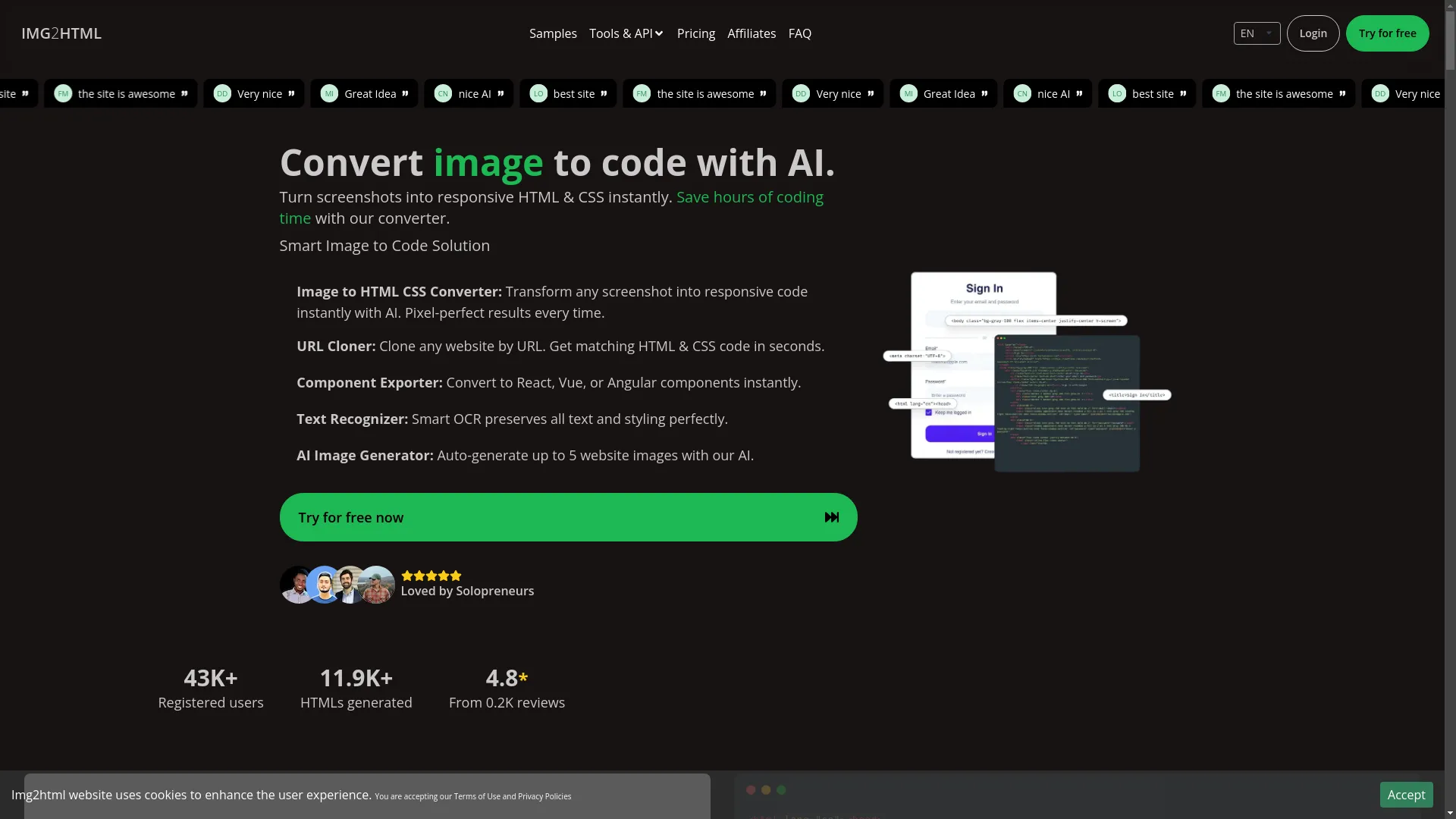
Img2html.com is like magic - it takes pictures and turns them into HTML and CSS code super fast. Whether you've got a design you drew or a screenshot of a website you like, Img2html.com can turn it into code you can use.
What It Can Do:
- Turn any picture into HTML & CSS code with just a few clicks.
- Make stylish designs that look good on any screen size.
- Work with React, Vue, Angular, and other cool web stuff.
- Turn designs into pieces you can use over and over.
- Copy entire websites just by giving it the web address.
Why Use It?
Imagine you've got this great idea for how a website should look. Instead of spending hours trying to code it yourself, Img2html.com can do it for you in no time. It's got some smart features that make sure your design looks just right when it turns into code.
My Experience:
I remember staying up late trying to turn designs into code. It took forever and was super frustrating when things didn't look right. Then I found Img2html.com, and wow, what a difference! It made everything so much faster, and I could spend more time making things look cool instead of fighting with code.
You can try this feature yourself at Img2html.comOther Smart Tools for Making Websites
There are lots of other cool tools out there too. Things like GitHub Copilot that helps you write code, and other smart design tools are making it easier than ever to build awesome websites without all the headaches.
See how this works at Img2html.comTips for Showing the Current Year
To make sure your current year display works well and looks good for everyone, here are some things to keep in mind:
Making Sure It's Right and Fast
- Use ways that update the year automatically so you don't have to remember to do it.
- Make sure the code you use doesn't slow down your website.
- Check that it works on different web browsers and devices.
Making It Easy for Everyone to Use
- Use the right HTML tags so that tools that read websites out loud can understand it.
- Make sure the year is easy to see and read against the background.
Common Problems and How to Fix Them
Even with simple stuff, sometimes things go wrong. Here are some common issues and how to fix them:
- If JavaScript isn't working, make sure it's linked to your page correctly and there are no typos.
- If the year is wrong, double-check that your code is getting the year correctly.
- If the CSS isn't working right, make sure other styles aren't overriding it.
- If you're using React or Vue and it's not working, check that you're handling the year display correctly.
Tip for Fixing Things:
Use the tools in your web browser to look at the code and see any error messages. This can help you figure out if the problem is in the code, how it looks, or something else.
What's Coming Next in Website Making
The way we make websites is always changing, with new cool stuff coming out all the time. Here's what's coming up, especially for things like showing the current year.
Doing Things Automatically
Tools that do repetitive stuff for you are becoming super important. They help make websites faster and with fewer mistakes.
Smart Code Writers
AI is making website building way cooler. Tools like Img2html.com and GitHub Copilot are just the start. These smart tools can guess what you want to do, give you ideas, and even write complicated code for you, making everything faster and easier.

My Thoughts:
As someone who's spent a lot of time coding by hand, these AI tools feel like superpowers. They not only make things faster but also let you try cool new ideas that would have taken forever before.
Wrapping Up: Staying Current and Using Cool Tools
Showing the current year on your website might seem small, but it's pretty important. It shows that your site is alive and kicking. Whether you use a simple bit of JavaScript or something fancier, the goal is to make sure your site always looks up-to-date.
Using tools like Img2html.com can really change how you make websites, doing the boring stuff for you so you can focus on the fun, creative parts. As things keep changing in the web world, keeping up with new tools and tricks will help you make websites that are not just good, but awesome.
So next time you're working on a website, remember the little things like showing the current year - they make a big difference. Try out some new tools, stay curious, and keep pushing what you can do.
Want to make building websites easier? Check out Img2html.com and see how AI can change the way you make websites!