How Do I Extract Code From An Image
Learn the best methods and tools to efficiently extract code from images, boosting your productivity and streamlining your workflow....
Learn the best methods and tools to efficiently extract code from images, boosting your productivity and streamlining your workflow.
1. Introduction
Ever seen a bit of code in a screenshot and thought, "Man, I wish I could just copy and paste that"? You're not the only one. These days, people share code snippets as images all the time, but getting that code out can be a real pain. Whether you're a dev trying to save time or a student trying to keep track of useful bits of code, knowing how to get code out of images quickly is super helpful.

2. Why Extract Code from Images?
So why would you even need to get code out of an image? Picture this: you're watching a coding tutorial. The person teaching types out this really complex function, and you think, "I better save that for later," so you take a screenshot. Later on, when you're trying to use what you learned, typing out every single line is a huge waste of time and you might make mistakes. Getting code out of images makes your work easier, cuts down on typos, and helps you keep all your useful code bits organized.

3. Ways to Get Code Out of Images
There are a few different ways to get code out of images. Each one has its good and bad points. Let's check them out:
3.1. Using OCR Tools
OCR (Optical Character Recognition) is tech that turns different kinds of documents, like scanned papers or pictures taken with a camera, into text you can edit and search. For getting code out of images, OCR tools can look at the text in the image and turn it into code you can actually use.
- Good stuff:
- Fast: Quickly turns images into text.
- Easy: No need to type everything out yourself.
- Often free: Many OCR tools are free or have free versions.
- Not so good stuff:
- Might mess up: Can have trouble with complicated code or blurry images.
- Formatting issues: The code it spits out might not look exactly like the original.

3.2. Typing It Out Yourself
This is just what it sounds like - you look at the image and type out the code yourself. It's the simplest way, but it takes the longest and you might make mistakes.
- Good stuff:
- Accurate: You can make sure every line is right.
- Helps you learn: Great for really understanding the code as you type it.
- Not so good stuff:
- Takes forever: Especially if there's a lot of code.
- Easy to mess up: You might make mistakes, especially with tricky code.
3.3. Code Recognition Tools
These are special tools made just for recognizing and getting code out of images. Unlike regular OCR tools, these understand how different programming languages work, so they're better at this specific job.
- Good stuff:
- More accurate: Made specially for programming languages.
- Keeps the structure: Better at keeping the code looking like it should.
- Not so good stuff:
- Not as many options: Fewer choices than regular OCR tools.
- Might cost money: Some you have to buy or subscribe to.

3.4. Asking for the Original Code
If you see a screenshot on somewhere like Reddit or a blog, sometimes the easiest thing is just to ask the person who posted it for the actual code. This way you know you're getting exactly the right code without any mistakes from OCR.
- Good stuff:
- Accurate: You get the code straight from the source.
- Extra info: Often, the person who posted it can give you more details or explanations.
- Not so good stuff:
- Depends on others: You have to wait for the person to respond.
- Not always possible: Might not work for old posts or if the person isn't active anymore.

4. Top Tools for Getting Code from Images
Let's look at some of the best tools out there for getting code out of images. Each one is good for different things.
4.1. Img2HTML
Img2HTML is a tool that uses AI to turn images, including screenshots of code, into HTML and CSS code right away. It's pretty accurate and works with different frameworks like React, Vue, and Angular.
- Automatic: Does everything by itself.
- Works everywhere: You can use it on different devices and browsers.
- Works with other stuff: Supports Tailwind CSS and popular JavaScript frameworks.
- API: You can use it with other tools you already use.
You can try this feature yourself at Img2HTML to see how it enhances your workflow.
- Good stuff:
- Fast: Turns images into code in seconds.
- Versatile: Works with lots of different programming frameworks.
- Easy to use: Simple to figure out how to use it.
- Not so good stuff:
- Limited free version: You might need to pay for the best features.
- Needs good images: If the image is blurry, it might not work as well.
4.2. Tesseract OCR
Tesseract OCR was made by Hewlett-Packard and now Google takes care of it. It's one of the most popular free OCR tools out there. It works with over 100 languages and you can change it to fit what you need.
- Really accurate: Especially for printed text.
- Lots of languages: Works with tons of different languages.
- Active community: People are always making it better.
For more information, visit Tesseract OCR .
- Good stuff:
- Free and open-source: Doesn't cost anything.
- Customizable: You can change it to fit what you need.
- Works with lots of languages: Great for projects in different languages.
- Not so good stuff:
- Complicated to set up: You need to know some technical stuff to use it.
- Not great for handwriting: Doesn't work as well for handwritten code.
4.3. Pieces.app
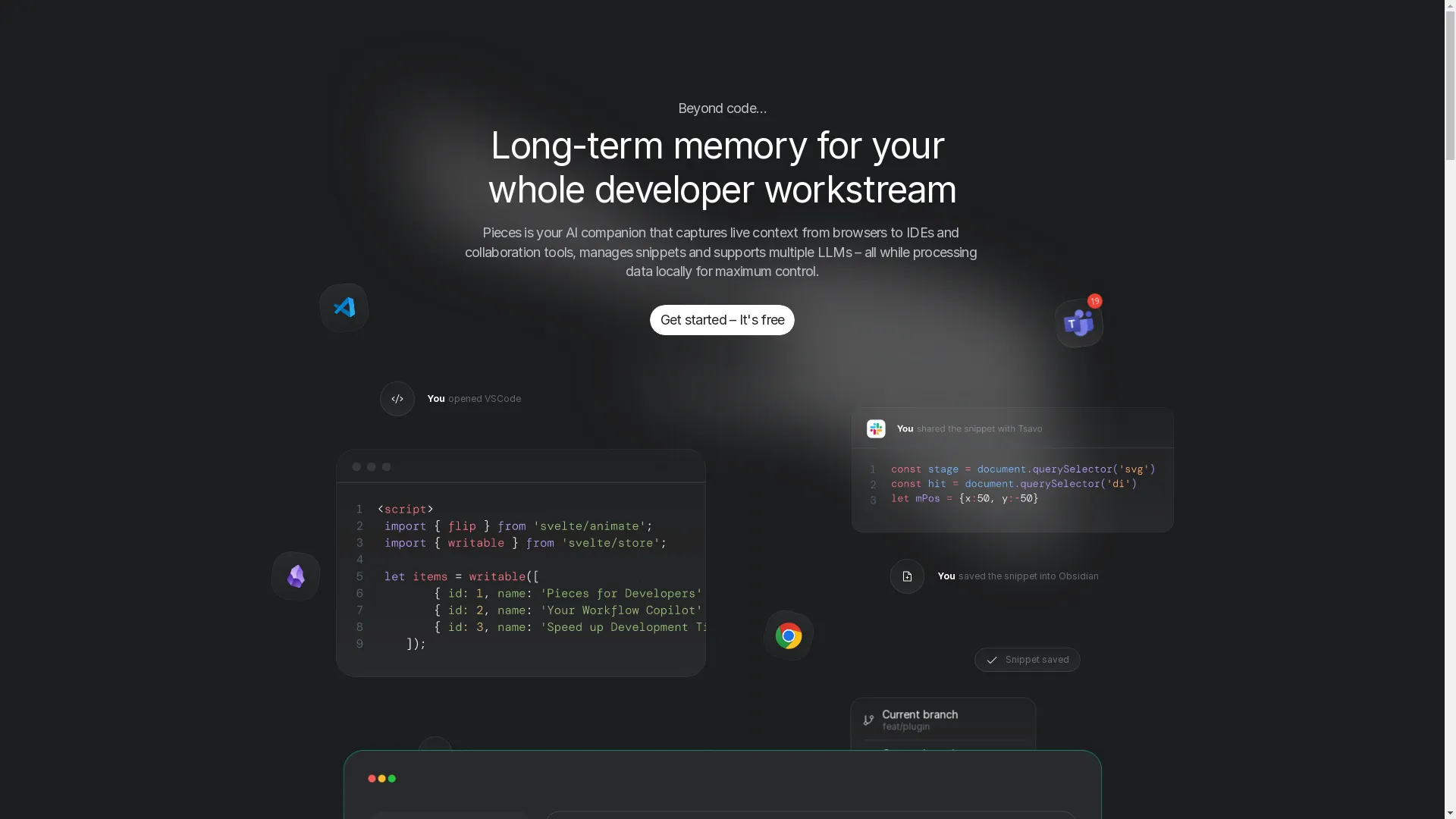
Pieces.app is a cool tool for developers that lets you get code out of screenshots and keep track of it easily. It doesn't just get the code out, it also organizes it and tags it so you can find it later.
- OCR engine: Uses special AI models.
- Understands context: Adds stuff like titles, descriptions, and tags.
- Works with other tools: You can use it with Microsoft Teams and other things.
- Keeps track of code: Organizes your code snippets so you can find them easily.
See how this works at Img2HTML to enhance your coding efficiency.
- Good stuff:
- Saves time: Does a lot of the work for you.
- Keeps things organized: Helps you keep your code snippets neat and easy to find.
- Good for teams: Easy to share code with other people.
- Not so good stuff:
- You have to pay: The best features cost money.
- Takes time to learn: Might take a while to figure out how to use everything.
4.4. Other Cool Tools
While Img2HTML, Tesseract OCR, and Pieces.app are really good, there are some other options worth mentioning:
- OCRopus: A bunch of OCR tools that make Tesseract even better.
- GOCR: Simple and easy to use OCR tool, good for basic stuff.
- Calamari OCR: Uses deep learning and works with both printed and handwritten text.
5. Step-by-Step: Using OCR Tools to Extract Code
Let's walk through how to use an OCR tool like Img2HTML to get code out of an image.
- Get the Image : Take a screenshot of the code you want to extract. Make sure the image is clear and you can see the text easily against the background.
- Go to Img2HTML : Open up the Img2HTML website. You'll probably need to make an account or log in if you haven't already.
- Upload Your Image : Drag and drop your screenshot into the right spot or click the upload button to find your image file.
- Pick How You Want the Code : Choose what kind of code you want to get out. Img2HTML works with different frameworks, so pick the one that fits your project (like React or Vue).
- Start Converting : Click the convert button. The tool will look at the image and turn it into HTML and CSS code.
- Check and Fix : Once it's done, look over the code it gave you. Make any changes you need to so it fits with your project.
- Use the Code : Copy the code and paste it into your project. Test it to make sure it works like it should.

6. Tips for Better Code Extraction
To make sure you get the best results when extracting code from images, try these tips:
- Use clear, high-quality images with text that's easy to read.
- Keep the code formatting the same in your screenshots to help the OCR tool.
- Avoid messy backgrounds or extra stuff in the image.
- Use image editing tools to make the contrast better and fix any weird stuff before using OCR.
- Always check the extracted code for mistakes or formatting issues.

7. Common Problems and How to Fix Them
Getting code out of images isn't always easy. Here are some common problems and how to deal with them:
- Complicated layouts: If the code has multiple columns or is really nested, it can confuse OCR tools. Try breaking the image into simpler parts before processing.
- Handwritten code: Handwriting is different for everyone and can be hard for OCR to read. Use special code recognition tools that are better at handling handwritten text.
- Blurry images: If the image is blurry or hard to read, the extraction won't be accurate. Always try to use clear screenshots and fix up the image if you need to.
- Syntax errors: OCR might introduce mistakes in the code. Always check and test the extracted code in your development environment.

8. New Tech Making Code Extraction Better
The world of OCR and code extraction is always getting better, thanks to new AI and machine learning tech. Here are some cool new developments:
- Deep learning: Modern OCR tools use deep learning models to be more accurate, especially for complicated code structures and different programming languages.
- Understanding context: AI-driven tools don't just recognize characters, they also understand the context, which helps keep the syntax right and reduces errors.
- Real-time extraction: There are now mobile apps and browser extensions that can extract code in real-time, making it easier for developers to convert and use code on the go.
- Working with other tools: Better APIs make it easier to use OCR tools with development environments, project management systems, and collaboration platforms.

9. Making Code Extraction Tools User-Friendly
How easy a code extraction tool is to use is super important. Here's how the best tools make things easier for users:
- Simple interfaces: Easy-to-use interfaces mean people can figure out how to use the tool without a lot of trouble.
- Customization: Letting users change settings based on what they need, like choosing output formats or adjusting OCR settings.
- Fast processing: Quick turnaround times keep users productive and don't waste time.
- Good support: Helpful resources, tutorials, and responsive customer support make users happier overall.
10. What's Next for Code Extraction?
Looking ahead, there are some exciting trends that will shape the future of getting code out of images:
- Even more accurate: As AI keeps getting better, these tools will make fewer mistakes, so you won't need to fix things as much.
- Understanding more than just text: Combining text and image recognition to understand the bigger picture of code snippets in their graphical environment.
- Supporting more languages: Adding support for more programming languages and frameworks, so it works for all kinds of development.
- Better for teams: Tools will have more features that let teams share, add notes to, and work together on extracted code snippets easily.
11. Wrapping Up
Being able to get code out of images is super useful in today's fast-paced digital world. With the right tools and tricks, what used to be a pain becomes a smooth part of your development process. Whether you choose advanced OCR tools like Img2HTML, open-source engines like Tesseract, or specialized platforms like Pieces.app, being able to easily turn images into editable code can really boost your productivity and efficiency.
As the technology keeps getting better, staying up to date with the latest tools and best practices will help you stay ahead of the game in efficient coding and development. So next time you see a code snippet in an image, don't hesitate to grab that screenshot and let the OCR magic do its thing!

12. FAQs
Q1: Can I get code out of any image?
A1: While most OCR tools can handle normal screenshots and clear images, they might not work as well with handwritten code or blurry images. Using special tools and following best practices can help get better results.
Q2: Are there free tools for getting code out of images?
A2: Yep, tools like Tesseract OCR and some features of Img2HTML and Pieces.app are free. There are also several online OCR services that let you use them for free up to a certain point.
Q3: How accurate is OCR at getting programming code?
A3: It depends on how good the image is, how complicated the code is, and what tool you're using. Modern OCR tools are pretty accurate for clear, printed code, but they might struggle with complicated or handwritten stuff.
Q4: Do I need to be a tech whiz to use OCR tools?
A4: Many OCR tools are designed to be easy to use and don't require any special knowledge. However, more advanced tools like Tesseract OCR might need some technical know-how to use them best.
Q5: Can OCR tools turn code into something I can run?
A5: Nope, OCR tools just turn the text in images into text you can edit. To make the code actually run, you need to put it into the right kind of development environment and make sure it's formatted correctly.
Ready to make your coding process easier? Check out some OCR tools today and change the way you handle code snippets from images!