Intro
Picture this: You're chilling at your fave coffee spot, sipping on a latte, and thinking about how to make your web dev life easier. Maybe you're juggling a bunch of projects, trying to turn those tricky Liquid templates into nice, clean HTML. Sound familiar? Don't worry, you're not the only one. In today's fast-paced digital world, everyone's looking for ways to save time on coding. That's where converting Liquid templates to HTML comes in.
So why's this important? Well, Liquid is this cool templating language that Shopify uses to make dynamic content. But sometimes, you might want to turn those Liquid templates into plain old HTML for different reasons - maybe to make your site faster, easier to customize, or to work with other systems. It used to be a real pain, but now with AI tools like Img2HTML , what used to take forever can be done super quick. Let's dive in and see how you can make your workflow a breeze.

What's the Deal with Liquid Templates?
Before we get into the nitty-gritty of conversion, let's talk about what Liquid templates actually are. Think of Liquid as the secret sauce that makes web pages come alive with dynamic content. Shopify came up with it, and it's this open-source language that lets developers throw in variables, loops, and if-statements right into their HTML. That's why it's so popular for online stores - you can manage and customize content without having to redo your whole site.
But Liquid isn't just for Shopify. It's so flexible that all kinds of web apps, blogs, and other sites use it for dynamic content. It's like the middleman between your raw data and what people see on the screen, making websites not just work, but actually be interactive and personal.

Why Convert Liquid Templates to HTML?
So, you might be wondering, why bother turning Liquid templates into HTML? Good question! Here are a few reasons why you might want to do this:
- Speed: Static HTML pages load way faster than dynamic ones, which is great for user experience and SEO.
- Customization: Some developers prefer working with pure HTML/CSS to make specific design changes without dealing with Liquid's syntax.
- Playing Nice with Others: If you need to use your Liquid templates with other tech that doesn't support Liquid, you'll need to convert them to HTML.
- Moving House: When you're switching from a platform that uses Liquid to something else, having HTML versions of your templates makes the move a lot smoother.
Basically, converting Liquid to HTML gives you more flexibility, efficiency, and control over your web projects. It's like getting the best of both worlds - a dynamic backend and a fast, optimized frontend.
Old School Conversion Methods
Before AI tools came along, turning Liquid templates into HTML was like trying to solve a Rubik's Cube in the dark. Developers had to go through Liquid code line by line, figuring out the dynamic bits, and then translate it all into static HTML. Here's a quick look at how people used to do it:
-
Manual Coding:
- How it works: Developers go through the Liquid template bit by bit, swapping out Liquid tags for HTML.
- Good stuff: Total control over the output; super accurate if you're careful.
- Not so good: Takes forever; easy to make mistakes; doesn't work well for big projects.
-
Plugins and Extensions:
- How it works: Some dev tools have plugins that help parse Liquid templates.
- Good stuff: Speeds things up a bit.
- Not so good: Limited in what they can do; often need manual tweaks; might not work with the latest Liquid features.
-
Writing Scripts:
- How it works: Creating custom scripts (like in Python or Ruby) to automate parts of the conversion.
- Good stuff: Can be tailored to what you need; reusable for similar projects.
- Not so good: You need to know how to code; still involves a lot of manual setup and maintenance.
While these methods got the job done, they were often slow and didn't work well for big projects or frequent updates. The tedious nature of manual conversion could really burn you out and slow you down - clearly, there had to be a better way.

Automating the Process
Enter the age of automation! The boring manual work has paved the way for automated tools that can do the heavy lifting, freeing up developers to focus on the creative stuff. But what's so great about automation?
- Speed: Automated tools can handle complex templates way faster than doing it by hand.
- Consistency: Automation makes sure the conversion process is the same across all templates, reducing mistakes.
- Scalability: Whether you're dealing with a few templates or thousands, automated solutions can handle it.
- Accuracy: Advanced algorithms can minimize errors, making sure the converted HTML keeps the original design and functionality intact.
But automating the conversion process isn't all sunshine and rainbows. Liquid's dynamic nature means that purely static HTML might not capture all the interactive elements perfectly. Plus, the way Liquid is used in different projects can cause compatibility issues. This is where smart, AI-powered tools come in, bridging the gap between dynamic templates and static code.

AI Tools for Conversion
Artificial Intelligence has shaken up pretty much every industry, and web development is no exception. AI-powered tools have become game-changers for converting Liquid templates to HTML, offering crazy efficiency and accuracy. Here's how AI is changing the game:
- Smart Parsing: AI algorithms can understand and interpret complex Liquid syntax, figuring out dynamic elements and their static counterparts.
- Pattern Recognition: Machine learning models can spot common patterns in Liquid templates, predicting the best way to turn them into clean HTML.
- Fewer Mistakes: AI cuts down on human errors by automating the repetitive stuff, making sure the output is as close to perfect as possible.
- Adaptability: Advanced AI tools keep learning and adapting to different ways Liquid is used, making them versatile across various projects.
Take Img2HTML , for example - it's known for turning images into responsive HTML and CSS using AI. While Img2HTML mainly focuses on image-to-code conversion, the same AI principles for parsing templates and generating code could be applied to Liquid templates. Imagine a tool that not only converts your Liquid templates to HTML effortlessly but also optimizes the code for performance and responsiveness. That's the future of web development, and it's closer than you might think.
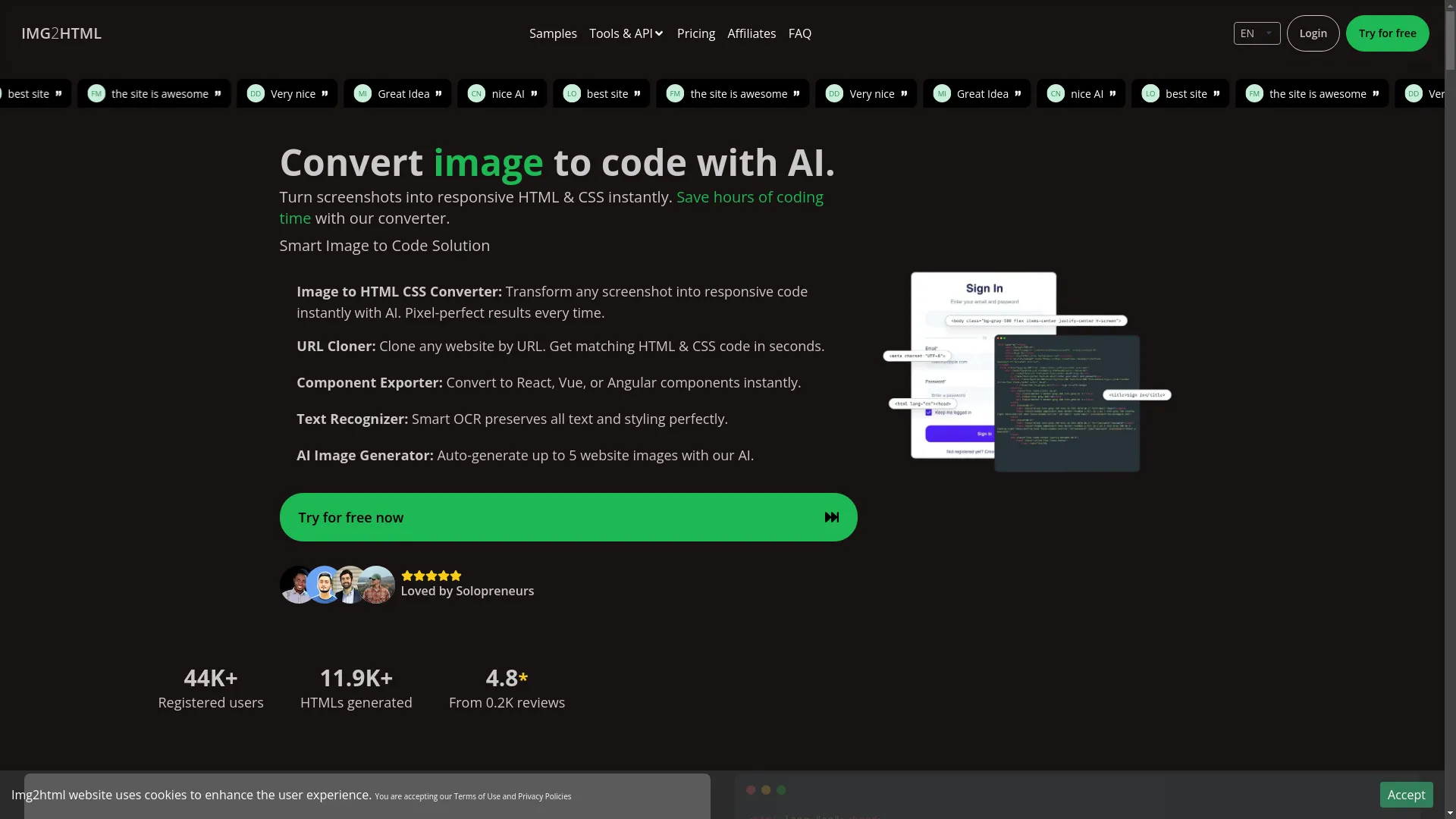
Img2HTML in Action
See how Img2HTML can transform your Liquid templates into clean, responsive HTML in minutes.
How to Convert Liquid Templates to HTML with AI
Ready to use AI to make your conversion life easier? Here's a simple guide to get you started:
1. Pick the Right Tool
First things first, choose an AI-powered tool that can handle Liquid to HTML conversion. Look for stuff like:
- Accuracy: Make sure it can handle complex Liquid syntax.
- Customization: Ability to tweak the output how you want.
- Integration: Works well with your current dev setup.
Pro Tip: Tools like Img2HTML , known for their AI smarts, can be great even if they're mainly for image conversion. Always check for updates or extra features that might work with Liquid templates.
2. Upload or Connect Your Liquid Templates
Once you've picked your tool, the next step is to feed it the Liquid templates you want to convert. You can usually do this by:
-
Uploading Files:
Just upload your
.liquidfiles directly. - API Integration: Use the tool's API to connect it to your workflow, so you can do automatic conversions.
3. Process and Convert
With your templates uploaded, start the conversion process. The AI tool will:
- Parse the Liquid Syntax: Figure out variables, loops, conditionals, and other dynamic stuff.
- Generate HTML: Turn the parsed Liquid code into clean, static HTML.
- Optimize: Make sure the HTML is responsive and follows good coding practices.
4. Check and Tweak the Output
No tool is perfect, so you'll need to give it a once-over. After the conversion:
- Review the HTML: Check it's accurate and all the dynamic elements are handled properly.
- Make Adjustments: Manually fix any issues or further optimize the code if needed.
5. Use the HTML
Once you're happy with the converted HTML:
- Put It on Your Site: Add the HTML to your website or app.
- Test It Out: Make sure the converted pages work as they should across different browsers and devices.
Personal Story: I remember the first time I used an AI tool to convert a complex Liquid template. The speed blew me away - what would've taken hours was done in minutes. Sure, there were a few hiccups, but the time saved was totally worth it. Using AI not only made me more productive but also improved the quality of my work.
Best Practices
To make sure your conversion process goes smoothly, keep these best practices in mind:
1. Keep Your Code Clean
Even though AI tools are super advanced, keeping high-quality code is still important.
- Code Review: Regularly check the generated HTML to make sure it meets your standards.
- Consistent Formatting: Use consistent indentation and formatting to make it easy to read and maintain.
2. Don't Mess Up the Design
Your website's design is its face - don't compromise on it.
- Responsive Design: Make sure the converted HTML works well on mobile and adapts to different screen sizes.
- Style Consistency: Keep the original styling to maintain your brand look.
3. Make It Fast
Fast-loading websites make users happy and help with SEO rankings.
- Clean Code: Get rid of unnecessary tags and inline styles to reduce the HTML size.
- Minification: Compress the HTML and CSS files to make them load faster.
4. Test on Different Devices and Browsers
Different browsers and devices can show HTML differently.
- Cross-Browser Testing: Check the converted HTML on major browsers like Chrome, Firefox, Safari, and Edge.
- Device Testing: Test on various devices - desktops, tablets, and smartphones - to make sure it works smoothly everywhere.
5. Back Up Your Original Templates
Always keep a backup of your original Liquid templates.
- Version Control: Use systems like Git to track changes and go back if needed.
- Secure Storage: Store backups in safe places to prevent data loss.
Advanced Tips and Tricks
For those looking to take their conversion game to the next level, here are some advanced techniques and tips:
1. Use Modern CSS Frameworks
Combine your converted HTML with modern CSS frameworks like Tailwind CSS to make design more flexible.
- Tailwind CSS Integration: Use utility-first classes to quickly build custom designs without leaving your HTML.
- Component Libraries: Use component libraries from frameworks like React, Vue, or Angular for dynamic, interactive elements.
2. Handle Dynamic Content
Dynamic content in Liquid templates can be tricky to convert to static HTML.
- JavaScript Enhancements: Use JavaScript to recreate dynamic stuff like popups, sliders, and interactive forms.
- Template Partials: Break down complex templates into smaller, manageable pieces that can be converted and integrated separately.
3. Optimization Techniques
Optimize your converted HTML for better performance and SEO.
- Lazy Loading: Implement lazy loading for images and other media to make pages load faster.
- SEO Best Practices: Make sure your HTML includes proper meta tags, heading structures, and alt attributes for images.
4. Automation and Scripting
Automate repetitive tasks to boost efficiency.
- Batch Processing: Convert multiple Liquid templates in batches to save time.
- Scripting Enhancements: Develop custom scripts to handle unique conversion needs or to automate parts of the review process.
5. Use Version Control
Keep track of changes and collaborate easily.
- Git Integration: Use Git repositories to manage different versions of your HTML files.
- Collaboration Tools: Platforms like GitHub or GitLab make it easy to work with team members.

Think of these advanced techniques as the spices that add flavor to your dish.
Common Mistakes and How to Dodge Them
Even with the best tools and practices, there are some pitfalls that can trip up your conversion process. Here's how to avoid them:
1. Forgetting About Liquid's Dynamic Features
Liquid's strength is in handling dynamic content, which can be tricky to convert.
- Fix: Identify all dynamic elements and decide whether to recreate them using JavaScript or turn them into static content where it makes sense.
2. Ignoring Responsive Design
Static HTML can sometimes lose the responsive features of Liquid templates.
- Fix: Use responsive design principles and frameworks to make sure the converted HTML works well on all devices.
3. Not Optimizing Code
Unoptimized code can make your site slow and perform poorly.
- Fix: Regularly check your HTML for unnecessary stuff and optimize your CSS to streamline the code.
4. Not Testing Enough
Not testing thoroughly can lead to overlooked bugs and broken features.
- Fix: Set up a thorough testing process, covering different browsers, devices, and user scenarios.
5. Relying Too Much on AI Without Checking
AI tools are powerful, but they're not perfect.
- Fix: Always review the AI-generated HTML and make necessary adjustments to ensure it meets your standards.
Real-World Examples
To show you how powerful AI can be in converting Liquid templates to HTML, let's look at a couple of made-up scenarios inspired by real-life situations.
Example 1: Online Store Makeover
- The Story: Sarah runs a successful Shopify store selling handmade jewelry. Her store uses lots of Liquid templates for product pages, collections, and the homepage. As her business grew, she decided to move to a custom-built platform that needed static HTML.
- The Problem: Manually converting over 50 Liquid templates to HTML was going to take forever and be prone to errors.
- The Solution: Sarah used an AI-powered conversion tool similar to Img2HTML . She uploaded her Liquid templates, and the tool quickly converted them into clean, responsive HTML. The AI handled dynamic elements like product carousels and inventory displays accurately.
- The Result: What would have taken weeks of manual coding was done in just a few days. Sarah's new platform launched successfully, with better site performance and a fresh, optimized codebase.
Example 2: Blog Platform Upgrade
- The Story: Tom manages a popular blog that uses Liquid templates for dynamic content. He wanted to redesign the blog to make it better for users and add new features.
- The Problem: The existing Liquid templates were deeply integrated with various plugins and custom scripts, making manual conversion a nightmare.
- The Solution: Tom used an AI-driven conversion tool that not only converted the Liquid templates to HTML but also optimized them for modern frameworks like React. The tool worked seamlessly with his current setup, keeping all the essential functionalities.
- The Result: Tom's blog got a facelift with faster load times and a more interactive interface. The conversion process was smooth, with minimal downtime and no major issues.
"Converting our Liquid templates manually was a nightmare. The AI tool not only saved us time but also made sure our new site was flawless." – Sarah J., E-Commerce Entrepreneur
"The ease of conversion was mind-blowing. Tom's blog upgrade was seamless, and we noticed the performance improvements right away." – Jamie L., Web Developer
What's Next for Template Conversion?
The world of web development is always changing, and AI is set to play an even bigger role in template conversion. Here's what we might see in the future:
1. Smarter AI
As AI keeps getting better, conversion tools will become even more accurate and efficient, handling super complex templates with ease.
2. Real-Time Conversion
Imagine converting Liquid templates to HTML in real-time as you design, letting you see instant feedback and make adjustments on the fly. This could totally change how we design, making it more interactive and dynamic.
3. Working with Other Tech
Future AI tools might seamlessly work with a bunch of web technologies, offering multi-faceted solutions that go beyond just conversion. Think automated SEO improvements, accessibility enhancements, and performance optimizations built right into the conversion process.
4. Personalized Conversion
AI could learn from your specific coding preferences and project needs, offering personalized conversion profiles that tailor the output just for you.
5. AI as a Collaborator
AI tools might evolve to become collaborative assistants, working alongside developers in a more interactive way. This could involve suggestions, real-time edits, and even predicting code based on project trends.

Tech Comparison: Just like smartphones evolved from simple call-and-text devices to powerful mini-computers, AI tools for template conversion will keep growing in capability and usefulness, becoming must-have tools for developers.
Wrapping Up
Converting Liquid templates to HTML doesn't have to be the huge task it used to be. With AI-powered tools like Img2HTML , developers can transform their workflow, saving time and improving code quality without breaking a sweat. Whether you're running an online store looking to switch platforms or a developer aiming to upgrade a blog site, embracing these modern solutions can take your projects to new heights.
Time to Act: Ready to shake up your web development process? Dive into the world of AI-powered conversion tools today and experience the future of template conversion. Say goodbye to tedious manual coding and hello to efficiency, accuracy, and endless possibilities. Start your journey with Img2HTML or similar platforms and watch your projects take off like never before!
Get Started with Img2HTML
Transform your Liquid templates into responsive HTML effortlessly. Try it yourself at Img2HTML .