Introduction
Hey there! So you're getting into web design on your Mac? That's awesome! You don't always need to be a coding wizard to make cool websites, thanks to these WYSIWYG (What You See Is What You Get) HTML editors. They're pretty great - you can design visually without getting tangled up in code. But there's a ton of options out there, so how do you pick the right one? No worries, we've got your back. Let's check out some of the best WYSIWYG HTML editors for macOS that'll make your web design journey a breeze and maybe even fun!
Why Choose WYSIWYG HTML Editors?
You know how frustrating it is to follow a recipe in a language you don't understand? That's kinda what coding a website without a WYSIWYG editor feels like. These editors are like a bridge between your creative ideas and the techy stuff like HTML and CSS. You get to design visually and see exactly how your site will look as you build it. It saves time and lets you get creative without worrying about breaking everything.
Plus, Macs are known for working great and looking slick, so pairing one with a good WYSIWYG editor can really take your web projects to the next level. Whether you're a pro or just starting out, these tools make it easy to make websites that look professional without all the hassle.
Top WYSIWYG HTML Editors for macOS
Img2HTML
Turn Pictures into Code with AI
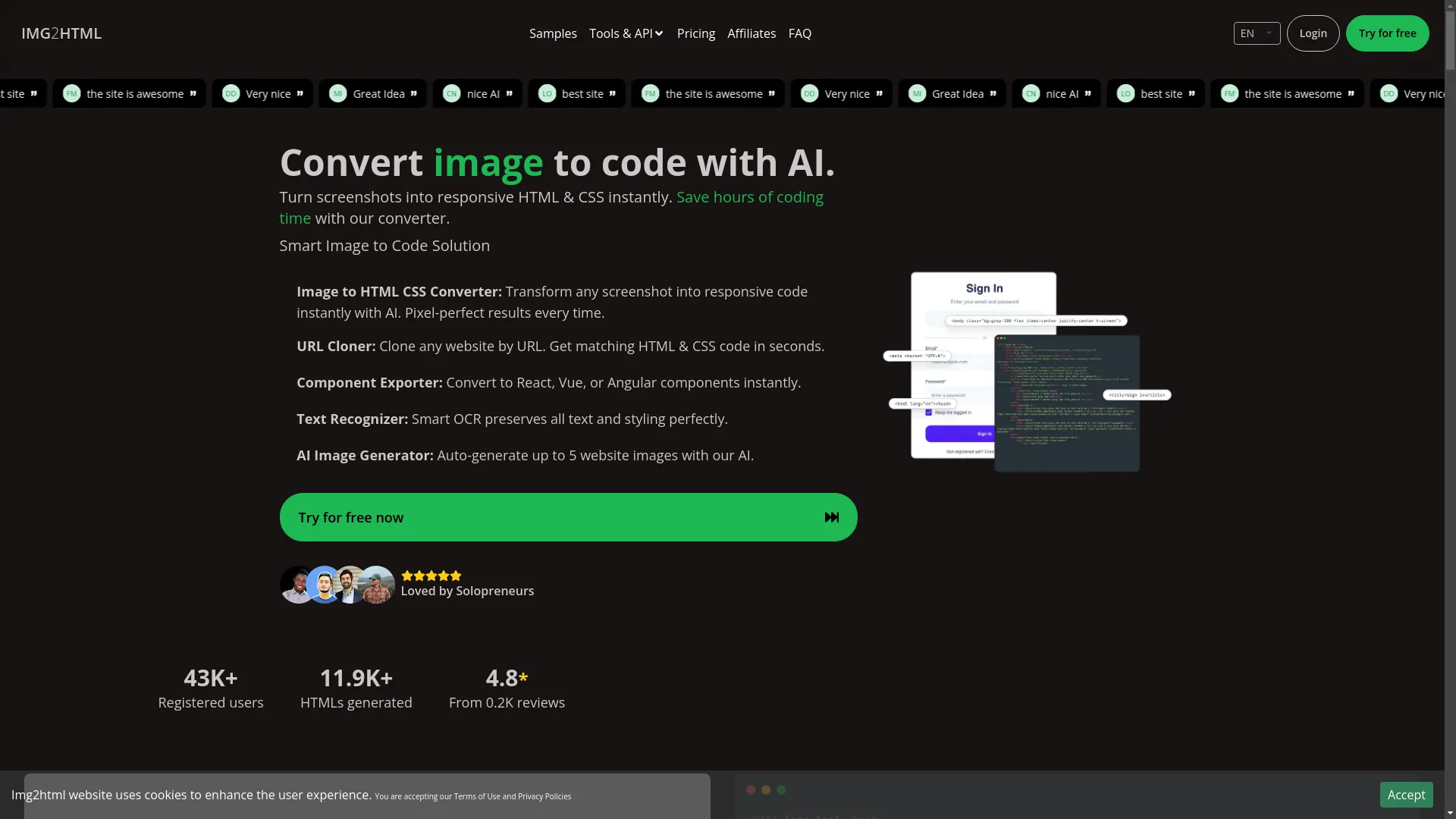
Img2HTML is this cool new tool that uses AI to turn pictures and screenshots into HTML and CSS code right away. If you're sick of spending hours coding your designs by hand, Img2HTML is here to save you a ton of time!
What It Can Do:
- Picture to HTML & CSS: Just upload a picture, and the AI makes clean, responsive code that matches your design.
- Copy Websites: Clone entire websites by just putting in the URL, and get matching HTML and CSS code in seconds.
- Make Components: Easily turn designs into React, Vue, or Angular components.
- Read Text: Smart tech that keeps all the text and styling perfect.
- AI Picture Maker: Automatically make up to five website pictures with AI help.
Why It's Cool:
Img2HTML isn't just your average editor; it's a smart, AI-powered tool that fits right into modern web development. It works with stuff like React, Vue, and Angular, so it's great for both designers and developers who want to speed things up.
What People Say:
Users love how accurate and easy it is to use. Whether you're working solo, teaching, or a developer trying to work faster, Img2HTML has tools that can help you get more done.
Cost:
Img2HTML has flexible pricing where you can pay as you go, get monthly or yearly subscriptions, and there's a free 3-day trial so you can try it out risk-free.
Pinegrow

Make Responsive Websites Live
Pinegrow is a powerful app for your computer that helps you build responsive websites faster. You can edit multiple pages at once, style with CSS, and use smart components for Bootstrap, Foundation, and WordPress.
What It Can Do:
- Visual Editing: Drag and drop stuff to design your site visually.
- Flexbox and Grid Layouts: Advanced ways to layout your site for modern web designs.
- WordPress Theme Builder: Make custom WordPress themes visually.
- Works With Others: Plays nice with popular frameworks like Bootstrap and Foundation.
Why It's Cool:
Pinegrow lets you design visually but still gives you control over the code. It's perfect for designers who want to make their layouts look just right without giving up the power of coding.
Adobe Dreamweaver

The Big Name in Web Design
Adobe Dreamweaver has been around for ages in the web design world. It's a robust editor that lets you design visually and edit code, which is why pros love it.
What It Can Do:
- Code Helper: Speeds up coding by suggesting what you might type next.
- FTP Built-In: Easily upload your websites to servers without needing extra software.
- Mobile-Friendly Design: Tools to make websites that look good on phones.
- Ready-Made Templates: Start your projects with designs that look professional.
Why It's Cool:
If you already use other Adobe stuff like Photoshop and Illustrator, Dreamweaver works great with them. It's packed with features that both beginners and experts find useful.
CoffeeCup Visual CSS Designer

Make CSS Styling Easier
CoffeeCup Visual CSS Designer is all about making it simpler to create and manage CSS styles. You can design websites visually while easily handling the CSS behind the scenes.
What It Can Do:
- CSS Grid and Flexbox Tools: Easily design complex layouts without writing code.
- Manage Themes and Styles: Handle your site's themes and styles visually.
- See Changes Live: Watch your changes happen in real-time as you design.
- Works on All Browsers: Make sure your designs look great no matter what browser people use.
Why It's Cool:
If you want to get good at CSS without getting lost in code, CoffeeCup Visual CSS Designer gives you an easy way to design and style websites efficiently.
BlueGriffon

Free and Open-Source
BlueGriffon is a free, open-source editor that uses the same engine as Firefox. It works with modern web standards, so it's a solid choice for all kinds of web projects.
What It Can Do:
- HTML5 and CSS3 Support: Create modern websites that follow the rules.
- SVG and MathML: Add scalable graphics and math formulas.
- Works on Many Systems: Available on Mac, Windows, and Linux.
- Add Extra Features: Extend what it can do with various plugins.
Why It's Cool:
BlueGriffon is versatile and works for both beginners and advanced users who like open-source software. It keeps up with modern web tech, so your websites will be ready for the future and accessible to everyone.
KompoZer

Easy for Beginners
KompoZer is a free editor designed to be easy for newcomers but still useful for more experienced folks. It combines web design and site management in one package.
What It Can Do:
- Simple to Use: Easy design that's perfect for beginners.
- Built-in FTP: Manage and upload your sites right from the editor.
- CSS Styling Help: Apply and manage styles without coding.
- Works on Many Systems: Runs on Mac, Windows, and Linux.
Why It's Cool:
KompoZer is great for people just starting with web design who need a straightforward tool to create and manage their websites without all the complicated stuff in more advanced editors.
Key Features to Look For
When picking a WYSIWYG HTML editor for your Mac, think about what features will help you work best and fit your project needs. Here are some important things to look for:
- Easy to Use: A clean, simple interface can really speed up your design process.
- Tools for Mobile Design: Make sure your websites look great on all devices with built-in features for responsive design.
- Code Editing: If you want to tweak the code yourself, good code editing features are important.
- Works with Frameworks: Being able to use things like Bootstrap, Foundation, React, and Vue can make your designs better.
- Ready-Made Designs: Access to pre-designed templates can help you start projects quickly.
- Works with Other Tools: If it works smoothly with other software (like Adobe stuff), it can make your work easier.
- Makes Sites Fast: Tools that help make your website run faster can improve how people use it and help with search engines.
- SEO Helpers: Built-in features for SEO make sure your website is easy for search engines to find.
- Help When You Need It: Good support and an active community can be super helpful when you get stuck.
Advancements in WYSIWYG Editors
WYSIWYG HTML editors are always getting better, with new stuff making them more powerful and easier to use. Here are some of the latest trends shaping these tools:
AI Integration
AI is making waves in web design, and WYSIWYG editors are jumping on board. Tools like Img2HTML use AI to turn pictures into clean, responsive code, which saves a ton of time and effort when building websites.
Work Together in Real-Time
With more people working from home, being able to work on the same project at the same time is becoming really important. Editors like Pinegrow let multiple people work on a project together, which helps teamwork and gets things done faster.
Better Support for Frameworks
Modern web development often uses frameworks like React, Vue, and Angular. Many WYSIWYG editors now work well with these frameworks, so developers can easily use their designs with advanced JavaScript libraries.
Advanced CSS Tools
CSS is super important for modern web design. Advanced CSS tools in WYSIWYG editors let users create complex styles and animations without writing a bunch of code.
Support for Progressive Web Apps (PWAs)
As PWAs become more popular, WYSIWYG editors are adding features to support them. This includes stuff for offline use, push notifications, and interfaces that look like apps.
Editing in the Cloud
Cloud integration lets users access and edit their projects from anywhere, on any device. This flexibility is great for developers and designers who work on different computers.
Optimizing User Experience
User experience (UX) is super important in web design. A great WYSIWYG editor should not only help you design but also help you create websites that are easy and fun for people to use.
Easy Navigation
An editor with easy-to-use navigation helps you find the tools and features you need quickly. Look for editors with well-organized menus, toolbars you can customize, and easy access to important functions.
See How It Looks on Different Devices
Being able to see how your website looks on different sized screens right in the editor helps you make smart design choices. This makes sure your site looks and works well on computers, tablets, and phones.
Make It Accessible
Include features that make your website usable for everyone. Editors that give you guidelines and tools for creating accessible content can help you meet these important standards.
Add Interactive Stuff
Put in interactive elements like sliders, forms, and animations to make your site more engaging. A good WYSIWYG editor should make it easy to add these features to your design.
Tools to Make Your Site Fast
Slow websites can turn visitors away. Look for editors that have tools to optimize images, make code smaller, and improve load times, so your site runs smoothly.
Performance Metrics That Matter
Keeping track of how well your website performs is crucial for keeping it effective and improving how people use it. Here are some important performance metrics to think about:
How Fast It Loads
How quickly your website loads affects whether people stay on it and how well it ranks in search engines. Use editors that offer tools to make load times faster.
Works on All Devices
Make sure your website works correctly on all devices and screen sizes. Responsive design tools in editors help keep the user experience consistent.
SEO Ranking
How visible your website is in search engines is largely influenced by its SEO performance. Choose editors with built-in SEO tools to make optimizing your site easier.
How People Use It
Things like bounce rate, how long people stay on your site, and how many pages they visit give you insights into how people interact with your site. Use these metrics to improve your design and content strategy.
Conversion Rates
For commercial websites, tracking conversion rates is essential. Design your site with clear calls-to-action and use analytics to measure how effective they are.
Building Quality Networks with WYSIWYG Editors
In today's connected world, your website doesn't exist alone. Building quality networks involves connecting with various tools and platforms to make your site work better and reach more people.
Connect with Social Media
Easily add social media buttons, feeds, and sharing options to boost your website's connectivity and engagement.
Email Marketing Tools
Connect your site with email marketing platforms to grow your list of subscribers and manage campaigns effectively.
Online Store Platforms
For online stores, connecting with e-commerce solutions like Shopify or WooCommerce is crucial. Choose editors that support these connections for an easy setup.
Analytics Tools
Add analytics platforms like Google Analytics to track and analyze your website's performance, helping you make decisions based on data.
Content Management Systems (CMS)
Connect with CMS platforms like WordPress or Joomla to manage your site's content efficiently, making updates and growth easier.
Effective Strategies for Success
To get the most out of your WYSIWYG HTML editor, try these strategies:
Know What You Want
Before you start designing, think about what you want to achieve with your website. Clear goals guide your design decisions and make sure your site fits what you're trying to do.
Use Templates to Start
Use pre-designed templates to kickstart your project. Customize them to fit your brand and save time on initial setup.
Keep Improving and Testing
Design is an ongoing process. Keep refining your site based on what users say and how it performs to make it better.
Keep Things Consistent
Using the same fonts, colors, and layout elements creates a professional look. WYSIWYG editors often have tools to help keep things consistent across your site.
Make It Work on Mobile
With more people using websites on their phones, make sure your site works well on all devices. Test your design on different devices to ensure a smooth user experience.
Keep Learning
Web design trends and technologies change quickly. Stay updated with the latest stuff to keep your skills sharp and your websites modern.
Use Help and Community Resources
Take advantage of tutorials, forums, and support offered by your chosen editor. Talking with the community can give you valuable insights and solutions to common problems.
Conclusion
Picking the right WYSIWYG HTML editor for your Mac can really change how you design websites and how good they turn out. Whether you're just starting out and want something easy to use or you're an experienced developer looking for advanced features, there's a perfect editor out there for you. Tools like Img2HTML are changing the game by using AI and working well with modern frameworks. As the web keeps changing, staying up to date with the latest tools and strategies helps you stay at the top of your game in web development.
So, are you ready to take your web design skills up a notch? Try out one of these top WYSIWYG HTML editors for macOS and start making awesome, responsive websites today. Happy designing!
Check Out Img2HTML
If you want to make your web development even faster, Img2HTML is a great tool. It can turn any picture into clean, responsive HTML and CSS code automatically, works with modern frameworks, and has AI-powered features that save you hours of coding time. Whether you're working alone, a student, or a developer, Img2HTML has something useful. Try it for free today and see what the future of web design looks like!
FAQs
-
How can I try it?
Most editors let you try them for free. Check out their websites to sign up and test their features.
-
How long do credits last?
It depends on the service. For Img2HTML, unused credits usually carry over if you keep your subscription.
-
What payment methods can I use?
Usually credit cards, PayPal, and sometimes bank transfers. Check what each editor accepts .
-
Do you give refunds?
Refund policies are different for each editor. Best to read their terms of service .
-
What do I get when I buy credits?
Credits usually let you use specific features, like converting images or downloading templates. Each service explains what you get.
-
How do credits work?
Credits are like money for specific features. Once you use them, you might need to buy more depending on how much you use.
-
Is it better to buy more credits at once?
Often, buying in bulk gives you discounts or extra perks.
-
How do I keep track of my credits?
Most platforms have a dashboard where you can see and manage your credits easily.
-
Is it safe to pay?
Good editors use secure ways to handle payments to protect your financial info.
-
Can I get any free credits?
Many services offer free trials or starter credits so you can try without paying right away.
-
How do I turn a picture into HTML using IMG2HTML?
Just upload your picture, choose your settings, and let the AI turn it into HTML and CSS code automatically.
-
What happens if I run out of credits?
Usually, you'll need to buy more credits or upgrade your plan to keep using premium features.
-
Where can I find my credits?
Credits are usually shown in your account dashboard on the editor's website.
Stay in the Loop
Web design is always changing, so it's important to keep up with new tools and trends. Sign up for newsletters, join communities, and keep trying new features to improve your skills. Remember, the right tools can boost your creativity and efficiency, helping you turn your web design ideas into reality.
Happy designing!
Related Articles
- How to Use Img2HTML - Expands on utilizing Img2HTML's features effectively.
- Top 10 Tools for Converting Images to Responsive HTML and CSS Code - Compares Img2HTML with other similar tools.
- Boost Your Workflow Using Img2HTML API for Automated Conversions - Discusses automation and integration with Img2HTML.