What Is The Best Ai For Coding
Hey there, fellow coders! Ever dreamed of having a super-smart sidekick to help you tackle those tricky coding challenges? Well, guess what? AI is here to save the day! It's not just some fancy b...
Hey there, fellow coders! Ever dreamed of having a super-smart sidekick to help you tackle those tricky coding challenges? Well, guess what? AI is here to save the day! It's not just some fancy buzzword anymore - it's actually changing how we write code, work together, and create awesome stuff.

Picture this: you're sipping your morning coffee while an AI tool finishes your code, checks your work, and makes sure everything's top-notch. Sounds pretty sweet, right? Well, it's not a dream - it's happening right now! In this guide, we'll take a deep dive into the coolest AI coding tools out there in 2024. So grab a drink and let's get started!
What Are These AI Coding Assistants Anyway?
Okay, let's break it down. AI coding assistants are like super-smart software that use machine learning and fancy language models to help you code. They're kinda like having a coding buddy who's always there to lend a hand. These tools can:
- Write Code: They can whip up code snippets or even whole functions based on what you tell them.
- Debug: They'll help you find and fix those pesky bugs.
- Review Code: They'll look over your work and suggest ways to make it better.
- Write Docs: They can even create documentation for your projects (thank goodness!).
How AI Has Changed Coding
Remember when AI was just something you'd read about in sci-fi books? Well, not anymore! Over the last ten years, AI has come a long way, especially in understanding language and learning from data. Now, we've got all sorts of AI tools that help us code better, faster, and smarter.
Remember how writing documentation used to be such a pain? Or those late nights trying to fix bugs? AI tools are here to make all that easier, so you can focus on the fun part - building cool stuff!
Different Types of AI Coding Tools
There are a few different kinds of AI tools out there for coding. Knowing the difference can help you pick the right one for you.
AI Code Assistants
These are like having a coding buddy who never sleeps. They help you write code, finish your sentences (well, your code lines), and make your code better.
AI Code Reviewers
Imagine having someone who always checks your work for mistakes and suggests improvements. That's what these tools do - they make sure your code is top-notch.
AI Agents
These are the smartest of the bunch. They can handle complex tasks, manage workflows, and even work on projects with you. They're still getting better, but they could really change how we develop software.
The Best AI Coding Tools in 2024
Alright, now for the good stuff - let's look at the best AI tools that are making waves in 2024. These tools have been put through their paces and have proven to make coding easier, better, and more fun.
GitHub Copilot: The Top Dog
What It Is
GitHub Copilot is probably the most famous AI coding assistant out there. It's a team effort between GitHub, OpenAI , and Microsoft, and it uses some seriously smart AI to suggest code right in your coding environment.
What It Does
- Understands Your Code: It gets what you're trying to do and suggests relevant code.
- Works with Lots of Languages: Whether you're into JavaScript, Python, or something else, it's got you covered.
- Suggests Whole Lines or Functions: It can help you write code faster by suggesting big chunks at a time.
- Keeps Your Stuff Private: You can control what information it shares.
Why It's Awesome
GitHub Copilot works great with popular coding tools like Visual Studio Code and JetBrains. It's really good at suggesting code that actually makes sense, which can save you a ton of time. Plus, if you already use GitHub, it fits right in with what you're doing.
You can try this feature yourself at Img2HTML .
Personal Story
I remember the first time I used GitHub Copilot. I was stuck on this tricky JavaScript function, and boom! Copilot suggested a solution that was spot on. It felt like having a pro coder right there with me, giving me tips.
Cursor: Your AI-Powered Code Editor
What It Is
Cursor is like a supercharged version of Visual Studio Code. It's got all these cool AI features to help you code better and faster.
What It Does
- AI Pair Programming: It's like having an AI coding buddy right there with you.
- Write Code in Plain English: You can describe what you want, and it'll try to write the code for you.
- Keeps Your Code Safe: It's got good security, so your code stays private.
- Works with Lots of Languages: Whatever you're coding in, it's probably got you covered.
- Chat with AI: You can ask it questions right in the editor.
Why It's Cool
Cursor is really easy to use, especially if you like describing what you want in plain language. It feels more like talking to a person than using a tool.
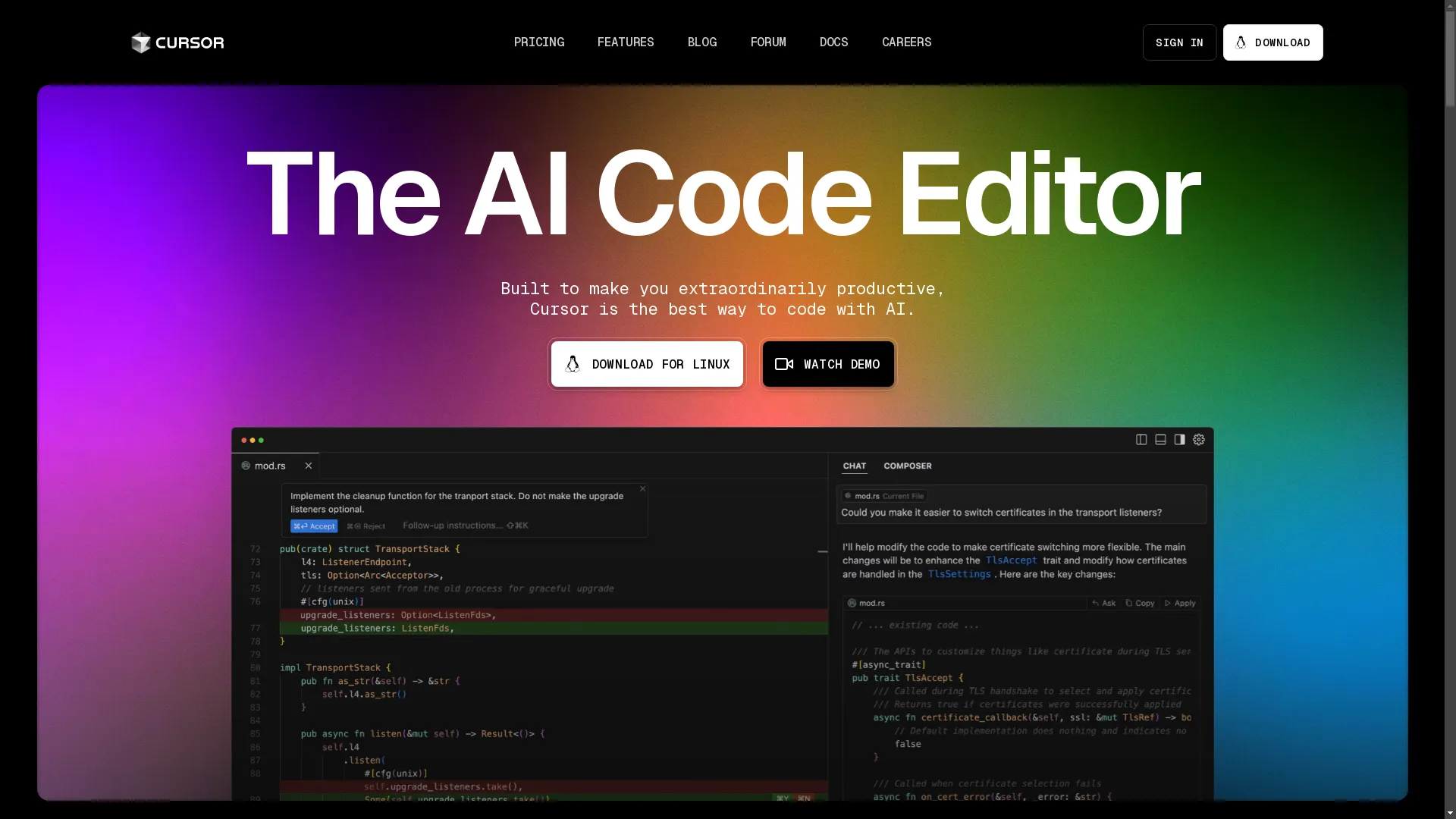
See how this works at Img2HTML .
My Take
I find Cursor easier to use than GitHub Copilot, especially when it comes to describing what I want in normal words. It feels more like a partner than just a tool.
AIDER: Command-Line Coding Buddy
What It Is
AIDER is an AI tool that helps you code right from your command line. It uses super smart AI models like GPT-4 to help you write, edit, and debug code.
What It Does
- Work with AI in the Terminal: You can chat with AI to write and fix code.
- Automatic Git Stuff: It automatically saves your changes with good descriptions.
- Handle Multiple Files: You can work on several files at once.
- Keeps Up with Your Changes: It notices when you make changes manually.
- Customize It: You can set it up to work just how you like.
- Explains Code: It can help you understand code that's already there.
Why It's Great
AIDER is perfect if you love working in the command line. It's really good at keeping track of changes and works well with big projects.
My Experience
Using AIDER in the terminal was a game-changer for me. It kept everything organized and saved automatically, so I could just focus on coding.
Tabnine: The Security-Conscious Helper
What It Is
Tabnine has been around for a while and is known for being really good with privacy and security. It uses AI to suggest code that matches your style.
What It Does
- Super Secure: It only uses code from sources you approve and can even be set up on your own servers.
- Completes Code: It can finish lines or functions for you.
- Shows Where It Learned From: You can see what data it used to learn.
- Works with Popular Tools: It fits right in with coding tools like Visual Studio Code, IntelliJ IDEA, and Sublime Text.
Why It's Worth It
While Tabnine might not be as flashy as some newer tools, it's really good if you're worried about keeping your code private and secure. It's been reliable for years, which says a lot.
A Coder's View
For teams that really care about security, Tabnine is great. You can feel good knowing your code stays private, especially if you set it up on your own servers.
Codium AI: The Testing Pro
What It Is
Codium AI is all about helping you write tests for your code. It can suggest and even write tests, which is super helpful for making sure your code works right.
What It Does
- Suggests Tests: It comes up with good ideas for tests based on your code.
- Writes Tests for You: It can actually write the tests, saving you time.
- Understands Your Code: It gets how changes affect your whole project.
- Works with VS Code: It fits right in with Visual Studio Code.
Why It's Awesome
Codium AI doesn't just help write tests - it helps you understand how changes affect your whole project. This means you can be more confident that your code works right.
My Thoughts
Writing tests can be a pain, but Codium AI makes it way easier. It's like having a super detail-oriented tester working with you all the time.
Other Cool Tools to Watch
While the tools we talked about are the big ones, there are some other cool AI tools that are worth keeping an eye on:
Mutable AI: Multi-File Wonder
What It Does: Mutable AI is great at handling big projects where you need to change stuff in lots of files at once. It's also good at understanding your whole project and helping manage things.
Why It's Cool: Being able to work on multiple files at once is super helpful for big projects. As Mutable AI keeps getting better, it could become a must-have for developers working on complex stuff.
CodeRabbit: The Review Expert
What It Does: CodeRabbit doesn't just look at code changes - it also suggests ways to make your code better overall. It's big on security too.
Why It's Promising: CodeRabbit turns boring code reviews into a way to actually make your code better. It's not just about finding mistakes - it's about making everything better.
Picking the Right AI Tool for You
With so many options, how do you choose? Here's a quick breakdown:
| Criteria | Considerations |
|---|---|
| Features | Each tool has its strengths. GitHub Copilot is great at suggesting code, Cursor is good if you like describing what you want, AIDER is perfect for command-line fans, and Codium AI is the go-to for testing help. |
| Privacy and Security | If you're worried about keeping your code safe, look at tools like Tabnine or Cursor that focus on privacy. |
| Works with Your Tools | Make sure the AI tool fits with the coding environment you already use. Most work with popular tools like Visual Studio Code. |
Why Use AI for Coding?
- Get More Done: AI can handle the boring stuff, letting you focus on the cool, creative parts of coding.
- Better Code: With AI helping catch mistakes and suggest improvements, your code can be cleaner and work better.
- Learn New Stuff: AI tools can teach you new coding tricks and help you get better over time.
Things to Watch Out For
- They Need the Internet: Most of these tools need to be online to work, which could be a problem sometimes.
- They're Not Magic: AI is great for routine stuff, but it might struggle with super complex or specific coding challenges.
- Privacy Concerns: Even though many tools are secure, you're still sharing some info with them. Make sure you're okay with their privacy policies.
Tips for Using AI Coding Tools
- Use Them as Helpers, Not Replacements: AI is great, but it's not replacing your brain. Use it to help you, not do everything for you.
- Keep Learning: AI tools are always getting better, so keep up with new features and updates.
- Keep Your Tools Updated: Make sure you're using the latest versions to get all the new stuff and stay secure.
The Future of AI in Coding
- Smarter Tools: AI will get even better at understanding complex coding tasks.
- Better Teamwork: Future AI tools might help whole teams work together better.
- More Personalized: AI tools will probably get better at adapting to your personal coding style.
Wrapping Up
AI coding tools like GitHub Copilot, Cursor, and AIDER are changing the game for developers. They're making coding faster, easier, and more fun. By understanding what these tools can do and how to use them well, you can really boost your coding skills.
Remember, AI is here to help you, not replace you. It's a powerful sidekick that can make you an even better coder.
Ready to Try It Out?
Don't just read about it - give it a shot! Try out some of these AI tools and see which one you like best. It could totally change how you code. Your future self - a faster, better coder - will thank you!
Stay tuned for updates on this stuff - AI in coding is always changing and getting cooler!
Related Articles
- How to Use Image to HTML - Expands on converting images to responsive HTML and CSS code.
- Top 10 Tools for Converting Images to Responsive HTML and CSS Code - Detailed comparison of various image to code tools.
- How to Convert UI Design to Code - Guides on turning user interface designs into functional code.