Introduction
Ever dreamed of having your own AI bot but felt overwhelmed by the idea of coding it from scratch? What if I told you that with a bit of HTML magic, you could create something that looks and feels like an AI bot right on your website? Sounds pretty cool, right?
These days, AI bots are everywhere - helping customers, making websites more interactive, and adding a futuristic touch to online platforms. But how do you make one without drowning in code or spending a fortune on fancy software? Well, that's where HTML and tools like Img2html come in handy, making this seemingly impossible task not just doable, but actually pretty straightforward.
Let's dive into the world of mimicking AI bots with HTML, checking out the latest trends, tricks, and must-have tools to help you create a bot that feels smart, responsive, and most importantly, user-friendly.
Enhance Your Website with AI-like Bots
Discover how to create interactive and responsive bot interfaces using HTML and Img2html.
Understanding AI Bots
Before we jump into making an AI bot with HTML, let's take a quick look at what AI bots are and why they're such a big deal in today's online world.
What Are AI Bots?
AI bots, or Artificial Intelligence bots, are basically smart computer programs that do automated tasks, often pretending to be human in conversations or actions. They use fancy tech like machine learning and natural language processing to understand, interpret, and respond to what users say in a way that feels natural and easy to understand.
Types of AI Bots
- Chatbots : These are the most common ones - they chat with users via text to help with questions, give info, or help with transactions.
- Voice Assistants : Think Siri or Alexa - AI bots that talk to users through voice commands.
- Task Automation Bots : These bots handle repetitive stuff like scheduling, data entry, or managing workflows.
Why AI Bots Matter
AI bots make things better for users by giving instant responses, personalized experiences, and being available 24/7. They can handle lots of queries at once, which means businesses don't need as many customer service people and can work more efficiently.
But here's the thing: making a real AI bot usually requires some serious coding skills and resources. That's where HTML, along with cool tools like Img2html, comes to the rescue. They let even people with basic coding knowledge create impressive AI-like interactions on their websites.
Why Mimic an AI Bot with HTML?
You might be wondering, why use HTML to mimic an AI bot? After all, when we think of AI bots, we usually think of complex programming languages and frameworks. Here's why HTML can be a game-changer:
Simplicity and Accessibility
HTML is like the backbone of web development. It's pretty easy to learn and widely accessible. By using HTML, you can create engaging bot interfaces without diving into the deep end of AI programming.
Cost-Effectiveness
Building a sophisticated AI bot from scratch can cost a pretty penny. Using HTML, along with tools like Img2html, gives you a budget-friendly alternative without sacrificing functionality or looks.
Customization and Flexibility
HTML lets you customize a lot. You can design your bot's appearance and behavior to match your brand and what your users like. Whether you want a simple chat window or a complex interactive interface, HTML's got your back.
Quick Implementation
With HTML, you can quickly prototype and deploy your AI-like bot features. This is great for businesses looking to spice up their websites without spending ages on development.
Enhancing User Experience
Even a simple HTML-based bot can really improve user experience by providing instant help, guiding users through your site, and making interactions more dynamic and engaging.
Essential Tools and Technologies
Creating an AI-like bot with HTML isn't just about writing code. It's about using the right tools and technologies to make the process smoother and ensure your bot looks good and works well. Let's check out some must-have tools to get you started.
Img2html: Your Ultimate Conversion Tool
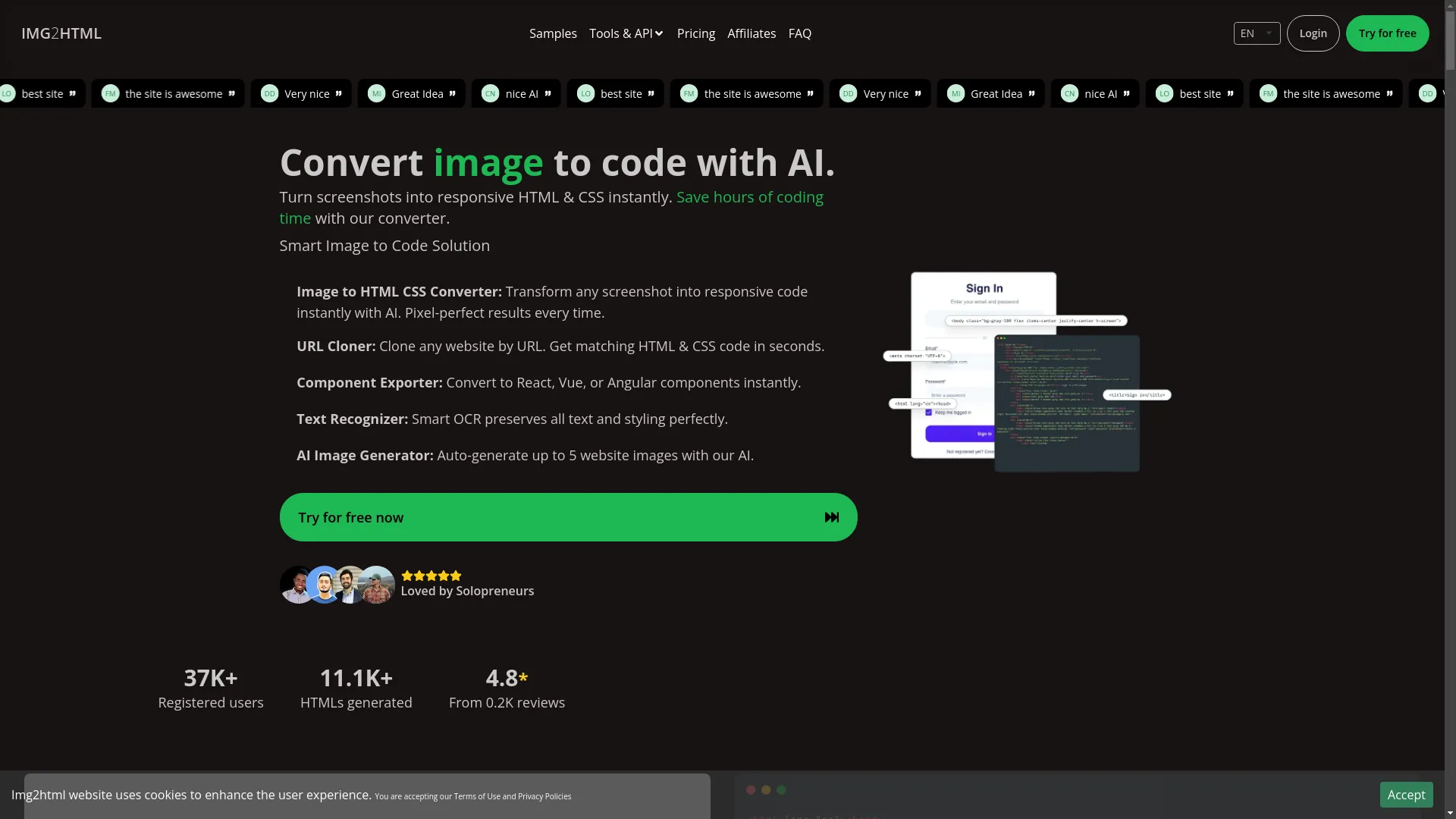
One standout tool in this area is Img2html . This cool platform turns images into clean, responsive HTML and CSS code in seconds, saving you hours of manual coding. Here's why Img2html deserves a spot in your toolkit:
- AI-Powered Conversion : Img2html uses smart AI algorithms to convert your design mockups or screenshots into HTML and CSS code that's ready to use.
- Support for Modern Frameworks : Whether you're into Tailwind CSS, React, Vue, or Angular, Img2html has got you covered, making sure your code works well with your favorite frameworks.
- User-Friendly Interface : Not a coding expert? No worries! Img2html has an easy-to-use interface that makes the conversion process a breeze.
- Responsive Design : The tool makes sure the generated code looks good on all devices and screen sizes.
- Extra Features : From copying URLs to recognizing text and generating AI images, Img2html is packed with features that make your development work easier.
Imagine designing your bot's interface in something like Figma or Sketch, converting it with Img2html, and having a fully functional, responsive HTML/CSS template ready in minutes. It's a real game-changer for both developers and non-developers.
Other Must-Have Tools
While Img2html is awesome, pairing it with other tools can make your bot even better:
- JavaScript Libraries : Tools like jQuery or ReactJS can add dynamic interactions to your bot, making it more responsive and interactive.
- CSS Frameworks : Tailwind CSS, Bootstrap, or Bulma can help style your bot nicely, making sure it fits in with your website's look.
- Natural Language Processing APIs : Services like Dialogflow or Wit.ai can add basic NLP capabilities, helping your bot understand and respond to user inputs more intelligently.
- Version Control Systems : GitHub or GitLab can help manage your project's code, especially if you're working with others.
Combining these tools with Img2html and your HTML skills sets the stage for creating a bot that isn't just static, but truly interactive and user-friendly.
Step-by-Step Guide to Mimicking an AI Bot with HTML
Alright, enough talk. Let's get our hands dirty and create your very own AI-like bot using HTML and Img2html. Here's a step-by-step guide to get you started.
Designing Your Bot Interface
Every great bot starts with a solid design. Here's how to make a user-friendly and good-looking interface:
- Sketch Your Design : Start by sketching out your bot's interface. Think about where it'll go on the screen, what colors to use, how big the chat window should be, and how it should look overall. Tools like Figma or Sketch are great for this.
- Create Design Mockups : Once you've got a sketch, make a detailed mockup using design software. Pay attention to things like input fields, send buttons, message bubbles, and any branding stuff like logos or color schemes.
- Optimize for User Experience : Make sure your design is easy to use. Users should be able to figure out how to interact with the bot without any trouble. Think about accessibility too - make sure everyone can use your bot, including people with disabilities.
- Export Your Design : Save your design as an image (PNG or JPEG). This image will be your blueprint for the HTML conversion.
Converting Images to HTML & CSS
Now that you've got a nice design, it's time to bring it to life using Img2html.
- Access Img2html : Go to Img2html and sign up for a free trial if you haven't already. Img2html makes it super easy to turn your design image into HTML and CSS code.
- Upload Your Design : Click on "Convert Image to HTML & CSS" and upload your design image. Img2html will work its magic and generate clean, responsive code.
- Customize Conversion Settings : Choose your preferred framework (like Tailwind CSS, React, Vue) to make sure the generated code fits with your development setup.
- Download the Code : Once the conversion is done, download the HTML and CSS files. These files are the foundation of your bot's frontend interface.
- Integrate into Your Project : Add the downloaded code to your website's codebase, making sure the bot appears exactly as you designed it.
Integrating Interactive Elements
A static interface is cool, but what makes an AI bot really engaging is interactivity. Here's how to add some interactive features:
-
Add JavaScript for Dynamic Behavior
: Use JavaScript to handle user inputs, send messages, and manage the bot's responses. For example, you can create functions that listen for form submissions and show user messages in the chat window.
<script> document.getElementById('sendButton').addEventListener('click', function() { let userInput = document.getElementById('userInput').value; // Show user message let chatBox = document.getElementById('chatBox'); let userMessage = document.createElement('div'); userMessage.className = 'user-message'; userMessage.innerText = userInput; chatBox.appendChild(userMessage); // Generate bot response setTimeout(function() { let botMessage = document.createElement('div'); botMessage.className = 'bot-message'; botMessage.innerText = 'Hi there! How can I help you today?'; chatBox.appendChild(botMessage); }, 1000); // Clear input field document.getElementById('userInput').value = ''; }); </script> -
Style the Messages
: Use CSS to make user and bot messages look different, so the conversation is clear and looks good.
.user-message { background-color: #DCF8C6; padding: 10px; border-radius: 10px; margin: 5px; text-align: right; } .bot-message { background-color: #FFFFFF; padding: 10px; border-radius: 10px; margin: 5px; text-align: left; } - Enhance with Animations : Adding subtle animations can make interactions feel more lively. CSS animations or JavaScript libraries like Animate.css can be handy here.
-
Implement Basic NLP
: While HTML alone handles the structure, adding simple Natural Language Processing (NLP) can make your bot responses smarter. Advanced NLP needs backend processing, but you can fake basic understanding with predefined responses.
const responses = {
  "hello": "Hi there! How can I help you today?",
  "help": "Sure, I'm here to assist you. What do you need help with?",
  // Add more predefined responses
};

function getBotResponse(userInput) {
  return responses[userInput.toLowerCase()] || "Sorry, I didn't quite get that.";
}
Add this function to your JavaScript to give more relevant responses.
Optimizing for User Experience
Making a bot that looks good is half the battle. The other half? Making sure it gives users a great experience. Let's look at how to optimize your AI-like bot to make users happy.
Responsive Design
In today's world where people use all kinds of devices, your bot needs to look and work great on all screens - desktops, tablets, and smartphones.
-
Flexible Layouts
: Use relative units like percentages and ems instead of fixed pixels so your bot can adjust nicely to different screen sizes.
.chat-container { width: 100%; max-width: 400px; margin: 0 auto; } -
Media Queries
: Use CSS media queries to change styles based on device characteristics.
@media (max-width: 600px) { .chat-container { width: 90%; } } - Test on Different Devices : Use browser developer tools and real devices to check your bot's responsiveness, making sure it works and looks consistent everywhere.
Performance Metrics
A slow bot can be really annoying. Let's make sure your bot is quick and efficient.
- Optimize Images and Assets : Compress images and minify CSS/JavaScript files to make things load faster. Tools like TinyPNG and UglifyJS can help.
-
Asynchronous Loading
: Load scripts asynchronously so they don't slow down your page loading.
<script src="script.js" async></script> -
Use Caching
: Use browser caching to store stuff that's used often, so it doesn't need to be downloaded again on later visits.
<IfModule mod_expires.c>
  ExpiresActive On
  ExpiresByType image/png "access plus 1 month"
  ExpiresByType text/html "access plus 1 week"
  ExpiresByType text/css "access plus 1 month"
  ExpiresByType application/javascript "access plus 1 month"
</IfModule>
- Check Performance : Use tools like Google Lighthouse or GTmetrix to regularly check and improve your bot's performance.
Advanced Strategies for Enhancing Your AI Bot
Ready to take your HTML-based AI bot to the next level? Let's explore some advanced strategies that can make your bot smarter, more interactive, and more user-friendly.
Incorporating AI Features
While HTML provides the structure, adding AI features can really boost your bot's capabilities.
- Natural Language Processing (NLP) : Use NLP APIs like Dialogflow or Wit.ai to help your bot understand and respond to user inputs more naturally.
-
Dialogflow
: Google's Dialogflow can help you build conversational interfaces. It processes what users say and maps them to intents, giving relevant responses.
<script src="https://www.gstatic.com/dialogflow-console/fast/messenger/bootstrap.js?v=1"></script> <df-messenger intent="WELCOME" chat-title="MyAIChatBot" agent-id="your-agent-id" language-code="en" ></df-messenger> - Machine Learning Models : For more personalized interactions, think about adding machine learning models that can learn from user behavior and adapt responses accordingly.
-
Voice Recognition
: Adding voice input can make interactions smoother. Web Speech API is a powerful tool for implementing voice features.
const recognition = new webkitSpeechRecognition();
recognition.onresult = function(event) {
  const transcript = event.results[0][0].transcript;
  document.getElementById('userInput').value = transcript;
}
recognition.start();
Using JavaScript for Dynamic Interactions
JavaScript is your best friend when it comes to adding dynamic features to your HTML-based bot.
- Real-Time Updates : Use JavaScript to handle real-time message updates, making sure conversations flow smoothly without page reloads.
-
State Management
: Implement state management to keep track of the conversation context, making interactions more coherent and relevant.
let conversationState = {}; function updateState(key, value) { conversationState[key] = value; } function getState(key) { return conversationState[key]; } -
Animations and Transitions
: Enhance user experience with animations that make interactions feel more lively and engaging.
.bot-message { animation: fadeIn 0.5s ease-in; } @keyframes fadeIn { from { opacity: 0; } to { opacity: 1; } } -
Form Validation
: Make sure user inputs are checked in real-time, giving immediate feedback and preventing errors.
function validateInput(input) {
  if(input.trim() === '') {
    alert('Please enter a valid message.');
    return false;
  }
  return true;
}

document.getElementById('sendButton').addEventListener('click', function() {
  let userInput = document.getElementById('userInput').value;
  if(validateInput(userInput)) {
    // Proceed with sending the message
  }
});
Common Challenges and How to Overcome Them
Creating an AI-like bot with HTML is exciting, but it's not always smooth sailing. Let's look at some common problems and how to solve them.
Challenge 1: Limited Interactivity with Pure HTML
Solution : While HTML provides the structure, adding JavaScript is key for interactivity. Use JavaScript to handle user inputs, manage conversations, and update the DOM dynamically.
Challenge 2: Ensuring Responsiveness Across Devices
Solution : Use CSS frameworks and media queries to create responsive designs. Regularly test your bot on different devices and screen sizes to spot and fix any responsiveness issues.
Challenge 3: Limited Understanding without Advanced AI
Solution : Integrate NLP APIs or services to enhance your bot's understanding capabilities. Even basic integrations can significantly improve the bot's ability to interpret and respond to user inputs intelligently.
Challenge 4: Maintaining Performance and Speed
Solution : Optimize your code by minifying CSS and JavaScript, using browser caching, and compressing images. Regularly check your bot's performance using tools like Google Lighthouse to identify and fix any slowdowns.
Challenge 5: Providing a Personalized User Experience
Solution : Implement state management and user tracking to personalize interactions. Tailor responses based on user behavior and preferences to make the experience more engaging and relevant.
Real-World Examples
Seeing is believing. Let's look at some real-world examples of HTML-based AI-like bots to inspire your creation.
Example 1: Simple FAQ Bot
A basic FAQ bot can answer common user questions, providing instant support without needing a human.
- Design : Clean chat interface with user and bot message bubbles.
- Functionality : Predefined responses based on keyword matching.
- Enhancements : Integrate NLP APIs for more nuanced responses.
Example 2: Interactive Customer Support Bot
Boost your customer service with an interactive bot that can handle queries, guide users through processes, and escalate complex issues to human agents.
- Design : Professional interface that matches your brand's visual identity.
- Functionality : Handles ticket creation, status inquiries, and provides troubleshooting steps.
- Enhancements : Use machine learning to predict user needs and offer proactive support.
Example 3: E-commerce Recommendation Bot
Boost your sales with a bot that provides personalized product recommendations based on user preferences and browsing history.
- Design : Engaging and visually appealing chat interface with product images.
- Functionality : Analyzes user inputs to suggest relevant products.
- Enhancements : Integrate AI algorithms to refine recommendations over time.
Conclusion
Mimicking an AI bot with HTML isn't just possible; it's an empowering reality that's accessible to developers and enthusiasts alike. By using the simplicity of HTML, the power of tools like Img2html, and the versatility of JavaScript, you can create interactive, responsive, and engaging bots that make your website's user experience much better.
Remember, the journey doesn't end here. Technology is always changing, and so are the strategies and tools available. Stay curious, keep experimenting, and continuously improve your bot to meet the growing needs of your users.
Ready to give it a shot? Start designing your AI-like bot today with Img2html and watch your website transform into a dynamic, user-friendly hub that leaves a lasting impression.