Your comprehensive guide to leveraging the HTML Viewer in Toyhouse with IMG2HTML.
Introduction
Hey Toyhouse fans! Ever felt stuck with the design tools on Toyhouse? Maybe you've got this awesome idea for your character profiles or galleries but don't know how to code it. Well, you're in luck! Today, we're gonna talk about the HTML Viewer in Toyhouse and how tools like IMG2HTML can totally change how you create stuff. So grab a drink, get comfy, and let's dive into this tech adventure together!

Understanding Toyhouse and Its HTML Viewer
For those who don't know, Toyhouse is this cool online community where people share and organize their characters, stories, and artwork. It's like a playground for artists, writers, and role-players to show off their creativity. One of the best things about Toyhouse is its HTML Viewer, which lets you customize your pages with HTML and CSS. This means you can make your page look exactly how you want it.
But here's the thing: not everyone knows how to code. That's where IMG2HTML comes in and changes everything.
The Role of an HTML Viewer in Toyhouse
Think of Toyhouse's HTML Viewer like a blank canvas where you can paint whatever you want. It's exciting but can be a bit scary too. You can use it to create fancy designs, layouts, and add cool features to your pages using HTML and CSS. Whether you want a sleek, modern look for your character profiles or some flashy elements in your galleries, the HTML Viewer is where the magic happens.
But let's be real - coding can be tough. That's why IMG2HTML is here to make your Toyhouse experience way better and more visually awesome.

Introducing IMG2HTML: Transforming Images to Code
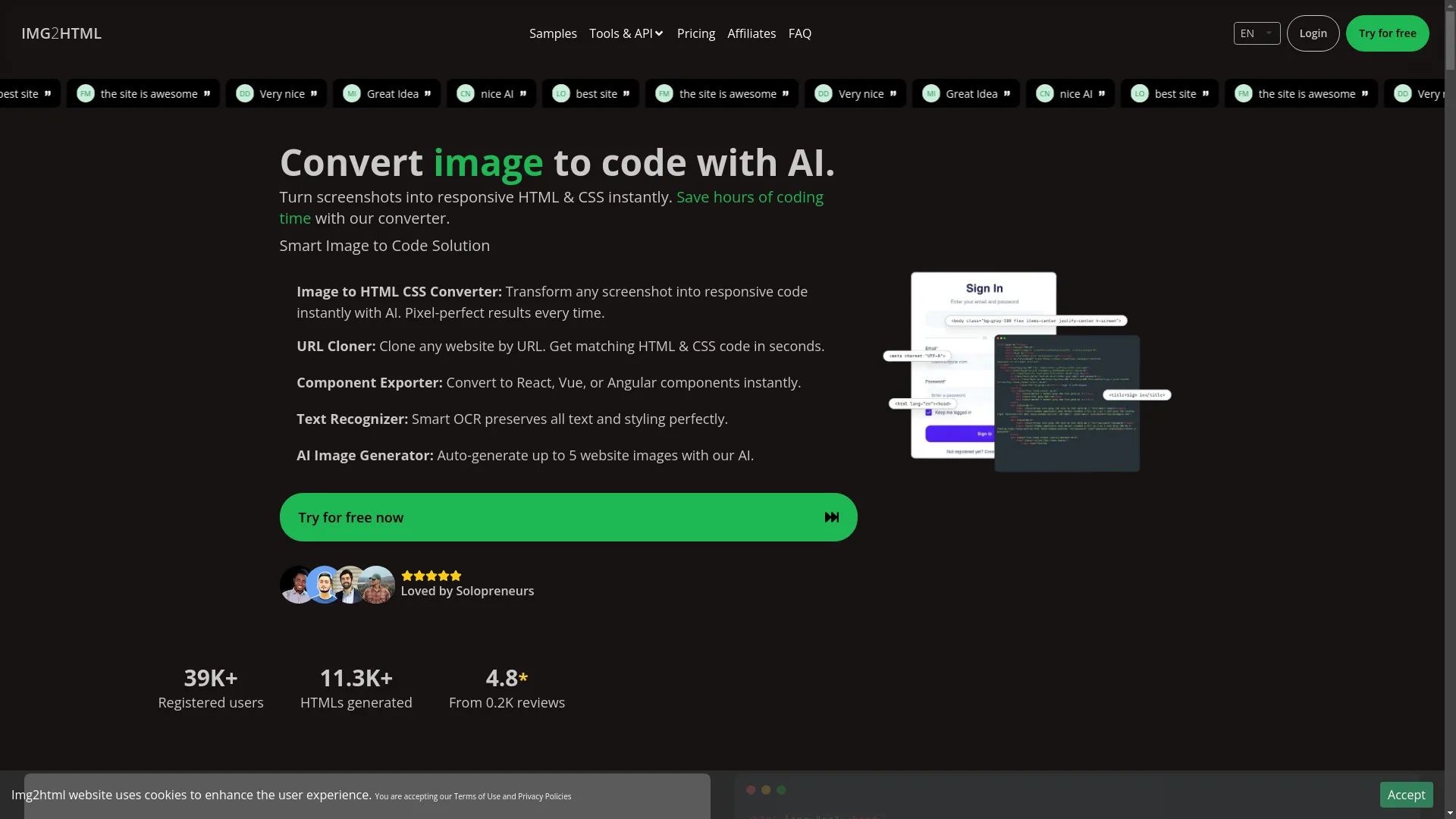
So what's IMG2HTML all about? It's like having a personal assistant that turns your design ideas into actual HTML and CSS code. Here's the quick rundown:
- It uses AI to turn images into code: Just upload a picture of your design, and boom - you get HTML & CSS.
- Saves you tons of time: No more struggling with code for hours. Let the AI do the hard work while you focus on being creative.
- Does a bunch of cool stuff: From copying entire websites to making parts for React, Vue, or Angular, IMG2HTML can do it all.
Pretty cool, right?
How to Use IMG2HTML with Toyhouse's HTML Viewer
Okay, so you're pumped about IMG2HTML . Here's how to use it with Toyhouse's HTML Viewer:
- Go to img2html.com and sign up for a free trial.
- Upload your design: Could be a sketch of your character's page or a full website design.
- Let the AI do its thing: In a few seconds, you'll get clean HTML & CSS code that matches your design.
- Copy the code it gives you.
- Go to your Toyhouse profile, open the HTML Viewer, and paste the code. And just like that, your custom design is live!
Easy as pie, right?

Features and Benefits of IMG2HTML for Toyhouse Users
Let's break down why IMG2HTML is so awesome for Toyhouse users:
- 🔁 Turns Any Image into HTML & CSS: No matter what your design looks like, IMG2HTML can turn it into code.
- ⚙️ Does Everything Automatically: You don't have to mess with the code yourself. It's all done for you.
- 👍 Super Easy to Use: Even if you're not great with tech, you can figure out IMG2HTML no problem.
- 🌐 Works on All Devices: Whether you're using a PC, Mac, or Linux, IMG2HTML's got you covered.
- ⏱️ Super Fast: It turns images into HTML in seconds. No waiting around.
- 🌬️ Uses Tailwind CSS: This makes your Toyhouse profile look modern and work well on all devices.
- 🛠️ Supports Lots of Tech: It works with HTML, CSS, JS, ReactJS, VueJS, and AngularJS, so you can do pretty much anything.
- Chrome Extension: There's even a Chrome extension so you can turn any website into code right from your browser.
These features don't just make your Toyhouse experience better - they make your profiles look and work way better too. You can try this feature yourself at IMG2HTML .

Advanced Tips: Leveraging AI for Better Results
- Make Your Images Look Good: Before you upload, make sure your images are clear and organized. Better images mean better code.
- Use the Component Exporter: If you like using React or Vue, you can use this to easily add parts to your Toyhouse profiles.
- Try Out Tailwind CSS: It's a great way to style your code and make responsive layouts super easy.
- Copy Websites You Like: See a design you like on another site? Use the URL Cloner to copy the layout and make it your own.
- Use the API: If you're tech-savvy, you can use IMG2HTML's API to automate stuff and focus more on being creative.
These tips will help you get the most out of IMG2HTML and enhance your Toyhouse profiles even further.

User Experiences and Testimonials
"As a teacher, being able to create learning materials from pictures is fantastic! I am able to create a prototype picture of how I want my content to look and then use IMG2HTML to bring it to life! IMG2HTML is awesome!"
— Alexander Gonzalez, Teacher
"I've been using this AI website for a while now, and what I love most about it is its incredible accuracy and ease of use. It's a game-changer for anyone looking to streamline their workflow and access AI-powered assistance effortlessly."
— Myles Ihaia, Developer
"IMG2HTML is revolutionary. It saves time and improves the overall developer experience. This is one of the very few tools I actually purchased and enjoyed."
— maybeCyber? (Eneji), Founder

Integrating IMG2HTML Seamlessly with Your Workflow
- Plan Your Design: Sketch out how you want your Toyhouse profile to look or gather images you want to use.
- Use IMG2HTML to Convert: Upload your designs to IMG2HTML and turn them into HTML/CSS.
- Customize If You Want: Tweak the code if you need to. With options like Tailwind CSS and framework support, it's pretty easy to customize.
- Put It on Toyhouse: Paste the final code into Toyhouse's HTML Viewer. Now your profile looks professional and custom-made.
- Keep Improving: As you get feedback or come up with new ideas, use IMG2HTML to keep making your profile better.
This way, your Toyhouse profile always stays fresh, dynamic, and uniquely yours.

Frequently Asked Questions
- How can I try IMG2HTML?
- Just go to img2html.com and sign up for a free 3-day trial. You can check out all the features without committing to anything!
- How long do credits last?
- Credits usually last as long as your subscription is active. If you don't use them all, they roll over as long as you keep subscribing.
- What payment methods can I use?
- IMG2HTML takes most major credit cards and PayPal, so paying is pretty easy.
- Can I get a refund?
- Yep, IMG2HTML has a service guarantee. If you're not happy, you can ask for a refund according to their policies.
- What do I get when I buy credits?
- Buying credits lets you do things like clone URLs, generate AI images, recognize text, and use the AI HTML Editor as much as you want.
- How does the credit system work?
- 1 image to HTML conversion equals 1 credit. You only pay for what you use, and you can buy packages of 40 to 500 credits or more.
- Is it safe to pay?
- Absolutely. IMG2HTML makes sure all payments are secure, so your financial info is always protected.
- Are there any free credits?
- While IMG2HTML has a free trial, they don't usually give out extra free credits. But their paid plans are pretty flexible and affordable.
- How do I convert an image to HTML using IMG2HTML?
- Just upload your image on IMG2HTML, choose how you want it converted, and let the AI make the HTML & CSS code for you.
- What if I run out of credits?
- No worries - you can easily buy more credits from IMG2HTML's website to keep using their services.
- Where are my credits?
- Your credits are safely stored in your IMG2HTML account dashboard, and you can access them whenever you need to.

Conclusion
Making an awesome, custom Toyhouse profile doesn't have to be hard. With Toyhouse's HTML Viewer and IMG2HTML 's AI-powered image to code conversion, you can bring your creative ideas to life without breaking a sweat. Whether you're an artist wanting to show off your characters in style or a developer looking to work faster, IMG2HTML is the tool you've been waiting for.
So why wait? Jump into the future of web design and make your Toyhouse experience even better today. Embrace the power of AI, save time, and let your creativity run wild!
Ready to transform your Toyhouse profile? Visit img2html.com and start your free 3-day trial now. Your creative journey is waiting for you!