Table of Contents
- Intro
- What's TeX and HTML?
- Why Bother Converting TeX to HTML?
- Doing it by Hand
- Tools that Do it for You
- What's New in Content Conversion
- Tips for Converting Like a Pro
- Must-have Tools and Tech
- Making it Work with Today's Web Standards
- Building a Network of Good Content
- User Experience and How Well it Works
- Wrapping Up
Intro
Ever looked at a fancy TeX document and thought, "How can I get this on the web?" You're not the only one. These days, being able to switch content from one format to another is super important. Whether you're in school, coding, or making content, turning TeX into HTML opens up a whole new world for sharing your work online. But how do you do it without messing up your original content? Let's dive in and check out how to turn TeX into HTML, so your stuff looks just as good online as it does on paper.
What's TeX and HTML?
Before we jump into changing stuff, let's get to know our two main players: TeX and HTML.
TeX is this system for making documents look good, created by a guy named Donald Knuth. It's great for math and science papers, and lots of academics use it for their work.
HTML, on the other hand, is the language we use to make web pages. It's like the skeleton of the internet, letting us put text, pictures, and all sorts of cool stuff on websites.
They both show information, but they're pretty different in how they work and what they're used for. Knowing these differences is key to changing one into the other successfully.
Why Bother Converting TeX to HTML?
You might be thinking, "Why should I even care about changing TeX to HTML?" Good question! Here's why it's worth it:
- More people can see it: HTML works on all kinds of devices, so more people can check out your stuff.
- You can do more with it: Unlike TeX documents that just sit there, HTML lets you add links, videos, and other cool interactive things.
- Better for search engines: Turning your stuff into HTML can make it easier for people to find your work online.
- Work together easier: HTML files are easy to share and edit with others, making teamwork a breeze.
- Fits in with other web stuff: HTML works well with other web tech, so you can do more with your content.
Basically, changing TeX to HTML not only makes your work easier to find and use, but it also lets you do a bunch of new things with it.
Doing it by Hand
Changing TeX to HTML by yourself might seem tough, but understanding how it works can help you appreciate the tools that make it easier. Here's a quick rundown:
- Get the content out: Start by pulling out all the text, sections, pictures, tables, and equations from your TeX document.
- Deal with the math stuff: TeX is great at math, so make sure you keep all those equations looking good. You might need special tools like MathJax to show math in HTML.
-
Set up the structure: Match up the TeX parts (like chapters and sections) with HTML tags like
<h1>,<h2>, and<p>. - Make it look good: TeX documents often have their own style. In HTML, you'll use CSS to keep things looking nice.
- Add in pictures and tables: Turn your figures and tables into something that works with HTML, making sure they look good on all devices.
- Check and fix: After you've changed everything, test it out to make sure it all works and looks right. Fix any problems you find.
Doing it by hand gives you total control, but it can take forever and it's easy to mess up, especially with big documents. That's where tools come in handy.
Tools that Do it for You
Imagine having a magic wand that turns your TeX documents into perfect HTML files in seconds. Sounds like a dream, right? Well, with today's tech, it's actually possible. Let's check out some top tools that can make changing your stuff super easy.
Img2html: Bridging the Gap
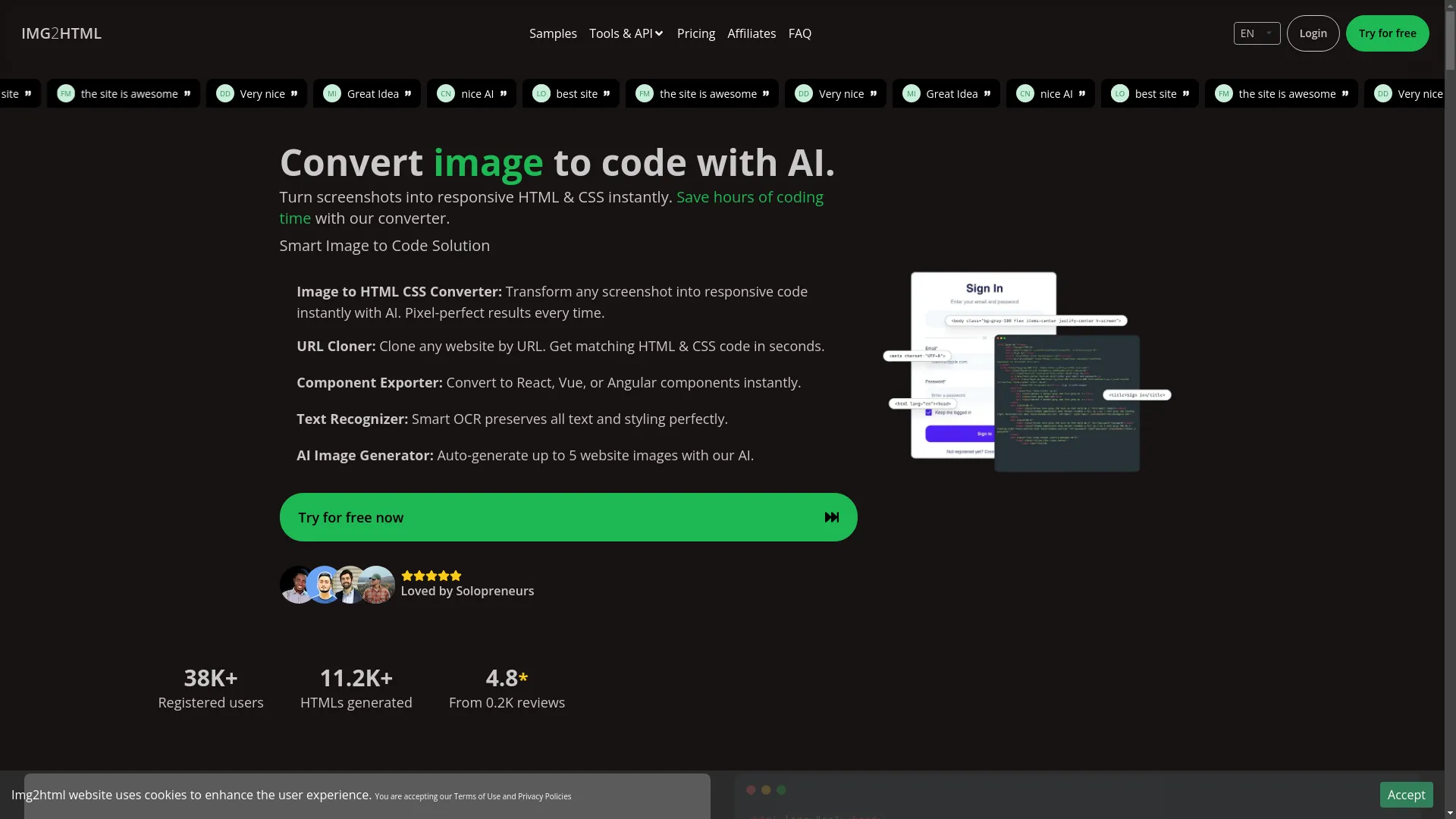
While Img2html is mainly for turning pictures into HTML and CSS, it shows how AI can change the game for switching content around. Tools like Img2html show how artificial intelligence can make changing content quicker, more accurate, and less work.
- AI-powered conversion: Uses smart tech to turn images and designs into HTML and CSS code that works on all devices.
- Works with modern stuff: Fits in nicely with React, Vue, Angular, and Tailwind CSS.
- Easy to use: Has a simple setup that doesn't need you to be a tech genius.
- Extra features: Can do things like copy websites, export parts, and even make AI images.
Img2html isn't made for changing TeX to HTML, but it shows what AI tools can do. This has inspired other tools to focus on turning TeX into HTML, keeping all the math and structure intact.
Other Popular Tools
- Pandoc: This is like a Swiss Army knife for changing documents. It works with lots of formats, including TeX and HTML. It's for people who don't mind using command lines and like to customize things.
- LaTeXML: This turns LaTeX documents into XML and HTML. It keeps the structure and meaning of the original document, making sure complex stuff like math equations and references look right.
- TeX4ht: This works with the TeX system and changes TeX into HTML. You can customize it a lot to get exactly what you want.
- MathJax: While it doesn't change documents, it's great for showing math on websites. It makes sure equations look clear and precise online.
Each of these tools has its own strengths, fitting different needs and skill levels. Depending on how complex your project is and how well you know these tools, you can pick the one that works best for you.
What's New in Content Conversion
Now that we've covered the basics, let's talk about what's hot in changing content. Keeping up with the latest trends helps make sure your conversion process stays efficient, accurate, and ready for the future.
- AI and Machine Learning: AI has changed the game for converting content. It lets tools learn and get better from lots of data, meaning more accurate conversions with less manual work.
- Real-time conversion: With people wanting instant updates, tools are now offering real-time conversion. This means your HTML content is always up to date with your TeX documents.
- More customization: Modern converters now let you customize more, so you can make the output match specific styles, frameworks, or branding.
- Working together online: Cloud-based conversion tools are making it easier for teams to work together, letting multiple people work on the same document at once.
- Making it work on mobile: As more people use phones and tablets, converters are focusing on making HTML that looks great on all screen sizes.
- Better security: With people worried about data security, especially for sensitive academic or work documents, converters are adding strong security measures to protect user data.
Using these new trends can make your conversion experience much smoother, more secure, and tailored to what you need.
Tips for Converting Like a Pro
Conversion might seem straightforward, but getting high-quality output needs some planning. Here are some tips to make sure your TeX to HTML conversion goes well:
- Know your stuff: Before you start converting, really understand your TeX document. Look for complex parts like custom macros, tricky math equations, or unique formatting that might need extra attention.
- Pick the right tool: Not all converters are the same. Think about how complex your project is and choose a tool that fits your needs. For example, if your document has lots of math, you'll need a tool that's good with math.
- Clean up first: Simplify your TeX document by getting rid of unnecessary packages or commands that might make the conversion tricky. This can reduce errors and make the conversion smoother.
- Keep formatting consistent: Decide on a consistent style for your HTML output. Whether you like inline styles or external CSS, being consistent makes everything look professional and cohesive.
- Use templates: Using HTML templates can help keep structure and looks. Templates give you a starting point that you can customize to match your original TeX document's style.
- Test it out: After conversion, thoroughly test your HTML document on different browsers and devices. This makes sure it works everywhere and lets you catch and fix any problems you find.
- Keep refining: Conversion might not be perfect the first time. Be ready to make adjustments and refinements to get it just right.
- Use scripts and automation: For big projects or if you convert stuff often, think about using scripts to automate repetitive tasks. This saves time and reduces the chance of human error.
- Ask for feedback: If you can, have others review the converted HTML. Fresh eyes can spot issues you might have missed and give valuable feedback for improvements.
- Stay updated: As tools and technologies change, so should your strategies. Regularly update your knowledge and tools to use the latest advancements in content conversion.
By using these strategies, you can tackle the conversion process with confidence, ensuring high-quality and accurate HTML outputs from your TeX sources.
Must-have Tools and Tech
In the big world of content conversion, having the right tools can make all the difference. Here's a closer look at some essential tools and technologies that can help with the TeX to HTML conversion process:
- Pandoc: As we mentioned before, Pandoc is a versatile command-line tool that works with lots of formats. Its flexibility lets users convert TeX to HTML with customization options, making it good for both simple and complex documents.
- LaTeXML: This tool is great at converting LaTeX to both XML and HTML. It keeps the semantic structure of the original document, making sure that elements like sections, figures, and references look right in the HTML output.
- TeX4ht: This works with the TeX system and offers lots of customization options. Users can modify the conversion process to fit specific formatting needs, making it a favorite among those who need precise control over the output.
- MathJax: For documents with lots of math, MathJax is essential. It smoothly renders LaTeX equations in HTML, making sure they stay clear and scalable across different devices and resolutions.
-
HTML Editors:
- Visual Studio Code: A powerful, extensible code editor that supports HTML, CSS, and JavaScript, making it ideal for refining converted HTML documents.
- Sublime Text: Known for its speed and simplicity, Sublime Text is another excellent choice for editing and tweaking HTML code.
-
CSS Frameworks:
- Bootstrap: Speeds up the design process with pre-built CSS classes and components, ensuring your HTML output is responsive and looks good.
- Tailwind CSS: Offers utility-first CSS classes, allowing for quick and flexible styling of HTML elements.
-
Version Control Systems:
- Git: Essential for tracking changes, collaborating with others, and managing different versions of your HTML documents.
-
Online Conversion Platforms:
- Img2html: While mainly focused on image to HTML conversion, platforms like Img2html show the potential of AI in automating and enhancing the conversion process. Such platforms inspire the development of specialized tools for TeX to HTML conversions.
-
API Services:
- Conversion APIs: Services that let you integrate conversion capabilities into your own applications or workflows, providing flexibility and scalability.
-
Browser Developer Tools:
- Chrome DevTools: A suite of web developer tools built directly into the Google Chrome browser, invaluable for debugging and optimizing your HTML content.
These tools and technologies form the backbone of effective content conversion, each playing a unique role in ensuring that your TeX documents transition smoothly and accurately into the HTML realm.
Making it Work with Today's Web Standards
In the always-changing world of web development, keeping up with current standards is super important. Optimizing your converted HTML content ensures compatibility, performance, and accessibility. Here's how you can align your conversions with the latest web standards:
- Responsive Design: Make sure your HTML content adapts smoothly to various screen sizes and devices. Use CSS media queries and frameworks like Bootstrap or Tailwind CSS to help with responsive layouts.
-
Semantic HTML:
Use appropriate HTML5 semantic tags like
<article>,<section>,<header>, and<footer>. This not only makes it easier to read but also improves SEO and accessibility. - Accessibility Compliance: Follow Web Content Accessibility Guidelines (WCAG) to make your content accessible to users with disabilities. This includes using proper headings, alt attributes for images, and making sure it can be navigated with a keyboard.
-
Performance Optimization:
- Minimize HTTP Requests: Combine CSS and JavaScript files where possible to reduce the number of server requests.
- Optimize Images: Compress images without losing quality to improve page load times.
- Use Lazy Loading: Load images and other resources only as they're needed, improving overall performance.
- Cross-Browser Compatibility: Test your HTML content on different browsers (Chrome, Firefox, Safari, Edge) to ensure it looks and works consistently.
- Clean and Valid Code: Validate your HTML using tools like the W3C Markup Validation Service . Clean, error-free code improves performance and reduces the likelihood of rendering issues.
-
SEO Best Practices:
- Meta Tags: Include relevant meta tags, such as title, description, and keywords, to improve search engine visibility.
- Structured Data: Implement schema markup to provide search engines with more context about your content, enhancing rich snippets.
- Security Measures: Make sure your HTML content doesn't have vulnerabilities. This includes sanitizing user inputs and avoiding the inclusion of insecure scripts.
- Progressive Enhancement: Build your HTML content in a way that ensures basic functionality across all browsers, with enhanced features available to browsers that support them.
-
Use of Modern Technologies:
- CSS Grid and Flexbox: Use modern CSS layout techniques for more flexible and efficient designs.
- Web Components: Use reusable custom elements to encapsulate functionality and styling.
By aligning your TeX to HTML conversions with these web standards, you not only ensure that your content looks good but also that it performs well and reaches the widest possible audience.
Building a Network of Good Content
Converting your TeX documents to HTML is just one part of the puzzle. Building a robust content network ensures that your content is interconnected, easily discoverable, and engaging for your audience. Here's how to cultivate a quality content network after conversion:
- Internal Linking: Create a network of links between related articles or sections within your website. This helps navigation, keeps users engaged, and improves SEO.
- External Linking: Link to reputable external sources to provide additional context and resources. This not only enriches your content but also builds credibility.
- Content Categorization: Organize your content into logical categories and tags. This helps users find related content easily and improves the overall user experience.
- Social Media Integration: Share your HTML content on social media platforms to increase visibility and drive traffic back to your site.
- Regular Updates: Keep your content fresh by regularly updating information, adding new sections, or refining existing ones. Search engines favor regularly updated content, boosting your SEO rankings.
- Engaging Media: Add images, videos, infographics, and other media to make your content more engaging and shareable.
- User Interaction: Enable comments, feedback forms, or forums to foster community engagement and gather valuable insights from your audience.
- Analytics and Monitoring: Use tools like Google Analytics to monitor traffic, user behavior, and engagement metrics. This data can inform your content strategy and highlight areas for improvement.
- Content Syndication: Partner with other websites or platforms to distribute your content wider, increasing its reach and impact.
- SEO Optimization: Continuously refine your SEO strategies, focusing on keyword optimization, backlink building, and improving site speed to enhance your content's discoverability.
Building a quality content network transforms your HTML content from isolated pages into a dynamic, interconnected hub of information that attracts and retains audiences.
User Experience and How Well it Works
In the digital world, user experience (UX) and performance are king. Making sure that your converted HTML content delivers a smooth and enjoyable experience can significantly impact user engagement and satisfaction. Here's how to prioritize UX and performance in your conversions:
- Easy Navigation: Design a clear and logical navigation structure. Users should be able to find what they're looking for without frustration or unnecessary clicks.
- Consistent Design: Keep styling, fonts, and color schemes consistent across your website. Consistency reinforces brand identity and creates a cohesive user experience.
- Fast Load Times: Optimize your HTML and associated assets to ensure quick load times. Slow-loading pages can lead to high bounce rates and diminished user satisfaction.
- Mobile Responsiveness: With most users accessing content via mobile devices, ensure that your HTML content is fully responsive and works seamlessly on all screen sizes.
- Readable Content: Use legible fonts, appropriate font sizes, and sufficient contrast between text and background colors. Well-formatted content enhances readability and user engagement.
- Interactive Elements: Add interactive elements like buttons, forms, and hover effects to make the user experience more engaging and dynamic.
- Accessibility Features: Implement accessibility best practices, such as ARIA labels, keyboard navigation, and screen reader compatibility, to make your content accessible to all users.
- Feedback Mechanisms: Provide users with ways to give feedback, such as contact forms or surveys. This not only enhances engagement but also provides valuable insights for improvement.
-
Performance Monitoring:
- Page Speed: Use tools like Google PageSpeed Insights to assess and improve your site's load times.
- User Engagement Metrics: Track metrics like bounce rate, average session duration, and conversion rates to gauge user engagement and identify areas for improvement.
- Regular Testing: Conduct regular usability testing to identify and fix UX issues. Gathering user feedback can uncover pain points and inform design enhancements.
By focusing on UX and performance, you ensure that your converted HTML content not only looks good but also works flawlessly, providing users with a satisfying and enjoyable experience.
Wrapping Up
Converting content from TeX to HTML is more than just a technical task—it's a gateway to expanding your reach, enhancing accessibility, and embracing the dynamic nature of the web. Whether you're an academic looking to share research, a developer aiming to integrate scholarly content into a website, or a content creator seeking to diversify your presentation formats, understanding the ins and outs of this conversion is essential.
With a bunch of tools and technologies at your disposal, from manual methods like Pandoc to sophisticated AI-driven platforms like Img2html, the process has never been more streamlined or efficient. Embracing the latest trends, optimizing for web standards, and prioritizing user experience ensures that your content not only transitions smoothly but thrives in its new digital habitat.
So, are you ready to transform your TeX documents into vibrant, interactive HTML content? Dive in, explore the tools, implement the strategies, and watch as your content reaches new heights online. Remember, in the ever-changing digital landscape, staying updated and adaptable is the key to success. Happy converting!