Welcome to the future of web development where artificial intelligence transforms your designs into functional websites effortlessly.
Intro: Web Development's Evolution
Remember when making a website meant typing out endless lines of HTML and CSS? It was like building with Legos without instructions - creative but time-consuming. Now, AI is changing everything about how we build websites. It's faster, more efficient, and anyone can do it. Welcome to AI-Based Image to HTML Conversion, where you can turn a simple picture into a working website in just a few clicks.
In this article, we'll explore AI tools that turn images into HTML and CSS code. Whether you're a pro developer, a designer who can't code, or just curious about new tech, this guide will tell you everything you need to know about this game-changing technology.

What's AI-Based Image to HTML Conversion?
So what exactly is this AI-Based Image to HTML Conversion thing? Basically, it uses artificial intelligence to turn visual designs - like screenshots, mockups, or even hand-drawn sketches - into clean, responsive HTML and CSS code. Imagine taking a pic of your favorite website design and having an AI tool instantly create the code for it, ready to use.
This tech isn't just a cool gadget; it's bridging the gap between design and development, making workflows smoother and cutting down the time and effort needed to bring creative ideas to life. But how does it work, and why's it such a big deal? Let's dig in.

The Tech Behind the Magic
Machine Learning Algorithms
AI-Based Image to HTML Conversion relies heavily on machine learning (ML) algorithms, especially deep learning models. These algorithms are trained on tons of web designs and their corresponding HTML/CSS code, learning to spot patterns, layouts, and design elements. It's like teaching a computer to understand web design by showing it countless examples.
These models can identify buttons, images, text blocks, and even trickier stuff like nav bars and forms. Once trained, they can predict and generate code that mirrors the design's structure and styling pretty accurately.
Computer Vision Techniques
Computer vision plays a big role in analyzing and interpreting the visual aspects of the input image. Techniques like image segmentation, edge detection, and feature extraction help the AI tool break down the image into manageable parts. This breakdown lets the tool understand the placement, size, and styling of various elements, making sure the generated code not only copies the design but also works well on different devices.

Top Tools in the Market
Several AI-powered tools are leading the charge in turning images into HTML code. Let's check out some of the big players:
IMG2HTML
IMG2HTML is a standout tool with an impressive set of features for converting images to code. It supports popular frameworks like Tailwind CSS, React, Vue, and Angular, making it versatile for modern web development. Users love IMG2HTML for its pixel-perfect results and quick conversion times, making it a favorite for solo developers and small teams.
- Image to HTML/CSS Converter: Turns any screenshot into responsive code instantly.
- URL Cloner: Lets users clone entire websites by URL, generating matching HTML and CSS code.
- Component Exporter: Converts designs into React, Vue, or Angular components.
- Text Recognizer: Uses smart OCR to keep all text and styling perfect.
- AI Image Generator: Auto-generates website images to go with the generated code.
onetab Code AI
onetab Code AI focuses on automating the conversion of designs and images into clean, structured HTML and CSS code. With advanced machine learning algorithms, it makes sure the original design stays intact while giving developers ready-to-use code.
- Seamless Transformation: Converts photos, mockups, and complex design files into HTML/CSS code.
- Deep Learning Models: Accurately detect visual elements, keeping design fidelity.
- Efficiency and Precision: Cuts down on manual coding efforts, letting developers focus on higher-level tasks.
Codia AI
Codia AI offers a two-step process for converting images into code. First, it turns images into editable design drafts using Figma. Then, it converts these drafts into production-ready HTML code. This approach gives flexibility and allows for more customization before final code generation.
- Image to Figma Design: Converts images into editable Figma design drafts.
- Design to Code: Turns Figma design drafts into clean HTML/CSS code.
- Cross-Platform Compatibility: Supports various development environments like iOS, Android, and Flutter.
Fronty AI
Fronty AI stands out as one of the world's first image to HTML converters. It not only generates HTML/CSS code from images but also offers a no-code editor for further customization. With features like dynamic data management and SEO-friendly code, Fronty AI works for both developers and non-developers.
- AI-Powered Conversion: Converts images into clean HTML/CSS code within minutes.
- No-Code Editor: Lets users edit and customize websites without any coding.
- Hosting Services: Helps users launch their websites with features like custom domains and SEO optimization.
- Client Satisfaction: Highly rated for delivering high-quality code that fits seamlessly into projects.
How These AI Tools Work
Understanding how AI-based conversion tools work can demystify the process and show how efficient they are. Here's a breakdown of how these tools typically operate:
Uploading and Analyzing Images
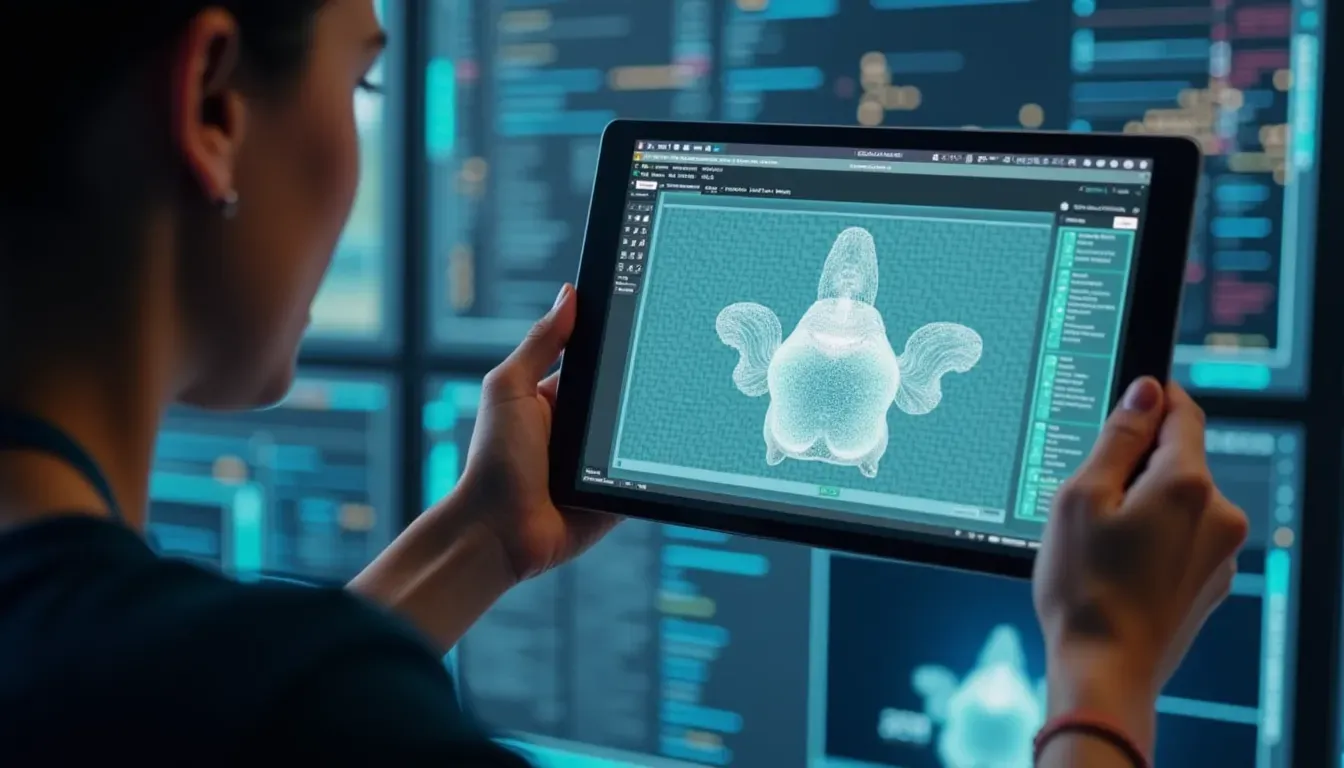
The process starts with uploading an image - could be a screenshot, mockup, or design draft - to the AI tool. Advanced computer vision algorithms analyze the image, identifying key elements like headers, footers, buttons, and images. This analysis involves breaking down the image into its parts, understanding the layout, and detecting styling cues.
Generating HTML/CSS Code
Once the AI understands the image's structure, it uses machine learning models to generate the corresponding HTML and CSS code. These models reference their training data to ensure the code follows best practices, is clean, and works well on different devices. The result is a set of code snippets that accurately mirror the design's layout and styling.
Tweaking and Customizing
While AI can handle the heavy lifting, human oversight ensures the generated code meets specific project requirements. Tools like IMG2HTML and Codia AI provide options for further customization. Users can tweak the generated code, adjust layouts, or add extra functionality as needed. This mix of automation and manual refinement strikes a good balance between efficiency and precision.

Why Use AI for Image to HTML Conversion?
AI-based image to HTML conversion isn't just a cool tech trick; it offers real benefits that can transform web development.
Saves Time
Manual coding takes forever, especially for complex designs. AI tools can convert images to HTML/CSS code in seconds or minutes, significantly cutting down development time. Imagine being able to prototype a website layout overnight that would normally take days to code manually.
Accurate and Precise
One of the best things about AI conversion tools is their ability to generate pixel-perfect code. These tools meticulously copy design elements, making sure every detail is captured accurately. This reduces the chance of errors and minimizes the need for extensive fixes after conversion.
Scalable
Handling big projects or multiple designs becomes manageable with AI-assisted tools. Whether you're working on a single-page website or a complex web application, AI tools can scale to meet your needs without compromising on quality or speed.
Cost-Effective
By automating the coding process, businesses can save on development costs. Less time spent on manual coding means reduced labor expenses. Plus, AI tools democratize web development, allowing individuals and small teams to create professional-grade websites without needing extensive coding expertise.
Real-World Success Stories
Educational Tools
Teachers can create interactive learning materials by converting hand-drawn sketches into digital content seamlessly.
Developer Efficiency
Solo developers and small teams have reported saving countless hours by automating the tedious coding process, allowing them to focus on more strategic tasks.
Startup Acceleration
Startups can rapidly prototype and iterate their web presence, speeding up time-to-market and enabling quick adjustments based on user feedback.
Designer-Developer Collaboration
Designers can swiftly transition their creative visions into functional code, facilitating smoother collaboration between design and development teams.

Comparing the Best AI Conversion Tools
With several players in the market, it's important to understand how they stack up against each other.
Features and Capabilities
| Tool | Features |
|---|---|
| IMG2HTML | Comprehensive features including URL cloning, component exporting, and an AI image generator, making it versatile for modern web development. |
| onetab Code AI | Focuses on precision and efficiency, providing deep learning-powered conversion with minimal human intervention. |
| Codia AI | Excels in integrating with design platforms like Figma, allowing for a two-step conversion process that enhances flexibility. |
| Fronty AI | Combines AI conversion with a no-code editor, catering to both developers and non-developers by enabling further customization without coding. |
Pricing
Most AI-based conversion tools use a credit-based system, offering various packages to suit different needs:
- IMG2HTML: Provides pay-as-you-go credits with options to buy larger packages at discounted rates and subscription models that include extra features like API access.
- onetab Code AI: Often offers free trials and tiered pricing based on the volume of conversions.
- Codia AI: May provide flexible pricing structures, especially when integrated with design platforms, and offers enterprise solutions for larger teams.
- Fronty AI: Known for its competitive pricing and features bundled into different packages, including a free trial to let users try the service before committing.
What Users Say
User feedback highlights the strengths and areas for improvement for each tool:
- IMG2HTML: Users love the pixel-perfect accuracy and the speed of conversion, though some have noted the need for better free trial credits.
- onetab Code AI: Praised for its reliability and precision, making it a favorite among developers seeking high-quality code outputs.
- Codia AI: Appreciated for its integration with Figma and the ability to customize designs before code generation, although some users want more advanced customization options.
- Fronty AI: Highly rated for its user-friendly interface and the ease of further editing through the no-code editor, with some users requesting more design templates.
Challenges and Limitations
While AI-based image to HTML conversion tools are transformative, they're not perfect:
- Super complex designs with dynamic interactions may still need manual coding and adjustments.
- Some tools might have a learning curve, especially those that work with design platforms like Figma or require familiarity with their interfaces.
- For big projects, the cost of credits can add up, so budgeting is important.
- While AI can generate clean code, the need for specific custom functionalities or unique design elements may still require manual tweaks.
Future Trends in AI Web Dev Tools
The future looks bright for AI-based web development tools, with several trends set to shape the industry:
- More Customization: AI tools will likely offer more ways to tweak designs and functionalities directly within the platform.
- Working with More Platforms: Expect broader integrations with popular design and development platforms beyond Figma and Adobe XD, making the workflow even smoother.
- Smarter Learning Models: As AI models get better, the accuracy, speed, and versatility of image to HTML conversions will improve, reducing the need for manual fixes.
- AI-Driven Design Suggestions: Tools may offer design improvements or optimizations based on best practices, helping users create more effective and good-looking websites.
Improving User Experience with AI
In today's digital world, user experience (UX) is super important. AI-based conversion tools not only simplify development but also enhance UX through:
Design Adaptability
AI tools make sure designs work well across various devices and screen sizes. By generating responsive code, they guarantee that websites look and function great on desktops, tablets, and smartphones, providing a consistent user experience.
Responsive Design
With so many people browsing on mobile, responsive design is a must. AI tools like IMG2HTML and Fronty AI automatically include responsive elements in the generated code, eliminating the need for manual adjustments.
Performance Metrics
Optimizing performance is crucial for user satisfaction and SEO rankings. AI-generated code is often cleaner and more efficient, reducing load times and enhancing overall website performance. This creates a smoother, more engaging experience for users.
Getting Started with AI Conversion Tools
Ready to jump on the AI bandwagon and transform your web development process? Here's how to get started:
Picking the Right Tool
Think about your specific needs - do you need deep integration with design platforms, or are you looking for a straightforward image to code converter? Consider things like features, pricing, and user reviews to select the tool that fits best with your project requirements.
Tips for Preparing Images
To get the best results, make sure your input images are clear, well-organized, and free of unnecessary clutter. High-resolution images with distinct elements make it easier for AI tools to accurately identify and convert components into code.
Using Generated Code in Projects
Once you've generated the HTML and CSS code, it's time to integrate it into your development workflow. Review the code for any necessary adjustments, test it across different devices and browsers, and make further customizations as needed to align with your project's goals.
FAQs
Wrap-up: Embrace the Future of Web Development
AI-based image to HTML conversion is more than just a cool tech advancement - it's a game-changer in how we approach web development. By bridging the gap between design and code, these tools empower creatives and developers alike to bring their ideas to life faster and more accurately than ever before.
Whether you're a seasoned developer looking to streamline your workflow, a designer eager to see your concepts come to life without diving into code, or an entrepreneur aiming to get online quickly, AI-based conversion tools like IMG2HTML , onetab Code AI , Codia AI , and Fronty AI offer solutions tailored to your needs.
As AI technology keeps evolving, the possibilities are endless. Embrace these tools, stay updated with the latest trends, and watch your web development projects transform from static images into dynamic, responsive websites effortlessly. The future of web development is here - are you ready to take the leap?
Related Articles
- How to Use Image to HTML Tools - Expands on using AI conversion tools in detail.
- How to Convert Images to HTML and CSS Code Using AI Tools - Provides a step-by-step guide for beginners.
- Top 10 Tools for Converting Images to Responsive HTML and CSS Code - A comprehensive comparison of top AI tools in the market.