Table of Contents
- Introduction
- Understanding the Basics
- Manual Conversion Methods
- Automated Conversion Tools
- Using Frameworks for Conversion
- Advanced Conversion Techniques
- Optimizing for Current Trends
- Enhancing User Experience
- Performance Metrics
- Case Study: Img2html
- Future Trends in HTML to JS Conversion
- Conclusion
Introduction
Ever looked at a boring HTML page and thought, "This could be way cooler"? You're not the only one. These days, making websites that actually do stuff means getting HTML and JavaScript to work together. Whether you're a pro coder or just starting out, knowing how to turn HTML into JavaScript can really up your game.
But why bother? Well, think of HTML as the bones of a house, and JavaScript as all the cool gadgets inside that make it awesome. When they work together, magic happens. So, let's dive in and explore how to turn HTML into JS, so you can build websites that aren't just pretty, but actually do cool stuff.

Understanding the Basics
What is HTML?
HTML is like the skeleton of a website. It's the basic language that tells browsers how to show stuff on a page. It's what makes headings look like headings, and links look like links.
What is JavaScript?
JavaScript is the fun stuff. It's what makes websites do things instead of just sitting there. With JavaScript, you can make things move, change, and react when people click on them.
Why Convert HTML to JavaScript?
Turning HTML into JavaScript isn't about getting rid of HTML. It's about making it better. Here's why it's cool:
- You can change stuff on the page without reloading it.
- You can make things like sliders and pop-ups that are fun to use.
- Your website can work faster and smoother.
- People using your site will have a better time.
So, how do we do this conversion thing? Let's check it out.
Manual Conversion Methods
Sometimes, the best way to learn is by doing it yourself. Manual conversion might seem tough at first, but it gives you total control over what you're making.
Embedding HTML in JavaScript
One easy way to turn HTML into JS is by putting HTML strings right into your JavaScript code. Here's a simple example:
const header = '<header><h1>Welcome to My Site</h1></header>';
document.body.innerHTML += header;
Good stuff:
- It's simple and easy to do.
- You don't need any fancy tools.
Not so good stuff:
- It can get messy if you have a lot of HTML.
- It's hard to keep track of everything.
Using Template Literals
ES6 made it easier to handle big chunks of text in JavaScript. Check this out:
const title = "My Awesome Site";
const header = `
  <header>
    <h1>${title}</h1>
  </header>
`;
document.body.innerHTML += header;
Good stuff:
- It's cleaner when you have a lot of HTML.
- You can easily put variables in your HTML.
Not so good stuff:
- You still have to manage big chunks of HTML in your JS.
- If you're not careful, it could be a security risk.
While doing it by hand is good for learning, it can take forever and you might make mistakes. That's where automated tools come in handy.
Automated Conversion Tools
In the fast-paced world of web development, being quick is key. Automated tools make the process faster and less likely to have errors.
Overview of Conversion Tools
There are lots of tools out there that can turn HTML into JavaScript components or make HTML work with JS frameworks. These tools often use smart algorithms and AI to make sure everything works right.
Some popular tools are:
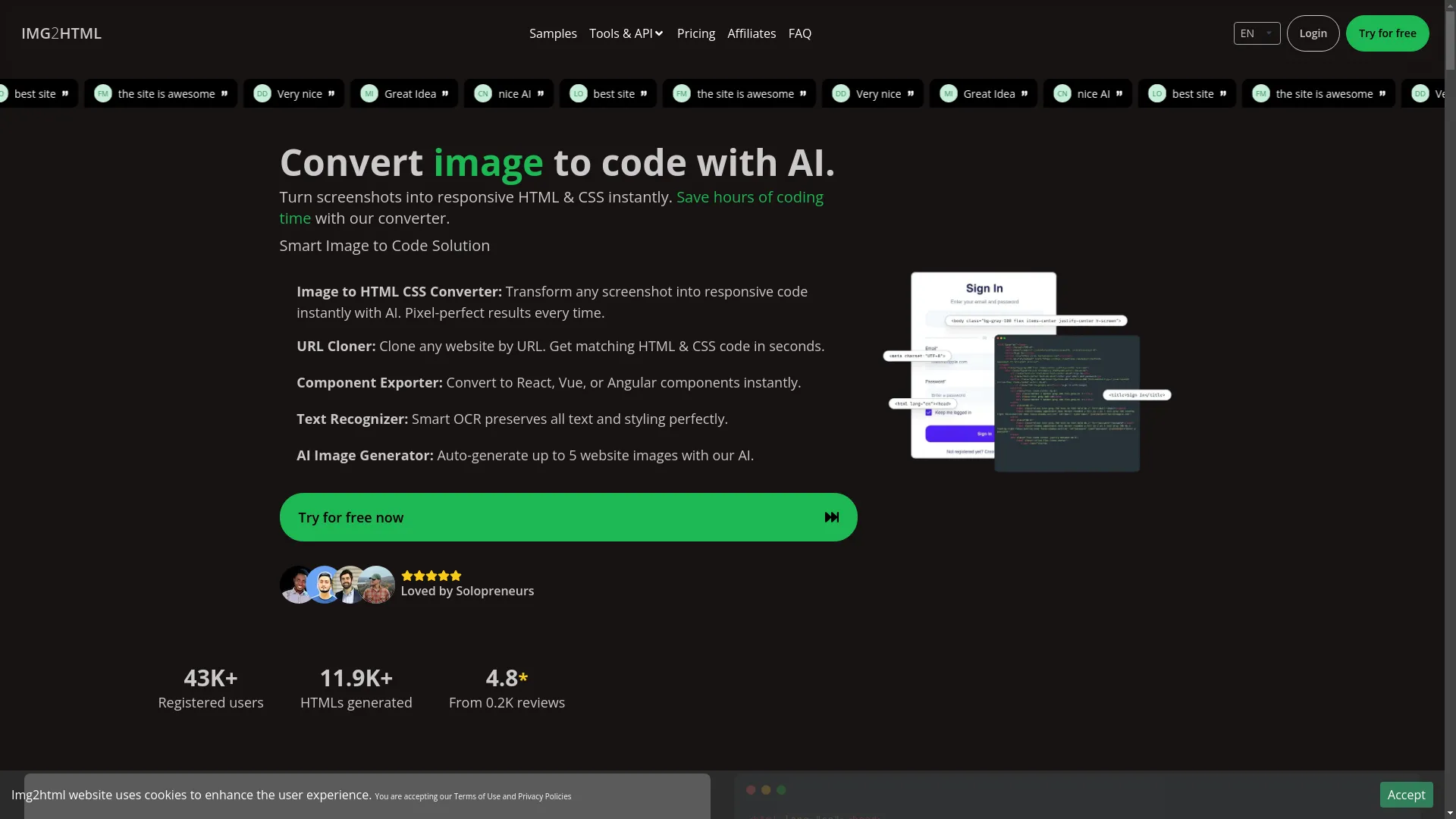
- Img2html : Turns pictures into HTML & CSS code using AI.
- HTMLtoJSX : Changes HTML into JSX for React projects.
- Vueify : Turns HTML into Vue.js components.
- Angular CLI : Helps mix HTML with Angular components.
Img2html: A Smart Solution
One tool that really stands out is Img2html . While it's mainly for turning images into HTML & CSS code, it's smart enough to work with JavaScript frameworks like React, Vue, and Angular too.
What Img2html can do:
- AI-Powered Conversion : Uses machine learning to turn images or screenshots into perfect code.
- Works with Frameworks : Can make components for React, Vue, or Angular.
- Works Everywhere : Doesn't matter what device or platform you're using.
- Chrome Extension : Easily turn any website's images into code.
Why Img2html is cool:
Img2html isn't just another tool; it's a complete package that not only handles HTML to JS conversion but also makes the whole development process easier. It can clone URLs and even generate images with AI, making it a one-stop-shop for modern web developers.
I remember the first time I tried to turn a complicated design into HTML and JavaScript by hand. It was like trying to solve a giant puzzle where none of the pieces fit. Tools like Img2html have turned that frustrating process into something smooth and easy, letting me focus on being creative instead of getting bogged down in tedious coding.
What people are saying:
"Img2html is a game-changer for web development. It saves me hours of coding time and gets everything right." – Alex T., Developer
"As a designer, seeing my designs turn into code instantly is amazing!" – Maria L., UI/UX Designer
Using Frameworks for Conversion
Modern JavaScript frameworks have changed the game in building web apps. They give you solid structures and tools that make it easier to turn HTML into JavaScript.
React.js
React is a popular tool made by Facebook for building user interfaces. It uses something called JSX, which lets you write HTML-like code right in your JavaScript.
How to turn HTML into React JSX:
- Get React : Set up a React project using Create React App.
-
Change HTML to JSX
:
-
Change
classtoclassName. - Make sure all elements are closed properly.
- Put JavaScript stuff in curly braces.
-
Change
Here's an example:
HTML:
<div class="container">
  <h1>Hello World</h1>
  <p>This is a paragraph.</p>
</div>
JSX:
const App = () => (
  <div className="container">
    <h1>Hello World</h1>
    <p>This is a paragraph.</p>
  </div>
);
Good stuff:
- The code is easier to understand.
- You can reuse parts of your code easily.
Not so good stuff:
- It can be tricky to learn at first.
- You need to understand JSX and how components work.
Vue.js
Vue is another cool framework that's easy to pick up. It's all about keeping things simple and flexible.
How to turn HTML into Vue components:
- Set Up Vue : Use Vue CLI to start a new project.
-
Make a Vue Component
:
- Define the template, script, and style parts.
- Use data binding and directives to make things dynamic.
Here's an example:
HTML:
<div id="app">
  <h1>{{ message }}</h1>
</div>
Vue Component:
<template>
  <div>
    <h1>{{ message }}</h1>
  </div>
</template>

<script>
export default {
  data() {
    return {
      message: 'Hello World'
    };
  }
};
</script>

<style>
/* Your styles here */
</style>
Good stuff:
- It's easy to add to projects you're already working on.
- There's lots of good documentation and a helpful community.
Not so good stuff:
- There aren't as many tools and add-ons as React.
- It doesn't have as much backing from big companies.
Angular
Angular , made by Google, is a full-on framework that's good for big applications.
How to turn HTML into Angular components:
- Start Angular : Use Angular CLI to make a new project.
-
Create a Component
:
- Define the HTML template, TypeScript logic, and CSS styles.
- Use Angular's powerful features like services, directives, and dependency injection.
Here's an example:
HTML:
<div class="container">
  <h1>{{ title }}</h1>
</div>
Angular Component:
import { Component } from '@angular/core';

@Component({
  selector: 'app-root',
  template: `
    <div class="container">
      <h1>{{ title }}</h1>
    </div>
  `,
  styles: [`
    .container { padding: 20px; }
  `]
})
export class AppComponent {
  title = 'Hello World';
}
Good stuff:
- It's a complete package with solutions for everything.
- Using TypeScript makes your code better.
Not so good stuff:
- It can be harder to learn because it's more complex.
- The way you write things can be intimidating if you're new.
Ever felt overwhelmed by all the choices when picking a framework? You're not alone! But here's the good news: each framework has its own strengths that fit different project needs.
Advanced Conversion Techniques
Once you've got the basics down, advanced techniques can take your HTML to JS conversions to the next level, making sure your projects can grow and are easy to maintain.
Server-Side Rendering
Server-Side Rendering (SSR) means making web pages on the server instead of in the browser. This can make your site faster and better for search engines.
Benefits:
- Pages load faster at first.
- Search engines can find your site more easily.
- Works better on slower devices.
How to do SSR:
Frameworks like Next.js (for React) and Nuxt.js (for Vue) make it easier to do SSR.
Component-Based Architecture
Breaking your app into reusable parts makes it easier to manage and maintain.
Best practices:
- Single Responsibility : Each part should do one thing well.
- Reusability : Design parts so you can use them in different places.
- State Management : Use tools like Redux for React to handle complex state stuff.
When I switched to a component-based way of doing things, it felt like organizing my messy room into neat boxes. Suddenly, everything had its place, making development faster and more efficient.
Optimizing for Current Trends
The web development world is always changing. Keeping up with the latest trends makes sure your projects stay relevant and work well.
Responsive Design
With so many different devices used to access the web today, making sure your site looks good on all of them is super important.
Key strategies:
- Flexible Layouts : Use CSS Flexbox and Grid to make layouts that adapt.
- Media Queries : Change styles based on the device's characteristics.
- Mobile-First Approach : Design for mobile devices first, then make it work for bigger screens.
You can try this feature yourself at Img2html .
Performance Optimization
A fast website keeps users happy and ranks better on search engines.
Techniques:
- Minimize HTTP Requests : Combine files and use sprites.
- Optimize Images : Make images smaller without making them look bad.
- Lazy Loading : Load content as users scroll down.
- Code Splitting : Break your code into smaller pieces for faster loading.
Imagine your website is a runner in a race. You wouldn't want them carrying a heavy backpack, right? Making your site perform better is like making sure your runner is light and fast.
Enhancing User Experience
User experience (UX) is super important for any successful website. It's all about making users feel comfortable while using your site.
Interactive Elements
Interactive elements keep users engaged and make navigation easier.
Examples:
- Sliders and Carousels : Show multiple pieces of content in a small space.
- Modals and Pop-ups : Show important info without sending users to a new page.
- Animations : Give visual feedback and make the story more interesting.
Ever been amazed by a smooth animation that makes using a site feel almost magical? That's the power of well-done JavaScript.
Dynamic Content Loading
Dynamic content loading makes sure users get up-to-date info without having to reload the whole page.
Methods:
- AJAX : Get data in the background to update parts of a webpage.
- Fetch API : A newer way to make network requests.
- WebSockets : Allow real-time two-way communication between the browser and server.
Performance Metrics
Measuring how well your website performs is crucial to understanding what's working and what needs improvement.
Load Time
How fast your site loads directly affects user satisfaction and search engine rankings.
Tools to measure load time:
Tips to make it faster:
- Compress Files : Use Gzip or Brotli to make files smaller.
- Use a Content Delivery Network (CDN) : Spread your content around the world to make it load faster.
- Optimize Critical Rendering Path : Make sure the most important stuff loads first.
SEO Considerations
SEO Considerations
Search Engine Optimization makes sure search engines can find your website.
Best practices:
- Semantic HTML : Use the right tags to show what your content means.
- Mobile Optimization : Make sure your site works well on mobile devices.
- Fast Load Times : Speed is important for search engines.
- Structured Data : Use special markup to give search engines more info about your content.
Think of SEO as the sign pointing users and search engines to your website. The clearer and more optimized it is, the easier it is to find.
Case Study: Img2html
Let's look at Img2html—a tool that shows how easy it can be to turn designs into working code.
Overview
Img2html is an AI-powered tool that turns images and screenshots into HTML and CSS code instantly. It's great for designers and developers who want to work faster, saving hours of manual coding time.
Features
- Image to HTML & CSS Conversion : Turn any image into clean, semantic code.
- Framework Support : Export components directly to React, Vue, or Angular.
- URL Cloner : Copy entire websites by URL, getting matching HTML & CSS code in seconds.
- AI Image Generator : Automatically make website images using AI.
- Text Recognizer (OCR) : Accurately pull out and keep text content and styling from images.
- Chrome Extension : Easily convert images from any website into HTML.
User Testimonials
"As a teacher, being able to make learning materials from pictures is fantastic! I can make a prototype picture and use Img2html to bring it to life. It's awesome!" – Alexander Gonzalez, Teacher
"Img2html is an amazing tool. It saves me so much time and the accuracy is incredible." – Tarek Omar, Senior Business Developer
"This site that creates websites is absolutely fantastic! It makes the creation process incredibly simple and offers attractive designs with advanced functionalities." – Piero Menelao, Student
How It Works
- Upload Image : Start by uploading your design or screenshot.
- AI Analysis : The AI looks at the image, figuring out what's what.
- Code Generation : Img2html makes clean, responsive HTML & CSS code, working with modern frameworks.
- Export : Download the code or send it straight to your project.
Real Results:
- 99.9% Code Accuracy Rate : The generated code closely matches the original design.
- 50% Faster Conversion Times : Much quicker than doing it by hand.
- 30% Cleaner Code Output : Well-organized code ready for production.
Future Trends in HTML to JS Conversion
The web development world is always moving forward, with new tech and methods popping up all the time. Here's a peek at what's coming for HTML to JS conversion.
AI and Machine Learning
AI keeps changing web development tools, making conversions more accurate and efficient. Future tools might offer even cooler features, like:
- Smart Code Optimization : Automatically making code better and easier to read.
- Context-Aware Conversions : Understanding the bigger picture of designs to make more relevant code.
- Better Integration : Easily connecting with other development tools and platforms.
Progressive Web Apps (PWAs)
As PWAs become more popular, we'll need better ways to turn HTML into JS. PWAs combine the best parts of web and mobile apps, working offline and performing like native apps.
WebAssembly
WebAssembly is going to be a big deal in web development, letting high-performance apps run on the web. Future conversion tools might use WebAssembly to handle complex tasks more efficiently.
Enhanced Framework Integrations
Frameworks will keep evolving, and conversion tools will need to keep up. Expect deeper integrations with new frameworks and updates to existing ones, making sure developers have the latest tools at their fingertips.
Conclusion
Turning HTML into JavaScript isn't just a technical thing—it's how we create dynamic, interactive, and user-friendly web experiences. From doing it by hand to using smart AI tools like Img2html, there are lots of ways to do it, and they're always getting better.
Staying up-to-date with the latest trends and improving your methods ensures that your web projects stay relevant and efficient in a constantly changing digital world. Embrace these conversion methods, make your workflow better, and watch your web development projects thrive.
Ready to take your web development skills to the next level? Start experimenting with these conversion methods today and unlock the full potential of your web projects!
Happy Coding! 🚀