4 Frequently Asked Questions About Image To Code Tools
Ever looked at a gorgeous website and thought, Man, I wish I could make that without spending hours coding? Or maybe you've stared at a screenshot, wishing you could magically turn it into wor...
Introduction

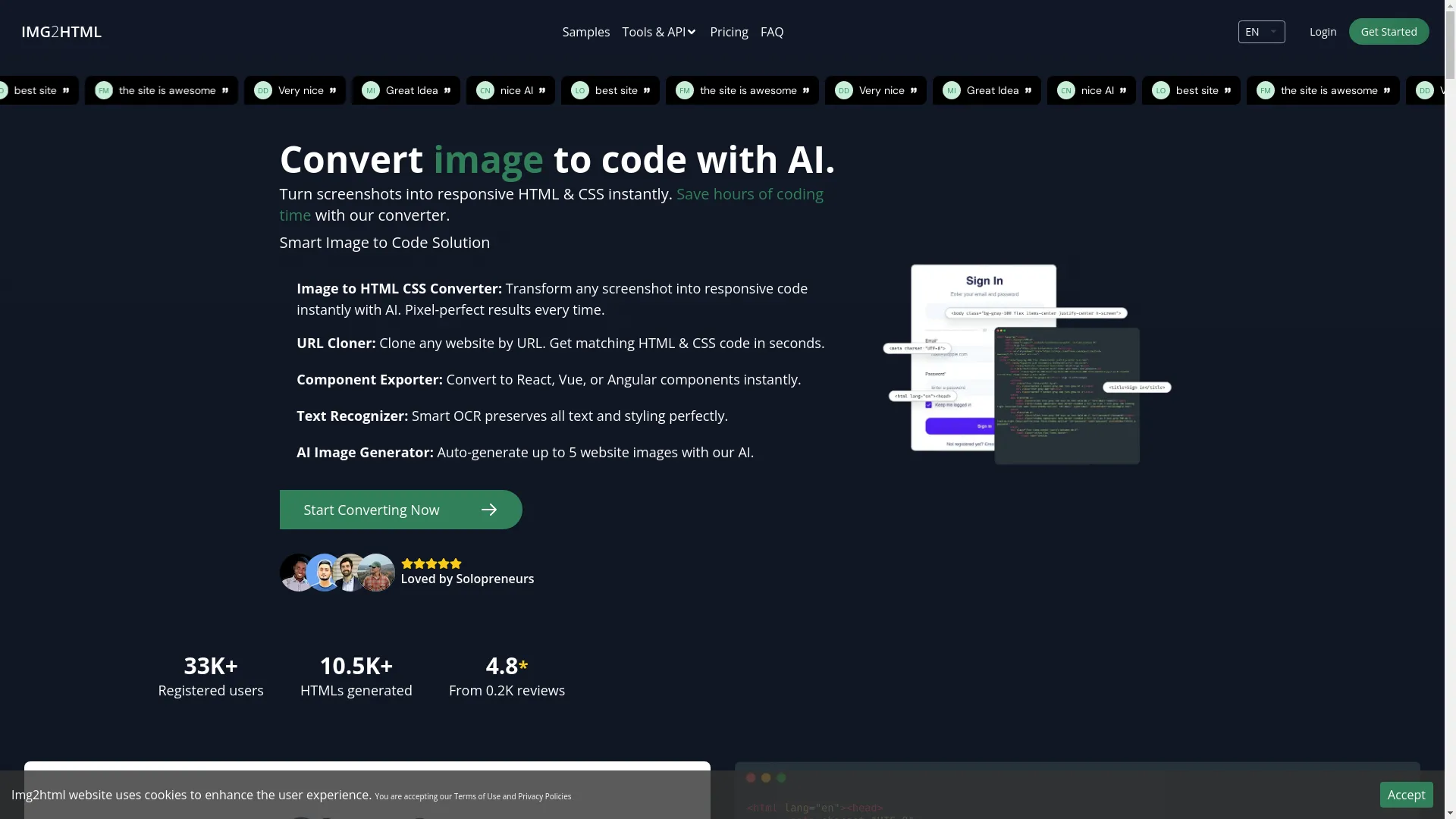
Ever looked at a gorgeous website and thought, "Man, I wish I could make that without spending hours coding"? Or maybe you've stared at a screenshot, wishing you could magically turn it into working code without all the hassle. Well, guess what? There's this cool thing called image to code tools, like IMG2HTML , that do just that. They use AI to bridge the gap between pretty pictures and actual, working websites.
In this post, we're gonna dive into the most common questions people have about these game-changing tools. Whether you're a dev looking to speed things up, a designer itching to bring your ideas to life, or just curious about how it all works, we've got you covered. Let's jump in and see how these tools can shake up your web development game.
How Can I Try It?

Picture this: you're scrolling through a website you love, and you think, "I want to make something like this!" Well, with IMG2HTML , you can. It's pretty simple to get started. Just head over to img2html.com and sign up for a free account. Once you're in, you'll have access to a bunch of cool tools that can turn your images into actual, working code.
The best part? You don't need to be a coding wizard to use it. Just upload a screenshot or image, and the tool guides you through the rest. It's like having a coding buddy who does all the hard work for you. And hey, they even give you some free credits to play around with, so you can test it out without spending a dime.
How Long Do Credits Last?

Alright, so let's talk about credits. Think of them as the fuel for your IMG2HTML engine. Every time you convert an image, it uses up some credits. Usually, one image conversion equals one credit. But here's the cool part - these credits don't have an expiration date.
When you buy credits, they're yours to use whenever you want. Got a big project coming up in a few months? No problem. Your credits will be waiting for you. And if you're on a monthly or yearly plan, any credits you don't use just roll over to the next month. It's like rollover minutes on your old phone plan, but for web development. Pretty sweet, right?
What Payment Methods Are Accepted?
When it comes to paying for credits, IMG2HTML tries to make it as easy as possible. They accept all the usual suspects:
- Credit and debit cards (Visa, MasterCard, AmEx - you name it)
- PayPal (for those who prefer not to use their card directly)
- Stripe (another secure way to pay)
They're always adding new payment options too, depending on what users want and where they're from. So whether you're paying from New York or New Delhi, chances are you'll find a way that works for you.
Do You Offer Refunds?

Look, sometimes things don't work out as planned. Maybe the tool wasn't quite what you expected, or there was a hiccup with your credit purchase. IMG2HTML gets that, and they're pretty cool about refunds.
Yes, they do offer refunds, but there are some conditions. If something goes wrong or the service doesn't do what it promised, you can reach out to their support team. Usually, you've got about 30 days from your purchase to do this. Their support folks are pretty responsive and will work with you to sort things out, whether that's a refund or some other solution.
Just a heads up though - it's a good idea to check out their refund policy on their Terms of Use page. That way, you know exactly what qualifies for a refund and how to go about asking for one if you need to.
Need Assistance?
If you're facing issues with your purchase, contact support for prompt help.
What Does My Credit Purchase Include?

Alright, so you've bought some credits on IMG2HTML . What exactly can you do with them? Here's the rundown:
- Image to HTML/CSS Conversions: This is the bread and butter. Turn your designs into actual web pages without all the manual coding.
- URL Cloner: Want to copy an entire website? Just give it a URL, and boom - you've got the code.
- Component Exporter: If you're into React, Vue, or Angular, you can turn your designs into components for these frameworks.
- AI Image Generation: Need some custom images for your site? You can create up to five per credit.
- Text Recognizer (OCR): This pulls out text from images, keeping all the styling intact.
- Chrome Extension: There's a browser extension that lets you use IMG2HTML right on any website you're browsing.
- API Access: For the tech-savvy folks, you can integrate IMG2HTML into your own tools and workflows.
Basically, each credit you buy opens up a whole toolbox of features. Whether you're a student working on a project or a pro developer, there's something in there for everyone.
How Does the Credit System Work?
Think of credits as the fuel for your creativity on IMG2HTML . Here's how it all breaks down:
- Buying Credits: You can choose from different packages - like 40, 200, or 500 credits. The more you buy, the better deal you usually get.
- Using Credits: Every time you do something on the platform - like turning an image into HTML or cloning a website - it uses up some credits. Usually, one image conversion costs one credit.
- Subscription Plans: If you use IMG2HTML a lot, you might want to look into their subscription plans. These give you a steady stream of credits each month or year.
- Rollover and Management: If you're on a subscription and don't use all your credits, they just roll over to the next month. No waste!
- Flexibility: You can use your credits on any feature you want. It's all about what you need for your project.
- Bulk Buying Perks: Sometimes, buying more credits at once can get you a better deal or extra features.
The whole system is set up to be flexible, so you can use IMG2HTML in a way that fits your workflow and budget.
Manage Your Credits Easily
Keep track of your credits and usage through the Dashboard .
Is There Any Advantage to Purchasing More Credits at Once?

You bet there is! Buying credits in bulk on IMG2HTML can be a smart move. Here's why:
- Save Some Cash: Usually, the more credits you buy at once, the cheaper each credit becomes. It's like buying in bulk at the supermarket.
- More Features to Play With: With a bigger stash of credits, you can try out all the different tools without worrying about running out.
- VIP Treatment: Sometimes, if you buy a lot of credits, you might get faster customer support when you need help.
- Freedom to Experiment: Having plenty of credits means you can try out different features without feeling like you're wasting resources.
- Long-Term Project Power: If you're working on a big project, having a bunch of credits means you won't have to keep stopping to buy more.
- Extra Perks: Sometimes, big credit packages or yearly subscriptions come with bonus features or early access to new tools.
Basically, buying more credits at once can save you money and hassle in the long run, especially if you're planning to use IMG2HTML a lot.
How Can I Manage My Credits?
Keeping track of your credits on IMG2HTML is pretty straightforward. Here's how you can stay on top of things:
- Dashboard: When you log in, you'll see your credit balance right there on the main page. It's like checking your bank balance, but for web development.
- Usage History: There's a section where you can see exactly how you've been using your credits. It's handy for spotting patterns in your usage.
- Purchase Log: You can check out all your past credit purchases in one place. It's great for keeping track of your spending.
- Notifications: You can set up alerts to ping you when your credits are running low. No more surprise empty tanks!
- Rollover Check: If you're on a subscription, you can see how many unused credits are rolling over to the next month.
- Flexible Use: You can decide how to use your credits based on what's most important for your projects.
- Support: If you're ever confused about your credits, the IMG2HTML support team is there to help sort things out.
- Mobile Access: You can check all this stuff on your phone too, so you're always in the loop.
By keeping an eye on these things, you can make sure you're getting the most bang for your buck with IMG2HTML .
Is the Payment Process Secure?
When it comes to paying for stuff online, security is a big deal. So, is IMG2HTML safe when it comes to payments? The short answer is yes, they take it pretty seriously.
Here's how they keep your payment info safe:
- SSL Encryption: They use this tech to scramble your data as it travels between your computer and their servers. It's like sending your info in a secret code that only IMG2HTML can understand.
- Trusted Payment Partners: They work with big names like Stripe and PayPal . These guys are pros at handling online payments securely.
- PCI DSS Compliance: This is a fancy way of saying they follow strict rules about how they handle credit card info.
- Privacy Protection: They're clear about how they use your personal info, so you know what's happening with your data.
- Regular Security Checks: They're always on the lookout for potential security issues, fixing them before they become problems.
- Fraud Detection: They have systems in place to spot any fishy activity on your account.
- Help with Security Concerns: If you're ever worried about the safety of your payments, their support team is there to help.
Bottom line, IMG2HTML puts a lot of effort into making sure your payment info stays safe and sound.
Are There Any Free Credits Available?
Good news - yes, there are ways to get free credits on IMG2HTML ! Here's how you can score some:
- Free Trial: When you first sign up, you get some free credits to play around with. It's a great way to test the waters.
- Refer a Friend: If you get your buddies to sign up, you can earn some extra credits. It's a win-win.
- Special Offers: Keep an eye out for promotions. Sometimes they give out bonus credits during holidays or when they launch new features.
- Feedback and Reviews: Occasionally, they might offer credits in exchange for your thoughts on the platform.
- Student Deals: If you're a student or work at a school, check if there are any special educational offers.
- Social Media Perks: Following IMG2HTML on social media can sometimes lead to opportunities for free credits.
These free credits are a great way to get a feel for the platform without spending any money upfront. It's like a test drive before you decide to buy.
How to Convert an Image to HTML Using IMG2HTML?
Turning an image into HTML with IMG2HTML is pretty straightforward. Here's a step-by-step guide:
- Sign Up and Log In: First things first, create an account on IMG2HTML and log in.
- Upload Your Image: Find the "Convert Image to HTML & CSS" section and upload your image. Most common image types work fine.
- Choose Your Settings: Pick the options that fit your needs. Like, if you want a responsive design, make sure to select that.
- Hit Convert: Click the button to start the conversion. The AI will do its thing, figuring out your design.
- Wait a Bit: It usually only takes a few seconds. The AI is working its magic during this time.
- Check It Out: Once it's done, you'll see the generated code. Give it a once-over to make sure it looks right.
- Download and Use: If everything looks good, download the files and you're ready to go!
- Extra Features: If you're using frameworks like React or Vue, you can use the Component Exporter for those specific needs.
- Tailwind CSS Option: If you're into Tailwind, they've got an option for that too.
- Browser Extension: For quick conversions while browsing, try out their Chrome Extension.
And that's it! You've just turned an image into working HTML and CSS code without typing a single line yourself. Pretty cool, right?
What Happens If I Run Out of Credits?

Running out of credits on IMG2HTML isn't the end of the world. Here's what you can do:
- Buy More: The easiest fix is to just purchase some more credits. Head to the billing section and pick a package that works for you.
- Upgrade Your Plan: If you find yourself running out often, it might be worth looking at a higher-tier plan. You usually get more bang for your buck that way.
- Use Free Credits: If you've got any free credits from promotions or referrals, now's the time to use them.
- Prioritize: Take a look at what you're using credits for and focus on the most important tasks until you can get more.
- Contact Support: If you run out unexpectedly, reach out to their support team. They might be able to help you out in a pinch.
- Try Other Features: Some features might use fewer credits, so explore those options if you're running low.
- Give Feedback: If running out of credits is a constant issue for you, let IMG2HTML know. They might come up with new options based on user feedback.
The main thing is not to panic. There are always options to keep your projects moving forward, even if you temporarily run out of credits.
Where Are My Credits?
Keeping track of your credits on IMG2HTML is pretty easy. Here's where to look:
- Dashboard: When you log in, you should see your credit balance right on the main page. It's usually pretty obvious.
- Billing Section: If you want more details, check out the billing or account settings. You'll find a breakdown of your purchases and usage there.
- Email Records: When you buy credits, they send you an email confirmation. These can be handy to keep track of your purchases.
- Mobile App: If they have a mobile app, you can check your balance on the go.
- Ask Support: If you're ever unsure about your credits, just shoot a message to their support team. They can give you the exact details.
- Notifications: Turn on alerts to get updates about your credit usage and balance.
- API (for tech folks): If you're using their API, you can actually check your credit balance programmatically.
By keeping an eye on these places, you'll always know where you stand with your credits. It's like keeping tabs on your bank balance, but for web development stuff.
Stay Informed
Regularly check your Dashboard to stay updated on your credit status.
Conclusion

So, there you have it - a deep dive into the world of image to code tools like IMG2HTML . We've covered everything from how to use these tools to managing your credits and keeping your payments secure. The bottom line? These AI-powered tools are making web development faster, easier, and more accessible than ever before.
Whether you're a seasoned dev looking to save time, a designer wanting to bring your ideas to life, or just someone curious about the latest in web tech, tools like IMG2HTML are worth checking out. They're changing the game, making it possible to turn designs into working websites in minutes instead of hours or days.
As the digital world keeps evolving, staying on top of tools like these can give you a real edge. So why not give it a shot? You might be surprised at how much time and effort you can save.
Call to Action

Ready to turn your designs into real, working websites without all the coding headaches? IMG2HTML is here to make that happen. It's all about making your life easier and your work faster.
Join over 33,000 people who are already using IMG2HTML to bring their web ideas to life. Whether you're working solo, part of a team, or just starting out, there's a plan that'll work for you. Head over to img2html.com , grab your free credits, and see for yourself how easy web development can be. Don't just dream about your perfect website - start building it today with IMG2HTML !